Exercise. That 4 Letter Word!

Yes, I said it. Exercise. I know, I know. It’s a nasty word! Before anyone jumps to conclusions or gets upset I wanted to let you all in on a little secret. With new technologies like Wii, PSMove, and Xbox Kinect, we now have the option of getting an extremely beneficial workout at the same time as playing video games.
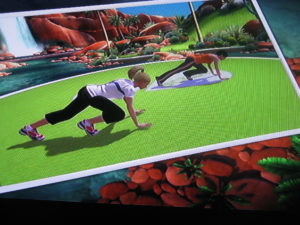
Working Up a Sweat

Back in the early days of the PlayStation2 I actually lost about 35 lbs using the Dance Pad with Dance Dance Revolution and got a pretty nifty little benefit of cardio endurance during my marathon trainings. Most of the time I didn’t even realize I was working out because it was so much fun dancing to the beats and trying to remember the combos to score extra points.

Then, came the Wii with motion controls. When I had a FirstGen Wii, I loved playing games like Wii Sports and Wii Dance. I never did get a chance to experience the Wii Fit but I heard it is pretty fun. There are many more options to choose from now. EA Sports just released Zumba Fitness and some other really awesome games like Football Trainer and likewise there are many versions of Just Dance as well. Unfortunately, I had to “donate” my Wii to someone else, but was lucky to have kept my Ps3, a feat I am proud of to this day.

This brings me to the purpose of this blog. I recently had been released from the doctor to work out again and wanted to do something different than I had done before. It’s boring going to the TV and popping in a DVD or watching Fit TV to get a boring exercise routine out of the way just to say I did it. Blechhh!

Like many, I don’t like using my gym at the clubhouse here either because people are gross and leave many things unclean. I also don’t have confidence enough to walk in to a local gym with Barbie and Ken doing their 5 mile hill climbs and 30 mile recumbent bike rides when I am walking briskly for 1 mile and feel like, “I am going to DIE!”

I found a solution. It’s completely awesome and so much fun. The game is called EA Sports Active 2. It’s a second version, similar to the EA Sports Active that was previously only released on the Wii a few years ago.  This newer version however is available for all 3 platforms and uses Kinect for Xbox360. The cost is about $99.99 but I’ve seen it around the web for as low as $69.99.  Pretty cheap considering the average gym membership is about $50.00 or more plus a personal trainer is going to cost you extra.
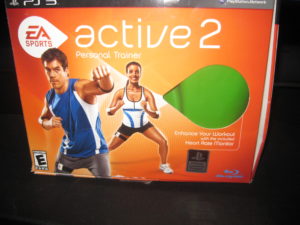
EA Sports Active 2 Personal Trainer Box

This game lets you personalize an avatar. Mine happens to be a bit curvy and has some junk in the trunk. Exactly my type of avatar! I don’t want to work out as Kim Kardashian if I don’t look like her. Maybe one day! Ha!

After you personalize your avatar, you create personal goals, and make a workout calendar for yourself. I began working out 4 days a week with 3 rest days as recommended by the game. I also chose the 9 week workout plan. It starts you off at a beginner level and then presses you through workouts at 3 interval phases throughout the program. You get to choose your own personal trainer. Mine is a motivating dude who lets me know when I’m doing a strength training move incorrectly by saying politely, “Stay still and make it count!” To which I usually reply, “Shut Up I hate you. No More Reverse Crunches!” Only because the game really makes you work hard but really it is truly fun. It’s definitely challenging for sure.
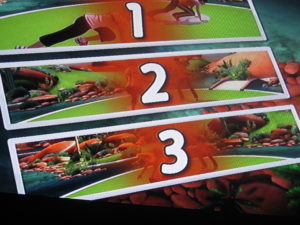
3 Phases of Fitness with Active 2

EA Sports Active 2 mixes cardio, boxing, kickboxing, step aerobics and strength training exercises all together.  There are really entertaining  exercises like Soccer Block, Bike Riding, Rail Sliding, and Basketball Shooting. We had a friend over on Thanksgiving when I got the game and he is an ex personal trainer at a well known gym. He did the exercises to try the game out for us for about 30 minutes and he was sweating. He said, “This game is way better than any of the other games I have played. It’s more real and makes you move.”

How does it track your movements? With the game comes three censors and a USB drive. There are two arm bands and one leg band. One of the arm bands has a censor on it to track your pulse and the other two are for motion censing. Now the first time I played, it was a bit awkward and the leg band kept slipping off my leg but I think because I didn’t have it tight enough was the problem. It also comes with a resistance band to help with the strength exercises like curl arm presses and reverse flys. It works pretty great at toning. I am already showing a bit of tone in my arms especially and my legs too from all the squats they have. The USB stick keeps track of your progress so that if you want to switch consoles or take it to a friend’s house to work out together you can travel and keep your progress on your stick. It’s pretty rad.
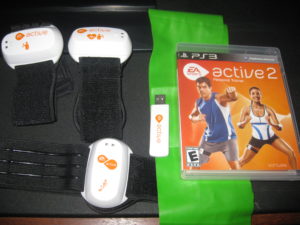
EA Sports Active 2 Equipment for Ps3

Your progress is kept daily. The games contains fitness goals, nutrition logs, tracks calories burned, fitness levels attained, weight loss and heart rates achieved. It’s rather thorough I’d say. You can also create custom workout groups to workout with friends and watch each other’s progress. Unfortunately, you cannot use cross platform groups. A friend of mine purchased Wii version of the game and created a group and I tried to join on my Ps3 version and we could not. However, we did make an online group on the EA Sports Active 2 website and were able to track each other’s progress that way.  I like to track my progress on facebook using the Ps3 feature of posting my achievements on my facebook profile page via Ps3. It’s motivating for me.

As far as the game goes, if you are looking to workout but you hate gyms or monotonous workout videos, give EA Sports Active 2 a try. Similarly, if you have a Wii, try out the Football Trainer that just came out this month. I would be interested in hearing if anyone gets it going and how they like it. It’s really a blast and the health benefits are already showing for me after only 4 weeks of training. Run out and grab your copy!  Happy Fitness New Year!
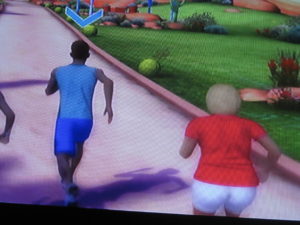
Sprinting

Adding a Hard Drive – “If All The Parameters Are In Place”

Adding a new Hard drive to the system should be easy and if all the parameters are in place, it will be. That’s the important thought however, “If all the parameters are in place…”

We received a Western Digital Caviar Green 3TB Internal Drive in to test out in the Media Center PC we are putting together and after putting the Motherboard and Processor in place, installing Memory, the Main Hard Drive (Western Digital 500GB 7200RPM 16MB Cache), Video Card and Windows 7 X64 (We’ll be testing with X32 as well) we were excited to add the WD Caviar Green 3TB Internal to the fold. After putting the rails on the drive and cables we booted the system up which located the drive. We selected the Create New Volume and after deciding to label the drive and choosing it as Drive M (For Media) we proceeded to Quick Format the Device. After about 30seconds the Quick Format failed and we then unchecked the box for Quick Format and decided it was possibly best to perform a detail and exact format. We knew this means it will take longer, but we were not expecting what happened next.

We started the format at 9:15am on Sunday 12/19/2010 and on Monday 12/20/2010 at 8:15am we were at 1%. Looking at the Storage Manager we could see that Windows 7 and the Intel Board could locate and visually see the drive however this was by no means normal. Without becoming all Sheldon on ya, this could in fact take 2 months, 23 days, 7 hours and 11.5 Minutes, give or take a month to format. Western Digital had sent a HPA Adaptor card which is a part of the 3TB Internal Drives, also the 2.5TB drives ship with this little card which plugs into the available PCI Express Port. We didn’t install the card since the Intel Board, the DH57DD was so new we assumed it should have no problem with the capacity of the drive.

If you aren’t aware, There are limitations in size for some boards accessing over 2.19TB. This little card that WD includes will help some boards be able to address the drive and welcome it to the hardware fold. WD even includes the plug in card with low riser and full size bracket for the smaller towers and regular sizes available. We plugged the card in, hooked up the drive and upon boot, the card was identified but the drive wasn’t. We let it boot and sure enough, nada was in the available drives. We shut it down, made sure the SATA Cable and power cable were connected firmly and rebooted. This time, the drive was seen and we proceeded to boot into Windows and begin the steps to reformat.

Once we deleted the previous volume and then reattempted in Quick Format Mode, it failed. We reattempted by deselecting the Quick Format and could see right away, the format was going to be a long process. Something just wasn’t right. We revisited the Western Digital website which features a very good video on adding a secondary drive with the WD Caviar Green 3TB and saw that all the steps we’d performed we’re inline. After a cup of coffee and racking the brain we decided to try one other step we hadn’t done, changing out the SATA Cable. We had provided this cable as the ones that came with the board were both used up.

Over the years you tend to amass a large quantity of cables and power cords, I always wonder if somewhere I forgot to hook up a cable because why do I have an extra!?
I located a SATA cable and connected it, rebooted the system went through the steps of deleting the old volume, recreating and performing a Quick Format. Viola! (Walla! for those not immersed in French..) Our Drive formatted and quickly. So, before you go calling Tech Support or heading back to Frys or Best Buy check the SATA cable to make sure that it isn’t the culprit. Also remember to toss the other cable since leaving it around will just cause you to put it in another system. Hopefully this helps somebody!!

Andy

Chipset Likeness User – TRON Review

Awaiting the Grid to Open

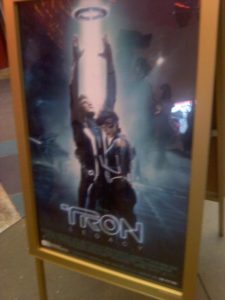
Finally! The grid was re-opened at 12:01am on Friday, December 17. We got our tickets two months ahead of time on Fandango and they were said to have sold out one week later. The crowd of 450 Programs was a bit rowdy and everyone was Tweeting, Facebook Checking, and picture taking like mad.

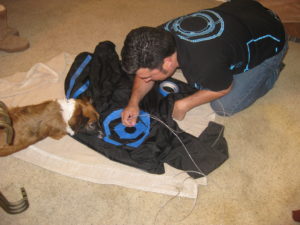
As you looked down the 3 hallways that we all sat and waited for two hours to get the best IMAX 3D viewing experience, people were talking about everything from Daft Punk to Olivia Wilde, Googling, and You tubing like I’d never seen before.  It was a glorious Geek fest and we loved it!  Everyone was clad in their Tron T-Shirts, Threadless jackets, glow sticks, Identity Disks, and even a homemade Tron Jacket my boyfriend made with EL Wire and sewn with fishing string. It was amazing!

Using EL Wire to make a Tron Jacket

The theater managers let us in about an hour before the film and people all around us were engrossed with their cell phones and electronic devices. At one point, a guy in the front row stood up and announced, “Excuse Me! If anyone has a Nintendo DS and would like to play Mario Kart let’s do it!” Everyone roared with laughter. At another point, someone asked us to sing Happy Birthday to an elderly gentleman, and the crowd obliged.

About 10 minutes before the start of the film, the managers of the theater announced that glow sticks and glow devices were not allowed during the film. Needless to say the crowd was quite annoyed but complied. They had a short quiz session with prizes afterward and their questions were what I’d call “Simpleton” level. “What company did Flynn work with?” “Which game did he create?” “What does Tron Stand for?” … Simpleton!  Needless to say, I didn’t win anything.

Cue the Film! Don’t worry no spoilers.  In all it’s glory, the film began complete with a Tron inspired Disney Castle logo and loud Daft Punk music playing. The overall feeling was of excitement and joy.

Everyone was completely silent. All of us were on the edge of our seats the entire film. Nobody dared leave his/her seat to use the restroom.

Personally, my overall feeling of the film was utterly awesome! I was impressed with the digital images and younger version of Flynn. I also appreciated the “Easter eggs” they strategically placed throughout the film for those of us who saw the first film. I didn’t think it was necessary to have seen the first film to understand the second but it was great background and made you look deeper at the film.  For example, look closely at the fireworks over the City, and notice the name of the warehouse that adult Sam Flynn lives in. Quite awesome! And finally, I learned what C.L.U. , Flynn’s likeness in the game, stands for “ Chipset Likeness User.” Rad!

I did think that they needed more “battle” scenes. I was expecting more gladiator type games and less “epic hero storyline.”

There was one controversy of the film. Part of the IMAX 3D version was shot in 2D. They announced that at the beginning of the film, but honestly, I didn’t think it took away from the film at all.

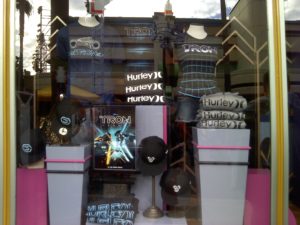
Tron Merchandise at Disney's California Adventure

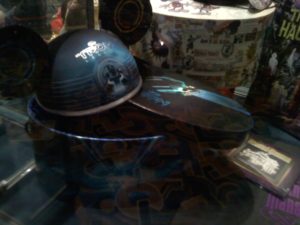
Ok, now that I’ve seen it, I plan on seeing it again very soon! You should totally check it out. I heard, but have yet to have seen, that D Street and California Adventure Tron Stores both have new merchandise after the release of the film. I hope to report back on that sometime this week. I also hope that it is better than the last Disney merchandise they released. It was a HUGE disappointment in that they did not have what I like to call “real people sizes,” clothes that are a large are a large and not an extra small, fitted. Likewise, the cost for merchandise was outrageous! Let’s hope they go on clearance and brought in some newer size-friendly merchandise. Oh! One last thing, I found some very cool Mickey ears . For $80 you can own your own Tron inspired Mickey Ears! How cool is that! If anyone wants to get me a present, this would be the one! *hint, hint*

Tron Mickey Ears

End of Line.

All Nice and No Naughty – Scan those Photos!

We caught word that our friends over at Visioneer have a Contest taking place on their Facebook Page giving you the ability to share some of your fine holiday photos but also have a shot at winning a Visioneer 9520 Scanner. There probably isn’t any doubt that Digital Cameras will sell well during the Holiday Season. So many great new devices are on the market with Fill features, sequential photos for action and large megapixels for printing from the Digital Image.

One piece of technology that is still a constant for photo enthusiasts, archivist and those working with graphics is the Digital Scanner. Gloria and I bought our first photo scanner back in 1991 for our new Desktop Publishing business and its features were about 25% of what is available with today’s Scanners, pricing is now considerably less as well. In 1991 our scanner set us back about 700 bucks!

One of the companies that has offered affordable solutions for the consumers and business user is Visioneer. We’ve had several models over the years of Visioneer scanners that have served us well. We still have a need to scan those photos, logos and other documents into the computer and with today’s software, the user is really able to fine tune and achieve a great looking photo from a scan. Most users of scanners I’ve talked with have made photo archives of all the film photos in the home for safety and ability to easily share them online with sites such as Flickr and Facebook and then store the originals away for safekeeping. It is incredibly easy to scan a photo and save it as well.

The Visioneer 9520 scans at 4800DPI and captures in 48Bit Color. For those of you that have amassed a collection of Slides, the original way a slide show was presented, a built in 35mm Slide transparency adapter makes it easier.  One Touch scanning of the 9520 gives users the option of easily selecting Fax and Send, Send to Printer or open up the Scanning Program to scan to your specific program. The Visioneer 9520 also ships with Corel and Arcsoft programs.

While the website may seem a bit confusing in its support of Windows 7, Drivers for Windows 7 and Vista are available on the Visioneer Site. If you visit the site and select the Home Products, then the product itself, scroll down to the bottom right of the page you will find drivers and there you will locate the Windows 7/Vista drivers. Probably the easiest step is to visit the Visioneer Like Page on Facebook and participate for your chance to Win one of Three Visioneer 9520 Scanners.

A Photo of the 2001 Christmas Card with Ozzy
Andy Taylor and Family with Adopted Kid Ozzy

All you have to do is submit your Nice Holiday Photo in the Holiday Photo Album and the folks over at Visioneer will select a winner December 22nd 2010. I was thinking about submitting this Holiday Family Photo from 2001 with Gloria, myself, the girls and our adopted friend Ozzy but I already have a 9520 and wouldn’t want to take away your opportunity to win!

For your chance visit http://www.facebook.com/visioneerinc

Upstaging the Gifts this Holiday Season

Photo of Andy Taylor holding a Prank Pack
Andy Taylor with the CoffeeTalkies Prank Pack

Nothing says loving, like a great holiday prank. The receiving end of a prank can be funny for the person pulling it off and in some cases, a bit of an embarrassment for those falling prey to it. I think most of us have seen the video on American Funniest Home Videos of the poor saps that scratched off a Lottery Ticket thinking they Won thousands only to be slapped with the realization it was a prank. I always felt sorry for those people thinking of how in their heads they had already spent the money and had those dreams taken from them of buying just about anything they wanted. I bet you a Wooden nickle that some of those had dreamt of taking those lotto winnings and developing products in the garage such as the Pet Petter or with today’s technology, the iArm. 

These are just a couple of products that have already been created though, at least in the minds of Ryan Dolan and Arick Nordby. These inventive geniuses behind the Company 30 Watt have created a Wonderful gift idea for that holiday season that could even upstage the gifts themselves. Prank Pack’s are boxes, and just that – boxes, that feature some of the most outrageous gift ideas imaginable. When we featured a few of the boxes during the TechtalkRadio Webcast, we had a few comments in the chat room of “How Cool” and “Why Didn’t I think of That!?” to the formidable Scooby Doo “Huuuuhhh?” 

Photo of the iArm and Pet Petter Prank Pack Boxes
Two fo Our Favorite Prank Packs

Imagine receiving a Gift Box with the Contents indicated to be a pair of  Swiss Navy Coffee Talkies with a 1200 Foot Range. Everything about the boxes feels real and not unlike anything you could pick up off the shelf next to the Camo Snuggie. The Prank Pack ships flat, similar to a New Year Calendar and can be opened easily to store almost anything from a pair of Socks to a shirt to even another box holding an iPad (Hint Hint). The Boxes construct to about 11.5 inches long, close to 9 inches across and almost 3.5 inches deep. Everything about these Prank Packs screams authentic with some of the most absurd but realistic photos and graphics on them. When the receiver opens either end of the box, they are greeted with the official prank. This isn’t a mean spirited prank, it is really designed to get a good laugh and that it does. 

The Creativity doesn’t stop with these guys as they have recently introduced the latest Prank Pack, good for the Entire family, the Family Blankeez. Great to cover a Family of eight or a Medium size SUV.  Again, while the idea sounds like a winner, it’s a Prank Pack!  From the Beer Beard to the iArm to the nine inventive and fun Prank Packs priced at just around 8 bucks, this will be one of the most shared and talked about gifts under the tree or at the Company Gift Exchange. For more info and to see some of the different Prank Packs available, take a look at http://www.prankpack.com or the company behind it all 30Watt at http://www.30watt.com 

Photo of the Family Blankeez Prank Pack
The Prank Pack Family Blankeez