Acoustic guitar with USB port, and software for recording

Paring electronics with musical instruments has been going on for a long time.  But this was the first of its kind I’ve seen…

The Jammin Pro USB Acoustic 505 has built-in “toys” and features:  a chromatic tuner with LCD display, a pre-amplifier with a four-band equalizer, XLR out port, and a 1/4-inch jack out.

A 5-foot long USB cord is included.  A 9-volt battery must be inserted into the guitar for it to work with a computer…Windows recognized the guitar in the Recording section of the sound properties as a “Microphone – USB PnP Audio Device”.  I was able to record using Sound Recorder (in Windows)…

Initially, using the tuner, I was unable to correctly tune some of strings:  it indicated that the strings were tuned…but I wanted to check with another source (because it’s been months since I’ve tuned a guitar).  I used http://www.howtotuneaguitar.org to get into the general neighborhood of the tones/octaves.  When doing so, I feared I was tuning the strings much too tight…but after ignoring that feeling I found that once I was in the general area of proper tone, the tuner on the guitar helped to get the strings pitch-perfect.  (I’m just long out of practice…)

A copy of MAGIX Music Maker SE (http://www.magix.com/us/music-maker/) is also included for recording from the guitar.

I think this makes a great gift for someone who is interested in learning how to play the guitar, and those who are interested in creating music.

Jammin Pro has suggested that purchases be made from participating retailers (such as http://www.bhphotovideo.com, http://www.teptronics.com, and http://www.midtownsounds.com).
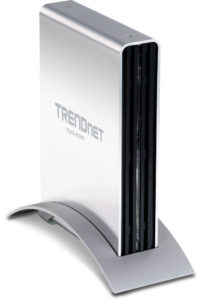
 

TRENDnet USB 3.0 external hard drive enclosures

Want to use an old hard drive…or have more storage available…and take advantage of the new, faster USB speeds?

The TRENDnet TU3-S35 3.5” USB 3.0 External Enclosure supports all current USB speeds: USB 3.0, USB 2.0, USB 1.1, and USB 1.0.  Many factors must be taken into consideration for the possibility of data to be transferred at up to 5 Gbps.  As is posted on their website:

“Data is transferred over USB 3.0 connections at up to 5Gbps. However actual data throughput may be significantly affected by choice of hard drive, computer system architecture, CPU loading, and other factors.

“USB 3.0 super speeds are based on compatible operating systems.”

(So far, I have not had an opportunity to configure the proper combination of hardware and software to get anywhere near 5 Gbps throughput.)

The enclosure is 5.25 x 1.5 x 7.75 inches (133.35 x 38.1 x 196.85mm).  SATA I and II drives of up to 2 TB are compatible.

To my surprise, I found that…to open the enclosure…a small Philips screwdriver is needed.  There is no notice on the packaging of this, but it does state that “hard drive mounting screws” are included (which need a larger Philips screwdriver).

The housing is made of aluminum, and there are large vents are on the front and rear.

Included is a 110 volt AC to 12 volt DC (2 amperes) power adapter, a 6 foot (1.8 meter) long USB 3.0 Type A to Type B cable, and a stand that will allow for the drive to sit vertical.

It’ll work with Windows, Macintosh, and Linux operating systems.

============================================

TRENDnet also has a USB 3.0 enclosure for 2.5-inch drives:  the TU3-S25 2.5” USB 3.0 External Enclosure.

A 2.5-inch SATA I or II hard drive, or a Solid State Drive (SSD), can be used.  Drives up to 2 TB are supported.

The enclosure can be used with Windows, Macintosh, and Linux operating systems.

(Again:  “Data is transferred over USB3.0 connections at up to 5Gbps. However actual data throughput may be significantly affected by choice of hard drive, computer system architecture, CPU loading, and other factors.”)

It uses a USB 3.0 Type Micro-B port.  A 1.5 foot (0.5 meter) USB 3.0 Type Micro-B cable to Type A cable is supplied.

Note that a power supply is not included…it is expected that the drive will be powered by the USB port.  In the past, I have had problems with external hard drives, and enclosures, that…because the USB port did not supply enough power…an external power supply was needed.  A power port is available on the device, and I checked the support section of the TRENDnet website for more information, but did not find any about using external power supplies with this enclosure.  I searched the internet, and also did not find any information.  If a situation arises where one is needed, I assume their support division and/or Helpdesk might be able to assist with locating a compatible power supply.

A Philips screwdriver (smaller than those needed for the TU3-S35) will be necessary to complete assembly.