New Show Available! Living The High Life in The La Quinta Inn!

In this TechtalkRadio Show, Justin and Andy try to change up the opening we’ve been using since 1996 and it’s an absolute disaster. The guys ask for listeners to send audio/voice of their favorite Technology so we can use it during the show opener. The guys talk about Email hacks and now some are using phone hacks to spoof phone numbers. In this new day an age, answering the phone has become a hassle not a joy. Leave a message or get blocked. Google finds a Zero Day Vulnerability and warns users to immediately update Chrome. While Andy did reinstall Google Chrome he takes a moment to discuss the steps to update Google Chrome. Justin has an Oops moment and it involves his gaming keyboard and Superglue?
With Justin’s blooper on his keyboard the guys talk about some of the great options for gaming keyboards and discuss the differences in price and quality on keyboards. The guys have been really impressed with what is available from Logitech. Logitech even makes a keyboard, the K400 Plus which can work with Smart TV’s making it easier to type in passwords for Amazon, Hulu and other streaming networks.
A new survey is out still suggesting that over 10,000 people surveyed, they still use 123456 as passwords. Some thoughts shared on this and why it should be changed right away. Justin shares the website Lastpass.com as a solution for creating good passwords.
Justin shares a great video gaming stream from Darkness429 with his buddy going at it with a game title called Who’s Your Daddy with hilarious results. Listeners can watch it on the Facebook Page for Darkness429 titled Dad Simulator. The guys talk about Roblox and how this is a great way to not
only play a game but also create!
Justin shares a compelling story of the 8th anniversary of the massive earthquake and tsunami in Japan. He was there and shares the experience as he prepares for another trip back to
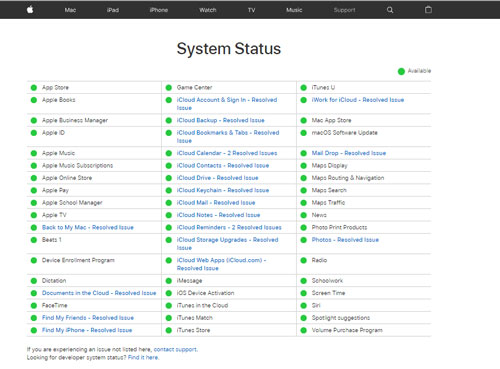
Japan. We wish him and his family safe travels and look forward to his return. With the Big outages this past week, Andy and Justin share some sites to check out when in question of a site down. https://isitdownrightnow.com is one great site for checking system status. Apple also features a system status panel. Andy talks about some new
products from Fit Bit geared at kids, the Ace2.Keywords – Logitech, Gamingkeyboards, PhoneSpoof, UpdateGoogleChrome, K400, LastPass.Com, Creatingpasswords, Darkness429, dad simulator, steam, roblox, japan, earthquake, Isitdownrightnow.com, FitBit, Ace2, P
- Connect with us on our Social Media sites.
- Facebook Techtalkers http://www.facebook.com/techtalkers
- Twitter @techtalkradio
- Instagram techtalkradio
You must be logged in to post a comment.