ASUS Zenbook DUO 2026: The Ultimate Grown-Up Back-to-School Laptop?

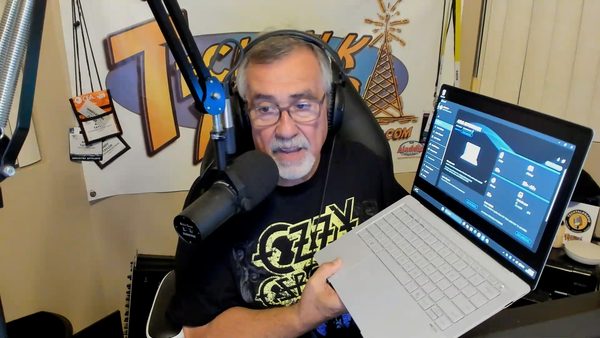
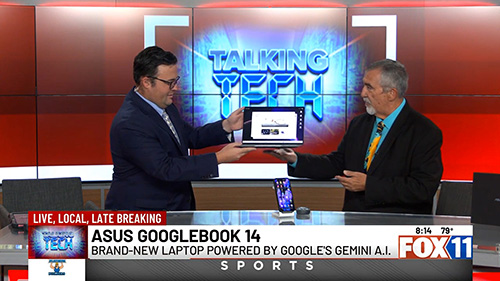
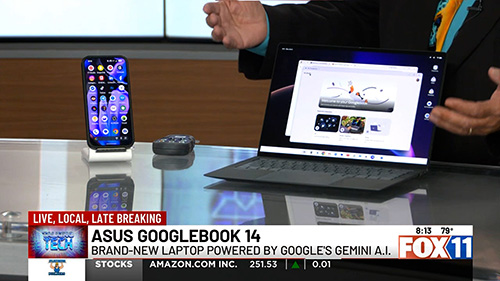
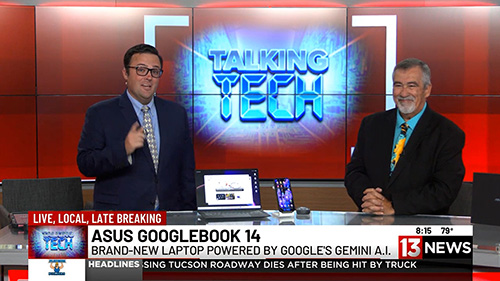
On a recent Talking Tech with Andy Taylor segment on KMSB Fox 11, Andy joined Tyler Butler to take a look at the latest ASUS Zenbook DUO, a laptop that takes the traditional notebook design and doubles down—literally—with two 14-inch displays.

The Zenbook DUO isn’t an entirely new concept. Andy first featured the dual-screen design back in 2024, when ASUS demonstrated how a laptop could transform from a traditional keyboard-and-screen setup into a portable dual-monitor workstation. For 2026, ASUS has refined that idea considerably, making the new DUO feel less like an experiment and more like a polished everyday productivity machine.

That makes it especially interesting as a “grown-up” back-to-school computer. Whether you’re a college student juggling research, online classes and assignments or an adult returning to school while also managing work and family, having two displays available almost anywhere can be a serious productivity boost.

What’s New for 2026?

One of the biggest changes is the construction. The latest Zenbook DUO is encased in ASUS’ proprietary Ceraluminum™, a combination of ceramic and aluminum designed to provide strength while remaining lightweight. The finish also helps resist scratches and fingerprints—something you’ll appreciate on a computer that’s constantly being moved between classrooms, offices, coffee shops and home.

ASUS has also refined the physical design of the DUO. The transition between its two displays is now seamless, eliminating the “hump” found in the earlier design and giving the machine a cleaner appearance when both screens are being used together.

Display technology has also taken a major step forward. While the earlier version used LCD technology, the 2026 Zenbook DUO features brilliant 3K OLED displays, providing richer color, deeper blacks and excellent clarity. For photographers, video editors, designers and other content creators, OLED can make a noticeable difference.

The detachable Bluetooth keyboard has received attention as well. It’s lighter than before, making the complete system easier to carry, while the keycaps feature an abrasion-resistant coating engineered to help prevent lettering and surfaces from wearing down after extensive use.

One Laptop, Multiple Ways to Work

During the Fox 11 demonstration, Andy showed Tyler the DUO’s signature feature. Lift away the Bluetooth keyboard and a second display is revealed underneath. Deploy the integrated stand and the Zenbook DUO becomes a portable dual-screen workstation.

For students, that could mean having research or an online lecture on the upper display while taking notes or writing a paper on the lower screen. Someone working remotely could keep a video conference on one display while accessing documents on the other.

Creators can benefit even more. During the segment, Andy demonstrated DaVinci Resolve, showing how a video editor could take advantage of the additional screen real estate. Tyler pointed out another useful configuration: putting the video preview on one display and the editing timeline and clips on the other.

And, as Tyler joked, there’s always the possibility of keeping Netflix running on one screen while “working” on the other.

The Zenbook DUO can even be rotated into a book-like vertical configuration. Windows and applications automatically adjust to the new orientation, opening up additional possibilities for reading, research, presentations and creative work.

Plenty of Power Behind Those Screens

The model demonstrated on Fox 11 was equipped with an Intel Core Ultra 9 processor, 32GB of memory and 1TB of storage, with additional storage configurations available. ASUS also includes stylus support, allowing the DUO to become a digital canvas for drawing, handwriting, annotation and creative applications.

Despite powering two displays, battery life remains impressive, with ASUS rating the system for extended use depending on configuration and workload. ASUS has also paid attention to cooling, with ventilation designed into the chassis to maintain airflow while the system is handling demanding applications.

Who Is the Zenbook DUO For?

At around $2,500 for the configuration demonstrated, the Zenbook DUO isn’t aimed at someone simply looking for an inexpensive laptop to type papers and browse the web.

Instead, this is a machine for someone who would normally carry a powerful laptop and perhaps wish they could bring a second monitor along with them. Students in media production, graphic design, engineering and other demanding programs could take advantage of its flexibility, as could professionals heading back to school who need one computer for both coursework and their career.

The original Zenbook DUO showed us what a dual-screen laptop could be. The 2026 ASUS Zenbook DUO demonstrates how much that concept has matured. With its refined Ceraluminum construction, smoother dual-screen design, OLED displays, improved keyboard and powerful hardware, it turns a portable computer into something much closer to a desktop-style dual-monitor workspace that you can fold up and carry with you.

For the right student, creator or professional, that versatility may be the Zenbook DUO’s best feature of all.

Watch for more technology reviews and Talking Tech segments with Andy Taylor at TechtalkRadio.com.

KMSB Video Segment : The Apple MacBook Neo and the EZQuest Hub That Expands Its Capabilities

For years, Apple laptops have been known for premium performance—and premium prices. But during this week’s Talking Tech segment on KMSB Fox 11, Andy Taylor showcased a new option designed to make the Mac experience more affordable: the MacBook Neo.

Starting at just $699, the MacBook Neo is aimed at students, families, first-time Mac users, and anyone considering making the switch from Windows. Featuring a bright 13-inch Retina display, lightweight design, up to 16 hours of battery life, and Apple’s efficient A18 processor, the Neo delivers plenty of performance for everyday computing tasks including web browsing, email, office work, social media, streaming, and light content creation.

Andy also highlighted one of Apple’s biggest strengths—its seamless integration with the iPhone. Users can access Messages, share files effortlessly, and enjoy the growing capabilities of Apple Intelligence and Siri, creating a connected ecosystem that works together right out of the box.

While the MacBook Neo includes two USB-C ports, modern laptops often require adapters for legacy accessories and additional peripherals. That’s where the EZQuest USB-C Hub comes in. The compact hub dramatically expands the laptop’s connectivity, allowing users to connect USB devices, external storage, monitors, SD cards, wired networking, and even external optical drives through a single connection. It’s an ideal companion for students, professionals, photographers, and anyone who regularly works with multiple devices. The Below Video is our Segment from The TechtalkRadio Show featuring the MacBook Neo – Pricing did increase after Airtime but this gives you an overview of the Neo and EZQuest Hubs.

Andy noted that while power users editing large video projects may still prefer stepping up to a MacBook Air or MacBook Pro, the MacBook Neo offers an impressive balance of portability, battery life, and affordability. Combined with the versatility of the EZQuest hub, it becomes a capable everyday workstation that can grow with your needs.

Whether you’re returning to the Mac platform, buying your first Apple computer, or simply looking for a reliable laptop without spending well over a thousand dollars, the MacBook Neo proves that Apple computing is becoming more accessible than ever. Check out the Full Show at TechtalkRadio.com

NEW – From Polaroid’s to Playstation – Episode 485

For this Week’s TechtalkRadio Show, it opens with a look back at the Fourth of July before diving into the growing role of AI in photography and digital preservation. Andy and Shawn discuss the pros and cons of using AI tools like Gemini to restore old family photos versus manually enhancing them in Photoshop. They also share practical advice on scanning decades of photographs, preserving handwritten notes on the backs of prints, cleaning aging photos safely, and choosing the right equipment—including Epson’s FastFoto scanner and Super 8 film digitizers. Shawn also shares his surprise at the comeback of analog photography, disposable cameras, and traditional film.

Sony’s decision to end physical PlayStation game discs has Andy and Shawn examine the growing trend toward digital-only ownership and the concerns surrounding games, movies, and other media that can disappear without warning. They explore the backlash from gamers, the future of downloadable content, and what this shift could mean for consumers who value true ownership. Andy shares a story he found on the web, the story behind Builder.ai—a billion-dollar startup that claimed to use artificial intelligence but was ultimately revealed to rely on hundreds of human programmers instead.

The TechtalkRadio mailbag returns with a couple of listener questions and one Andy saw on Threads. According to Rebecca’s IT Guy, We may have shared the wrong advice about building your own! Should you still build your own computer, or are pre-built systems now the better value? Andy and Shawn explain how rising memory and storage prices have shifted that recommendation. On Threads, somebody had asked about cleaning the inside of the computer out and while Justin might say “Hit it with the Hose..” (Don’t Do That) Shawn and Andy share maintenance tips for safely cleaning dust from inside a computer, discuss compressed air versus electric air blowers, and explain why regular maintenance can extend hardware life. Larry in Tucson wants to know about VPN’s. Shawn provides an easy-to-understand look at VPNs, including when software-based VPNs make sense, how they improve privacy, and whether hardware VPN routers are worth the investment.

The show closes with an early look at the rumored Insta360 X6 camera. Based on industry leaks and FCC filings, the next-generation 360° camera is expected to feature 8K recording, improved HDR, faster frame rates, larger image sensors, and enhanced low-light performance. Shawn explains why higher resolution is especially important for immersive 360-degree video and how creators use these cameras to produce dynamic action footage.

TechtalkRadio Episode 484 | Do You Really Own It? Japan, AI & The Digital Dilemma

This week on TechtalkRadio, Andy Taylor, Shawn DeWeerd, and Justin Lemme reunite after Justin’s unforgettable trip to Japan, where technology bargains, innovative gadgets, and breathtaking photography took center stage. From exploring Tokyo, Osaka, and Hiroshima to shopping eight-story electronics stores and testing cutting-edge portable cooling devices, Justin shares how favorable exchange rates and Japan’s technology culture made for one incredible adventure.

The conversation then shifts to a topic that affects every digital consumer: Do you really own the content you purchase? The team discusses Sony’s decision to remove hundreds of previously purchased movies from customer libraries due to licensing changes, raising important questions about digital ownership versus physical media. They also examine the gaming industry’s move toward digital-only releases, subscriptions, and downloadable licenses, asking whether consumers are slowly losing control over the products they buy.

Artificial intelligence remains a major focus as the hosts react to Adobe’s acquisition of Topaz Labs and what it could mean for photographers, videographers, and creative professionals. Will AI-powered editing become more powerful—or simply more expensive?

In a special interview, music publisher Rex Strother joins the show to discuss the growing legal battle surrounding AI-generated music. The conversation explores how platforms like Suno have sparked controversy over copyrighted songs being used to train AI models without permission, and what that could mean for musicians, publishers, and the future of original creativity.

The episode also answers listener questions, including whether eBay or Facebook Marketplace is the better option for selling unwanted items safely, along with practical advice for avoiding common online selling scams.

From travel technology and photography to AI ethics, digital ownership, gaming, and online marketplaces, Episode 484 delivers another engaging mix of real-world technology news, expert opinions, and practical advice for everyday users.

The Epson WorkForce ES-590W | Fast Wireless Scanner with AI OCR

Fast, Smart, and Paper-Free: Taking a Look at the Epson WorkForce ES-590W Scanner

Going paperless has never been easier thanks to the Epson WorkForce ES-590W, a high-speed document scanner designed for home offices, small businesses, and anyone looking to organize years of paperwork.

On this week’s Talking Tech with Andy Taylor on KMSB Fox 11, Andy demonstrated just how far scanning technology has come. Unlike the slow, single-page scanners of the past, the ES-590W features a 100-sheet Automatic Document Feeder (ADF) capable of scanning up to 45 pages per minute, making quick work of everything from tax records and contracts to family documents and receipts.

One of the scanner’s standout features is its wireless flexibility. Documents can be scanned directly to a computer, USB flash drive, cloud storage, or even a smartphone—without requiring a PC for every scan. The intuitive color touchscreen makes selecting a destination fast and simple.

The ES-590W also shines with Epson’s intelligent document software. Built-in Optical Character Recognition (OCR) allows scanned documents to become searchable and editable, while AI-powered organization helps categorize receipts, extract text from business cards, and simplify document management. Whether you’re digitizing office paperwork, organizing financial records, or preserving important family documents, the scanner helps eliminate the clutter while making information easier to find.

Priced around $499, the Epson WorkForce ES-590W delivers professional-level performance in a compact desktop design. For anyone looking to transition from filing cabinets to digital organization, it’s an impressive solution that combines speed, accuracy, and smart document management into one easy-to-use device.