Episode 487 – Fake Ads, Instant Photos and Dust Bunnies

This week on TechtalkRadio, Andy Taylor, Shawn DeWeerd and Justin Lemme get together for a wide-ranging conversation that begins with Shawn’s continuing cleanup after a basement flood—and quickly turns into a discussion after Andy notes that some Home Repair Companies are using A.I. to create recreations of home disasters focusing on how artificial intelligence is changing the media we see and hear every day.
Andy brings up the growing number of AI-generated television commercials, including ads where the visuals—and possibly even the music—have that unmistakable AI feel. Shawn talks about his experience creating parody music with Suno and how, after spending hours working with the platform, he has begun recognizing certain rhythms, vocal inflections and other characteristics of AI-generated music. The discussion raises a bigger question: as AI-generated images, music and video become more convincing, will we constantly wonder whether what we’re seeing and hearing was actually created by a person?

Andy also shares a positive use for generative AI: using Suno to turn lyrics written for a man’s 70th birthday into a personalized song for a video presentation. It’s an example of where AI can become a genuinely useful creative tool rather than simply replacing traditional content creation.

Justin demonstrates just how quickly generative AI works by creating a ridiculous AI advertisement during the show. The conversation then moves into Grok inside Tesla, with Justin explaining how he can talk to the AI from his car, ask questions and even use it to help with navigation. That leads the guys into comparing the strengths of Grok, ChatGPT, Gemini, Claude and Microsoft Copilot—and how different AI platforms may be better suited for different jobs.

Photography gets plenty of attention, too. Andy talks about using Photoshop, Lightroom and AI tools such as Gemini to restore old family photographs, and the guys discuss why vintage Polaroids can be especially difficult to clean up without changing the character of the original image. Shawn makes the case for leaving many Polaroids alone—the imperfections, light leaks and unusual colors are part of what makes instant photography special.

That conversation leads naturally into the new Pokémon and Polaroid collaboration, including special-edition Polaroid Go cameras, Pokémon-themed designs and collectible film frames. The crew also talks about how something that was once considered inexpensive instant photography has become a much more costly hobby.

Later, the discussion turns practical when a listener asks about improving a home network. Justin explains the advantages of mesh Wi-Fi, discusses options including Orbi and TP-Link, and raises concerns about how some big-tech-connected networking products may handle user data. The conversation expands into online privacy, targeted advertising and the desire some users have to reduce their dependence on companies such as Google, Amazon and Meta.

The guys also dig into Wi-Fi 7, explaining an important point that’s easy to overlook: buying a Wi-Fi 7 router doesn’t automatically make everything faster. To take advantage of multi-gigabit Internet service, switches, network adapters, computers and other hardware throughout the network also need to support those faster speeds.

Justin brings some humor to emergency preparedness with the story of testing a small hand-crank/solar NOAA weather radio with his son just as a real flash-flood warning sounded. The frightening alert tones weren’t a malfunction—they’re deliberately designed to grab attention and activate Emergency Alert System equipment.

The show also ventures into radio communications as Shawn discusses GMRS and FRS radios, repeaters and the FCC’s concerns about large networks of linked GMRS repeaters. Shawn explains how linking repeaters across large areas can tie up frequencies shared with ordinary FRS walkie-talkies, creating interference and regulatory concerns.
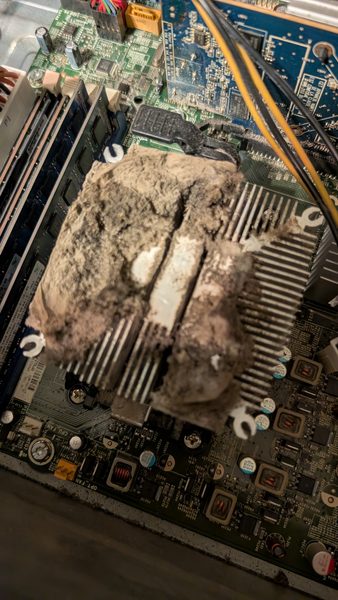
The guys also share some tips about the importance of keeping your computers free of dirt and dust and share a couple or ways to do that.


Grok Gone Wrong, Japan Tech Deals, Camera Gear Secrets, The GrandPad! What is it?

👉 “Watch or listen below:”

This week on TechtalkRadio, Andy Taylor, Shawn DeWeerd, and Justin Lemme pack the show with a mix of practical advice, industry trends, consumer tech insight, and one very relatable AI troubleshooting story.

The episode opens with a conversation inspired by World Backup Day, as the team discusses whether people still need traditional backups now that so much of daily life already lives in the cloud. From iCloud and Google Photos to NAS systems and mirrored local storage, the discussion looks at the difference between convenience, redundancy, and true disaster recovery. The hosts also explore the downsides of cloud backup, including transfer speeds, privacy concerns, and the reality that “free” services often come with tradeoffs.

That privacy angle expands into a broader discussion on surveillance and artificial intelligence. The team talks about photo apps that identify faces, security cameras that recognize visitors, geofencing technology, and the growing presence of systems like Flock cameras. It becomes one of the episode’s most thought-provoking segments, balancing the usefulness of smart systems with concerns about how much information is being collected and who ultimately has access to it.

One of the standout moments of the show comes when Justin shares his attempt to use Grok to help him set up a Project Zomboid server on a Synology NAS. What starts as a step-by-step AI-assisted setup turns into hours of troubleshooting, repeated error messages, and eventually a paid upgrade to “Super Grok” — only for the chatbot to finally admit that the server was not really designed to run on Synology in the first place. It is a funny, honest example of how AI can feel incredibly smart one moment and deeply unhelpful the next. In the end, Justin solves the problem by renting a server for a few dollars a month and getting it working in about 15 minutes.

The show also answers a listener question about moving to Dallas and choosing between fiber internet and cable service. Justin and Shawn strongly favor fiber, explaining the benefits of dedicated bandwidth, better upload speeds, and improved reliability for modern households. Andy also raises the issue of router availability and manufacturing changes, adding another layer to the conversation around networking hardware.

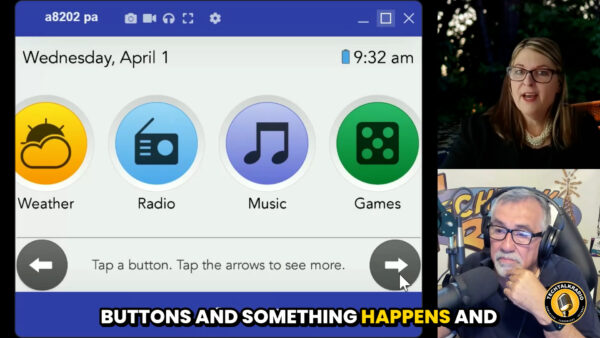
In the featured interview, Andy welcomes Julie Gran of GrandPad, a company focused on making technology more approachable for seniors. Julie explains how GrandPad is built around simplicity, safety, and connection, with a secure family-approved network, larger easy-to-read controls, telehealth support, companion family features, and thoughtful accessibility touches. The conversation also covers Grandie Chat, GrandPad’s carefully designed AI feature that allows older adults to interact through voice in a more comfortable and guided way. The interview closes with a moving story that highlights the emotional power of technology when it is designed to truly serve the user.

To finish the episode, the guys shifts into camera talk as Justin discusses plans to buy a Tamron 35-150 lens during an upcoming trip to Japan. Shawn breaks down why the lens is so appealing, explaining aperture, focal length, and the visual magic of shallow depth of field and bokeh. It’s a strong finish to an episode that moves from backups and broadband to AI mishaps, family connection, and creative tools.

Thanks for checking out the show! Please Subscribe to our YouTube channel and Follow on Social Media!

The Camp Snap Camera Phenomena! Stay in the Moment – Video

Video Segment – The Camp Snap Camera

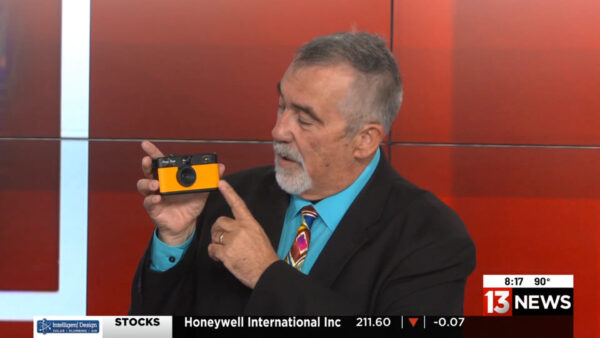
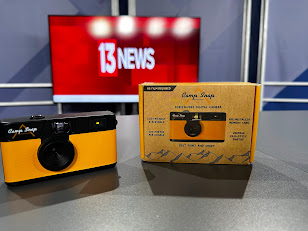
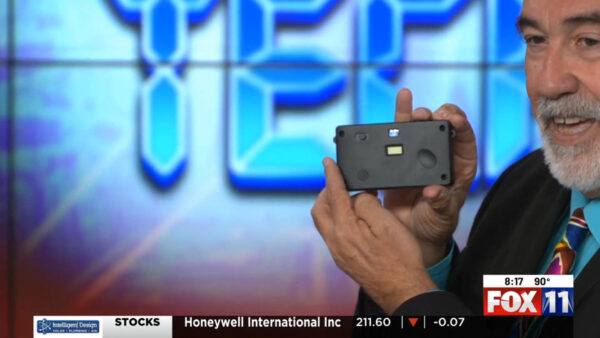
For this Weeks Segment on KMSB Fox 11 News 13 – Andy Taylor of TechtalkRadio is looking at a product which has gained a lot of interest and it’s a perfect companion for Gatherings, Summer Vacations and for fun. We are looking at the Camp Snap Camera. The hand size camera that has been designed to enjoy the moment and has eliminated one of the features we have found on Digital Cameras and Smartphones, The Rear Screen.

With the Camp Snap Camera which is available in about 9 different colors. It features a 8mp sensor and while I can say it is designed for kids, many have found it to be a great inexpensive way to capture a photo and not get lost in the moment of taking a photo and then looking at what you took and then snapping others. The Camera ships with a 4GB Micro SD Memory card which could store about 2000 photos.

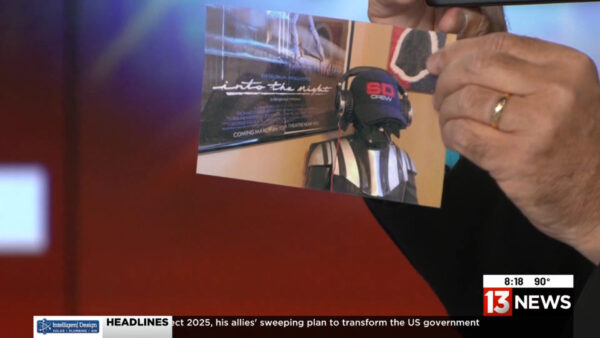
Taking photos with the Camp Snap Camera is easy, there is no focus, no shutter speed to adjust, it’s all in the camera. The company based in Redondo Beach has also made Filters available, Vintage and Black and White to download and take new photos in that mode. There is free software to apply this and other filters after taking the picture and it’s easy to connect the included USB C cable to the computer to transfer photos and that’s how you can view them.

Lightweight, a great introduction to taking pictures and staying in the moment- The Camp Snap Camera sells for about $65.00, and the response has been great! The company has indicated there could be new devices on the horizon.

For more check out https://www.campsnapphoto.com