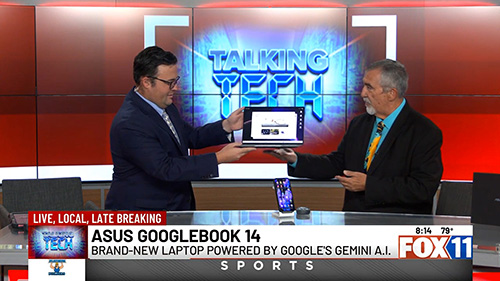
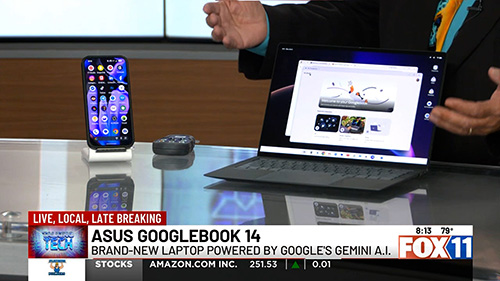
Artificial Intelligence is becoming an increasingly important part of personal computing, and ASUS is taking a big step forward with the introduction of the new Asus Googlebook 14 Offically Out October 12th. On this week’s Talking Tech segment on KMSB Fox 11 Tucson, Andy Taylor joins Tyler Butler in the studio for a hands-on look at this new AI-focused laptop.
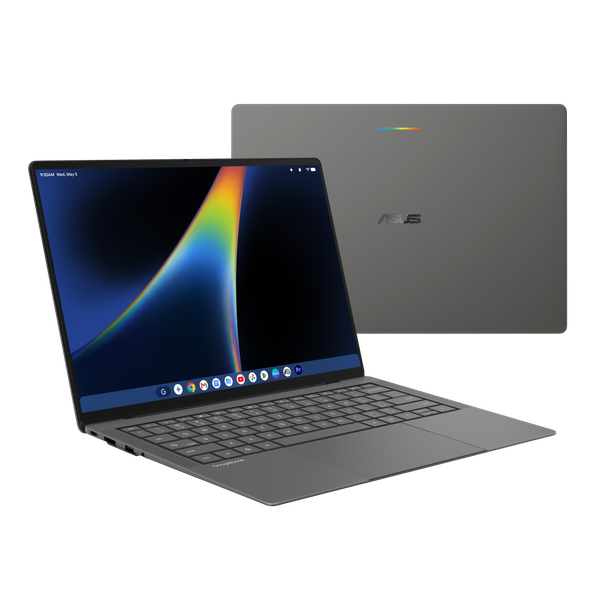
The ASUS Googlebook 14 is designed to combine Google’s Gemini AI capabilities with an Android-connected computing experience. For users who already rely on Android smartphones, the ability to access familiar apps and continue working across devices could make this an appealing alternative to a traditional Windows laptop.
Under the hood, the Googlebook 14 features an Intel Core Ultra 5 325 processor, 16GB of memory, and storage options beginning at 256GB. Despite the hardware, the laptop weighs just 2.18 pounds and features an ultra-thin, sturdy design using Asus Nano Tech.
One of the more interesting features is ASUS’s Magic Pointer, which introduces AI-powered capabilities directly through the cursor, including tools for working with images. A dedicated G key provides quick access to Gemini AI, while a fingerprint reader and multiple ports add convenience.
Starting at $1,299 for the 256GB configuration, the ASUS Googlebook 14 represents a different approach to personal computing, with AI playing a central role rather than simply being an additional feature.
Watch the full KMSB Fox 11 Talking Tech segment as Andy and Tyler explore the design, features, and possibilities of this new laptop. Find out More on the Official Asus Website
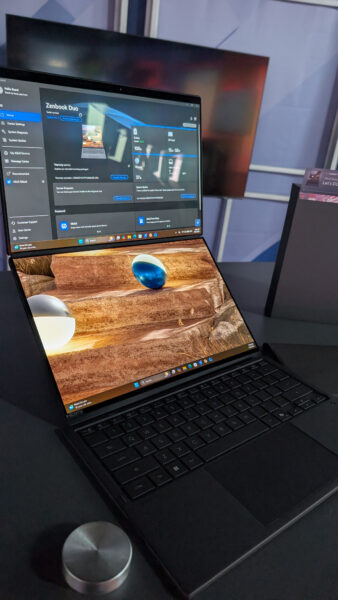
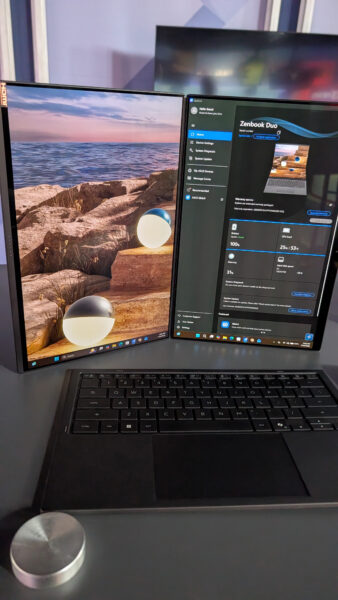
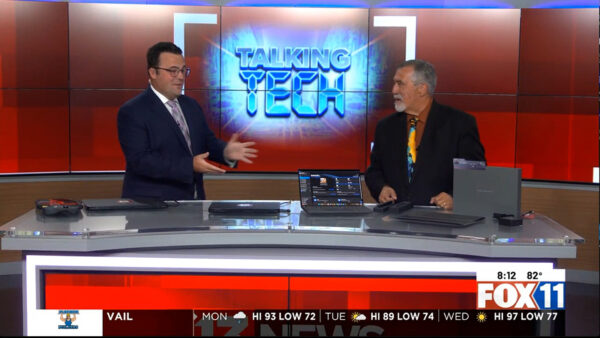
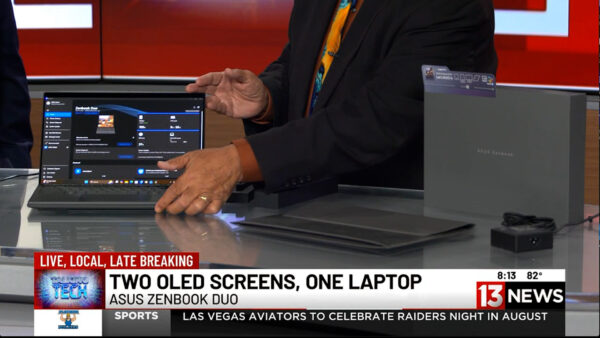
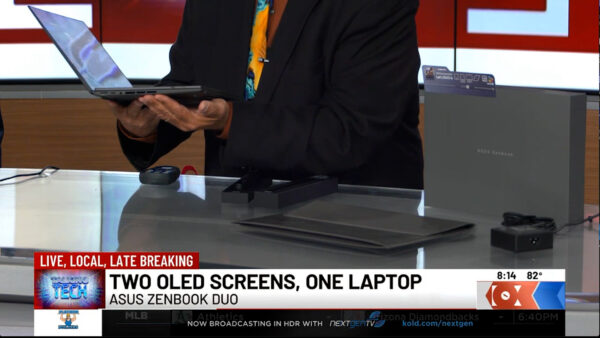
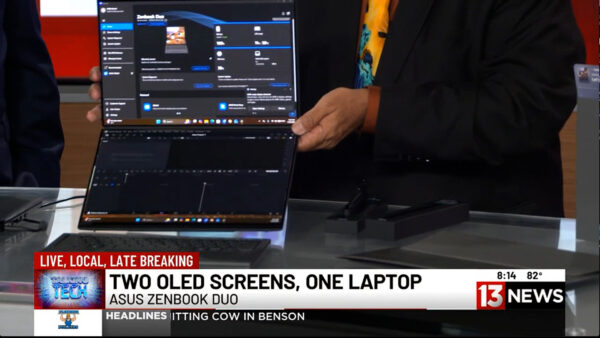
On a recent Talking Tech with Andy Taylor segment on KMSB Fox 11, Andy joined Tyler Butler to take a look at the latest ASUS Zenbook DUO, a laptop that takes the traditional notebook design and doubles down—literally—with two 14-inch displays.
The Zenbook DUO isn’t an entirely new concept. Andy first featured the dual-screen design back in 2024, when ASUS demonstrated how a laptop could transform from a traditional keyboard-and-screen setup into a portable dual-monitor workstation. For 2026, ASUS has refined that idea considerably, making the new DUO feel less like an experiment and more like a polished everyday productivity machine.
That makes it especially interesting as a “grown-up” back-to-school computer. Whether you’re a college student juggling research, online classes and assignments or an adult returning to school while also managing work and family, having two displays available almost anywhere can be a serious productivity boost.
What’s New for 2026?
One of the biggest changes is the construction. The latest Zenbook DUO is encased in ASUS’ proprietary Ceraluminum™, a combination of ceramic and aluminum designed to provide strength while remaining lightweight. The finish also helps resist scratches and fingerprints—something you’ll appreciate on a computer that’s constantly being moved between classrooms, offices, coffee shops and home.
ASUS has also refined the physical design of the DUO. The transition between its two displays is now seamless, eliminating the “hump” found in the earlier design and giving the machine a cleaner appearance when both screens are being used together.
Display technology has also taken a major step forward. While the earlier version used LCD technology, the 2026 Zenbook DUO features brilliant 3K OLED displays, providing richer color, deeper blacks and excellent clarity. For photographers, video editors, designers and other content creators, OLED can make a noticeable difference.
The detachable Bluetooth keyboard has received attention as well. It’s lighter than before, making the complete system easier to carry, while the keycaps feature an abrasion-resistant coating engineered to help prevent lettering and surfaces from wearing down after extensive use.
One Laptop, Multiple Ways to Work
During the Fox 11 demonstration, Andy showed Tyler the DUO’s signature feature. Lift away the Bluetooth keyboard and a second display is revealed underneath. Deploy the integrated stand and the Zenbook DUO becomes a portable dual-screen workstation.
For students, that could mean having research or an online lecture on the upper display while taking notes or writing a paper on the lower screen. Someone working remotely could keep a video conference on one display while accessing documents on the other.
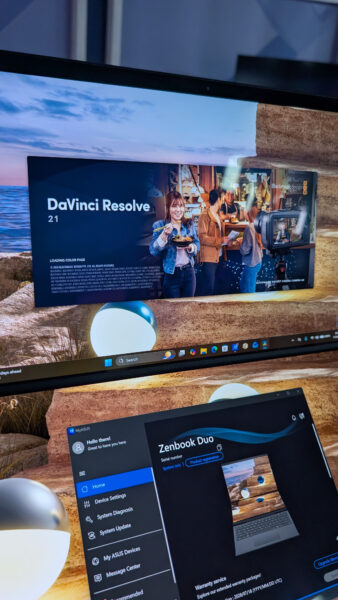
Creators can benefit even more. During the segment, Andy demonstrated DaVinci Resolve, showing how a video editor could take advantage of the additional screen real estate. Tyler pointed out another useful configuration: putting the video preview on one display and the editing timeline and clips on the other.
And, as Tyler joked, there’s always the possibility of keeping Netflix running on one screen while “working” on the other.
The Zenbook DUO can even be rotated into a book-like vertical configuration. Windows and applications automatically adjust to the new orientation, opening up additional possibilities for reading, research, presentations and creative work.
Plenty of Power Behind Those Screens
The model demonstrated on Fox 11 was equipped with an Intel Core Ultra 9 processor, 32GB of memory and 1TB of storage, with additional storage configurations available. ASUS also includes stylus support, allowing the DUO to become a digital canvas for drawing, handwriting, annotation and creative applications.
Despite powering two displays, battery life remains impressive, with ASUS rating the system for extended use depending on configuration and workload. ASUS has also paid attention to cooling, with ventilation designed into the chassis to maintain airflow while the system is handling demanding applications.
Who Is the Zenbook DUO For?
At around $2,500 for the configuration demonstrated, the Zenbook DUO isn’t aimed at someone simply looking for an inexpensive laptop to type papers and browse the web.
Instead, this is a machine for someone who would normally carry a powerful laptop and perhaps wish they could bring a second monitor along with them. Students in media production, graphic design, engineering and other demanding programs could take advantage of its flexibility, as could professionals heading back to school who need one computer for both coursework and their career.
The original Zenbook DUO showed us what a dual-screen laptop could be. The 2026 ASUS Zenbook DUO demonstrates how much that concept has matured. With its refined Ceraluminum construction, smoother dual-screen design, OLED displays, improved keyboard and powerful hardware, it turns a portable computer into something much closer to a desktop-style dual-monitor workspace that you can fold up and carry with you.
For the right student, creator or professional, that versatility may be the Zenbook DUO’s best feature of all.
Watch for more technology reviews and Talking Tech segments with Andy Taylor at TechtalkRadio.com.
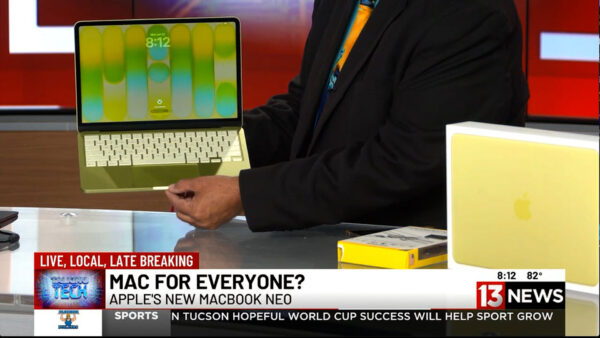
For years, Apple laptops have been known for premium performance—and premium prices. But during this week’s Talking Tech segment on KMSB Fox 11, Andy Taylor showcased a new option designed to make the Mac experience more affordable: the MacBook Neo.
Starting at just $699, the MacBook Neo is aimed at students, families, first-time Mac users, and anyone considering making the switch from Windows. Featuring a bright 13-inch Retina display, lightweight design, up to 16 hours of battery life, and Apple’s efficient A18 processor, the Neo delivers plenty of performance for everyday computing tasks including web browsing, email, office work, social media, streaming, and light content creation.
Andy also highlighted one of Apple’s biggest strengths—its seamless integration with the iPhone. Users can access Messages, share files effortlessly, and enjoy the growing capabilities of Apple Intelligence and Siri, creating a connected ecosystem that works together right out of the box.
While the MacBook Neo includes two USB-C ports, modern laptops often require adapters for legacy accessories and additional peripherals. That’s where the EZQuest USB-C Hub comes in. The compact hub dramatically expands the laptop’s connectivity, allowing users to connect USB devices, external storage, monitors, SD cards, wired networking, and even external optical drives through a single connection. It’s an ideal companion for students, professionals, photographers, and anyone who regularly works with multiple devices. The Below Video is our Segment from The TechtalkRadio Show featuring the MacBook Neo – Pricing did increase after Airtime but this gives you an overview of the Neo and EZQuest Hubs.
Andy noted that while power users editing large video projects may still prefer stepping up to a MacBook Air or MacBook Pro, the MacBook Neo offers an impressive balance of portability, battery life, and affordability. Combined with the versatility of the EZQuest hub, it becomes a capable everyday workstation that can grow with your needs.
Whether you’re returning to the Mac platform, buying your first Apple computer, or simply looking for a reliable laptop without spending well over a thousand dollars, the MacBook Neo proves that Apple computing is becoming more accessible than ever. Check out the Full Show at TechtalkRadio.com
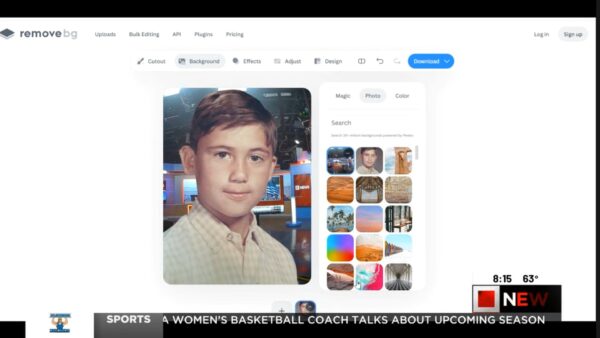
In This week’s KMSB News13 Segment, Andy shows you how to instantly remove photo backgrounds with a website Remove.bg — It’s fun to play around with but could be a time saver for those working to adjust a photo. No Photoshop skills required — While the latest version of Photoshop from Adobe can accomplish pretty much the same results, this is fun to take for a spin. We also take a fun look at Google’s Frightgeist, revealing the top trending Halloween costumes across the country. Which is the top trending costume?
From refreshing old memories to picking your next costume idea, these easy tools make tech both fun and functional!
👉 Watch now and try them yourself: remove.bg and frightgeist.withgoogle.com






You must be logged in to post a comment.