ASUS Zenbook DUO 2026: The Ultimate Grown-Up Back-to-School Laptop?

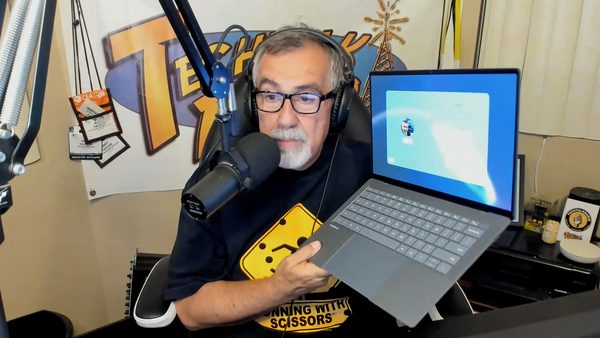
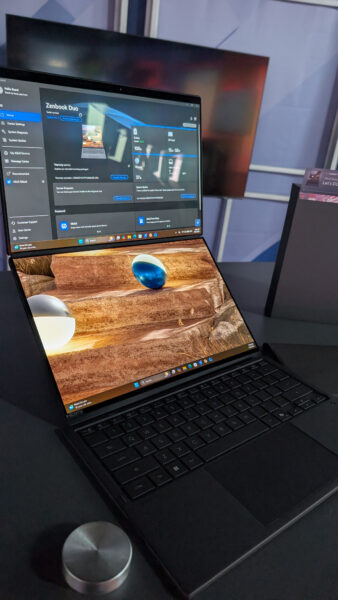
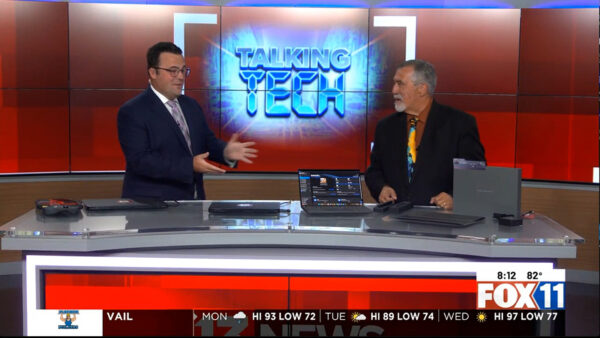
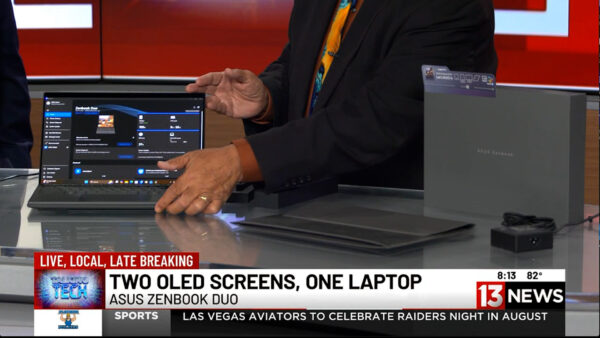
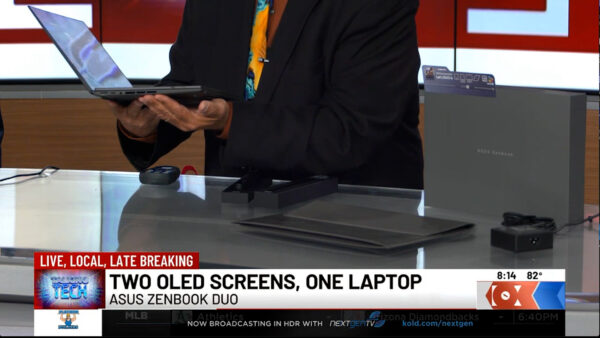
On a recent Talking Tech with Andy Taylor segment on KMSB Fox 11, Andy joined Tyler Butler to take a look at the latest ASUS Zenbook DUO, a laptop that takes the traditional notebook design and doubles down—literally—with two 14-inch displays.

The Zenbook DUO isn’t an entirely new concept. Andy first featured the dual-screen design back in 2024, when ASUS demonstrated how a laptop could transform from a traditional keyboard-and-screen setup into a portable dual-monitor workstation. For 2026, ASUS has refined that idea considerably, making the new DUO feel less like an experiment and more like a polished everyday productivity machine.

That makes it especially interesting as a “grown-up” back-to-school computer. Whether you’re a college student juggling research, online classes and assignments or an adult returning to school while also managing work and family, having two displays available almost anywhere can be a serious productivity boost.

What’s New for 2026?

One of the biggest changes is the construction. The latest Zenbook DUO is encased in ASUS’ proprietary Ceraluminum™, a combination of ceramic and aluminum designed to provide strength while remaining lightweight. The finish also helps resist scratches and fingerprints—something you’ll appreciate on a computer that’s constantly being moved between classrooms, offices, coffee shops and home.

ASUS has also refined the physical design of the DUO. The transition between its two displays is now seamless, eliminating the “hump” found in the earlier design and giving the machine a cleaner appearance when both screens are being used together.

Display technology has also taken a major step forward. While the earlier version used LCD technology, the 2026 Zenbook DUO features brilliant 3K OLED displays, providing richer color, deeper blacks and excellent clarity. For photographers, video editors, designers and other content creators, OLED can make a noticeable difference.

The detachable Bluetooth keyboard has received attention as well. It’s lighter than before, making the complete system easier to carry, while the keycaps feature an abrasion-resistant coating engineered to help prevent lettering and surfaces from wearing down after extensive use.

One Laptop, Multiple Ways to Work

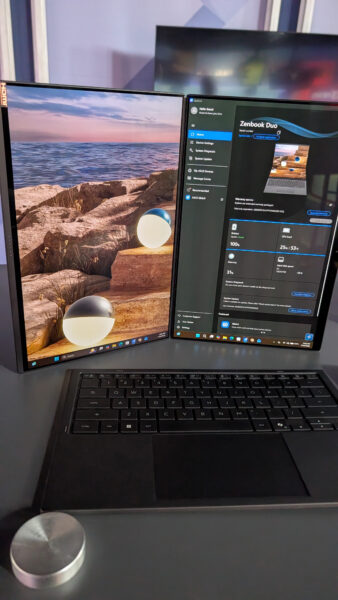
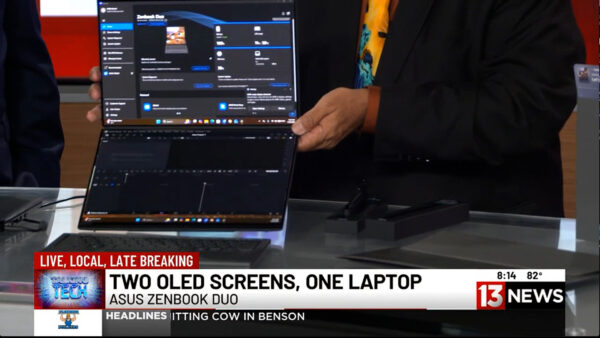
During the Fox 11 demonstration, Andy showed Tyler the DUO’s signature feature. Lift away the Bluetooth keyboard and a second display is revealed underneath. Deploy the integrated stand and the Zenbook DUO becomes a portable dual-screen workstation.

For students, that could mean having research or an online lecture on the upper display while taking notes or writing a paper on the lower screen. Someone working remotely could keep a video conference on one display while accessing documents on the other.

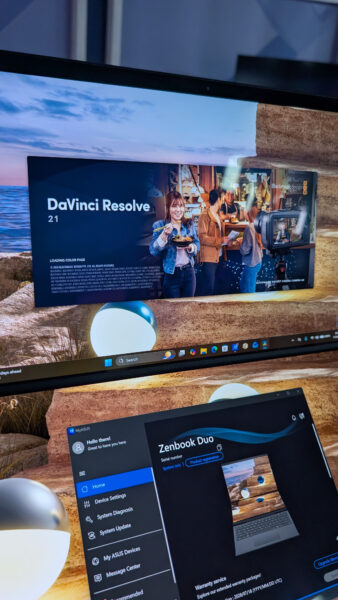
Creators can benefit even more. During the segment, Andy demonstrated DaVinci Resolve, showing how a video editor could take advantage of the additional screen real estate. Tyler pointed out another useful configuration: putting the video preview on one display and the editing timeline and clips on the other.

And, as Tyler joked, there’s always the possibility of keeping Netflix running on one screen while “working” on the other.

The Zenbook DUO can even be rotated into a book-like vertical configuration. Windows and applications automatically adjust to the new orientation, opening up additional possibilities for reading, research, presentations and creative work.

Plenty of Power Behind Those Screens

The model demonstrated on Fox 11 was equipped with an Intel Core Ultra 9 processor, 32GB of memory and 1TB of storage, with additional storage configurations available. ASUS also includes stylus support, allowing the DUO to become a digital canvas for drawing, handwriting, annotation and creative applications.

Despite powering two displays, battery life remains impressive, with ASUS rating the system for extended use depending on configuration and workload. ASUS has also paid attention to cooling, with ventilation designed into the chassis to maintain airflow while the system is handling demanding applications.

Who Is the Zenbook DUO For?

At around $2,500 for the configuration demonstrated, the Zenbook DUO isn’t aimed at someone simply looking for an inexpensive laptop to type papers and browse the web.

Instead, this is a machine for someone who would normally carry a powerful laptop and perhaps wish they could bring a second monitor along with them. Students in media production, graphic design, engineering and other demanding programs could take advantage of its flexibility, as could professionals heading back to school who need one computer for both coursework and their career.

The original Zenbook DUO showed us what a dual-screen laptop could be. The 2026 ASUS Zenbook DUO demonstrates how much that concept has matured. With its refined Ceraluminum construction, smoother dual-screen design, OLED displays, improved keyboard and powerful hardware, it turns a portable computer into something much closer to a desktop-style dual-monitor workspace that you can fold up and carry with you.

For the right student, creator or professional, that versatility may be the Zenbook DUO’s best feature of all.

Watch for more technology reviews and Talking Tech segments with Andy Taylor at TechtalkRadio.com.

PC Users Eyeing a Mac, The Rosebud.App and Asus PX13 ProArt

This week on TechtalkRadio, Andy Taylor and Shawn DeWeerd kick things off with a real-time look at severe weather, storm tracking, and the growing role of independent meteorologists on YouTube. Shawn shares how live storm coverage from creator Ryan Hall has changed the way many people follow dangerous weather, offering faster, more detailed updates than traditional local broadcasts in some cases. The conversation also dives into storm preparedness, from generators and backup power to radios, fuel, and having a family plan in place when rough weather rolls in.

The show also revisits one of the week’s most talked-about tech topics: the new MacBook Neo. Andy and Shawn break down the appeal of Apple’s lower-cost laptop, discussing its price point, specs, battery life, and why it could be an attractive option for people who have always wanted to try a Mac without spending a fortune. They also talk about the learning curve for longtime Windows users, the differences in workflow, and why Apple may have found the right moment to push harder into the affordable laptop space..

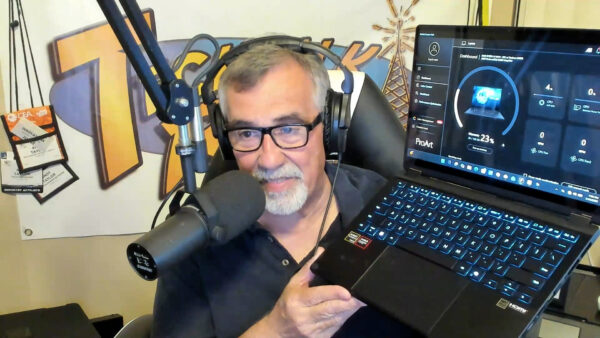
Shawn, who has long been skeptical of AI, admits he was surprised by how powerful and creative the music-generation platform Suno turned out to be. The two discuss the fun and creative possibilities of AI music tools, while also emphasizing the importance of ethics, transparency, and giving proper credit whenever AI plays a role in the creative process. Later in the show, Andy spotlights the ASUS ProArt PX13 GoPro Edition, a compact but powerful creator laptop designed for video editors and GoPro users, with features like a bright OLED display, strong onboard AI processing with the Ryzen AI Max 395+, 128GB Ram, 1TB Storage along with a built-in jog wheel, and 2-in-1 flexibility for tablet type use.

Andy with Sean Dadashi, co-founder of Rosebud, an AI-powered journaling app designed to make self-reflection easier, more guided, and more meaningful. Sean explains how the idea for Rosebud grew from his own experience with therapy and journaling, where he saw firsthand how difficult it can be for people to stare at a blank page and know where to begin. With Rosebud, users can write or speak their thoughts, then receive thoughtful AI-guided prompts that help them go deeper, recognize patterns, and stay connected to personal goals over time.

Screenshot of Rosebud on the Web

Wrapping things up, the show touches on Mario Day March 10th Record Day, Nintendo announcements, and new family-friendly interactive gaming experiences from NEX Playground in the Audiocast, making for a packed episode full of gadgets, AI, entertainment, and practical tech talk.

Got a question for the show? Email techguys@techtalkradio.com, and catch more at techtalkradio.com.

Please Share, Listen, Subscribe to the Show on Spotify, Spreaker, iHeartRadio, Goodpods, YouTube and Our YouTube Page.

Connect With Us on social media
YouTube @TechtalkRadio
Facebook @techtalkers
Instagram @techtalkradio
TikTok @Techtalkradio
X @techtalkradio

Also Available on KGVY AM/FM, Spotify, Amazon Music, Goodpods, PodBean and other Delivery Networks!

DON’T MISS A BEAT

Be the first to know when our Shows and Video Content is released

We don’t spam! Read our [link]privacy policy[/link] for more info.

The Gaming Handheld you Need to Hold!

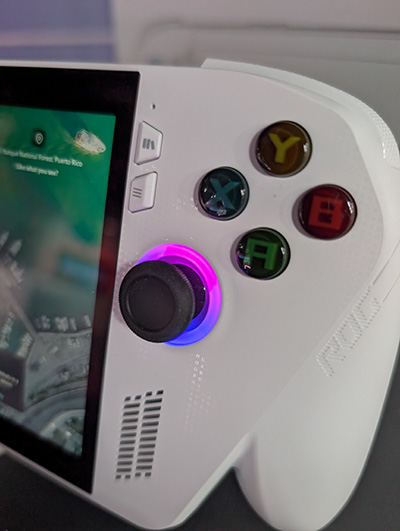
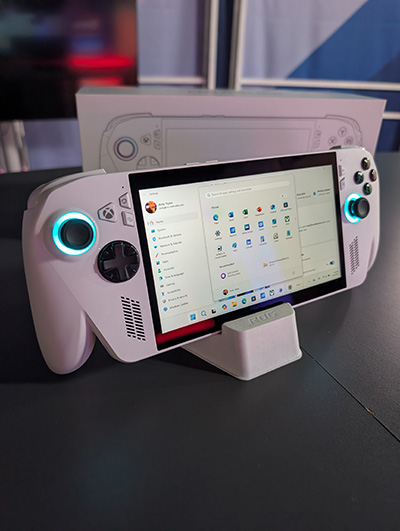
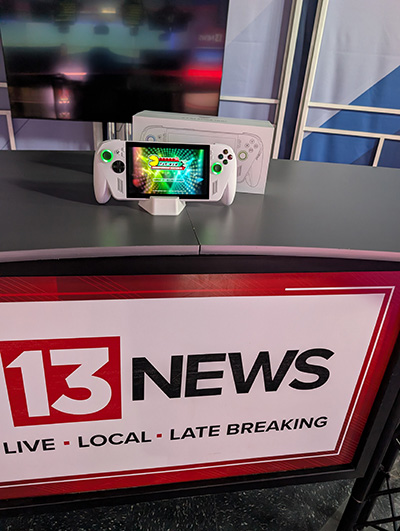
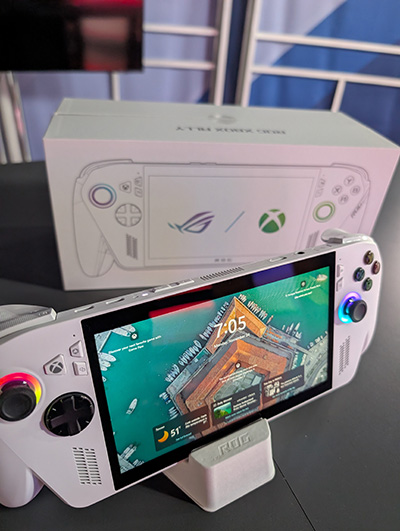
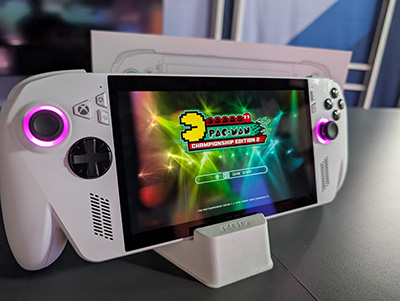
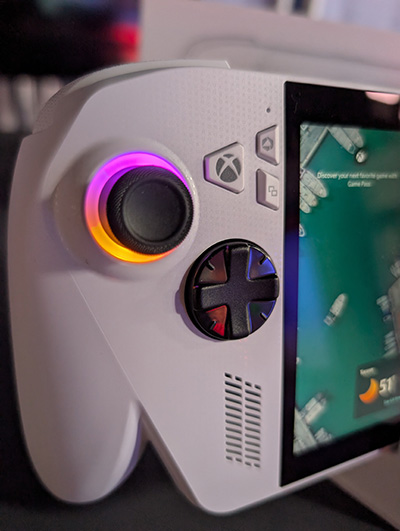
In this KMSB Fox 11 Segment, Andy Taylor takes a hands-on look at the ASUS ROG Ally (Xbox Edition), a powerful handheld gaming PC that blurs the line between console gaming and everyday computing. This compact device runs Windows 11, giving users full access to their Xbox library, PC games, and familiar desktop apps—all in one portable package.

Andy breaks down what makes the ROG Ally stand out, including its AMD Ryzen Z-series processor, fast SSD storage, impressive graphics performance, and built-in cooling designed to handle demanding games. He also discusses real-world battery life, fast charging, and how gameplay varies depending on the titles you’re running—from casual classics to graphics-intensive AAA games. Beyond gaming, the ROG Ally truly shines as a mobile Windows 11 computer. With support for Bluetooth keyboards and mice, external displays, USB-C connectivity, and expandable storage via SD card, it easily transitions from entertainment to productivity.

Whether you’re gaming on the couch, traveling, or getting work done on the go, the ROG XBOX Ally from Asus is a great solution and fun to share on this segment for those wanting even more power, the Asus ROG XBOX Ally X could be a great solution as well.

Episode 465 – Pricey RAM and Scams That Sleigh Your Wallet

We have been running behind so wanted to make sure we share these episodes that Aired but have not been posted. Hope you enjoy them!


This week on TechtalkRadio, Andy Taylor and Shawn DeWeerd kick things off in full holiday mode with a look at Microsoft’s latest seasonal merch drop—highlighting the surprisingly steep price tag on the new “ugly sweater,” the retro logos packed into the design (and a few questionable modern additions), plus the equally head-scratching 50th anniversary Crocs and other oddball collectibles on Microsoft’s revamped merchandise site. The conversation rolls naturally into Shawn’s Christmas wish list—everything from retro gaming gear and board-game storage to soldering tools, ham radio accessories, and FPV drones—along with the realities of finding certain tech items in stock (or even available) right now.

From there, the show pivots to timely safety and consumer tech advice. Andy shares warnings tied to “Dangerous December,” reinforcing how critical it is to keep browsers and mobile devices updated during peak online shopping season, when older devices and outdated software can become easy targets. The duo also addresses a growing concern around romance scams, outlining common red flags—like refusing video calls or pushing for money—and reminding listeners how easily scammers can use public online details to build trust and manipulate victims.

We get a chance to answer a listener question from Cecilia in Tucson about a dropped laptop with a shattered screen—explaining how adding an external monitor can often bring the machine back to life, and walking through common steps to enable an external display if it doesn’t switch automatically. That discussion expands into practical habits for everyday computing, including whether to shut down systems overnight, what “update and shut down” really means in the real world, and how different devices (home rigs, servers, and work machines) have very different expectations for uptime and maintenance.

Later, Andy welcomes Linda Chorney—Grammy-nominated artist, filmmaker, and self-described DIY “rebel”—to talk about her new audiobook, It Ain’t Over Till the Indie Sings. Linda shares the remarkable story behind her career, how technology and persistence helped her navigate the industry, and how she taught herself production workflows—from editing and syncing audio to recording in Pro Tools and meeting modern audiobook standards. The episode closes with gaming news for Tomb Raider fans and a nostalgic holiday wrap-up, as Shawn recounts a weekend of in-person gaming, board games, and Lord of the Rings marathons—celebrating the kind of face-to-face tech friendship and shared experiences that many of us miss in today’s always-online world.

NEW EPISODE #452 – K-Pop, YouTubeTV Battles & Windows 95 Turns 30!

Subscribe

This week on TechtalkRadio, Andy Taylor, Matt Jones, and Justin Lemme take listeners on a ride through pop culture, tech nostalgia, and the latest gadgets. We kick things off with Netflix’s surprise mega-hit K-Pop Demon Hunters, which has quickly become one of the most streamed films on the platform. Matt shares what this all has to do with Hannah Montana! The guys explore how the movie’s catchy soundtrack, unique animation style which Justin is not a fan of, and unexpected success are reshaping both the music and movie industries, But is it Enough?

From there, the conversation shifts to the future of movie theaters. Justin shares a hilarious yet frustrating story about his AMC theater experience, his impression is spot on, while Matt explains why premium theaters like Alamo Drafthouse are thriving. Andy shares a similar venue in the Tucson Area called Roadhouse Cinemas. The team debates whether streaming at home with services like YouTube TV is now a better option than overpriced tickets, flat sodas, and broken popcorn machines. Listener Steve from Tucson also sparks a great discussion on whether cutting the cord for YouTube TV is worth it.

On the tech front, Matt shares a new development with his new AI-powered home lab, now complete with Reolink 4K cameras and custom video analytics that can detect pets, license plates, and even track the dogs around the house. Justin, meanwhile, shares his return to the ambitious (and still in alpha) Star Citizen, a space sim that continues to evolve.

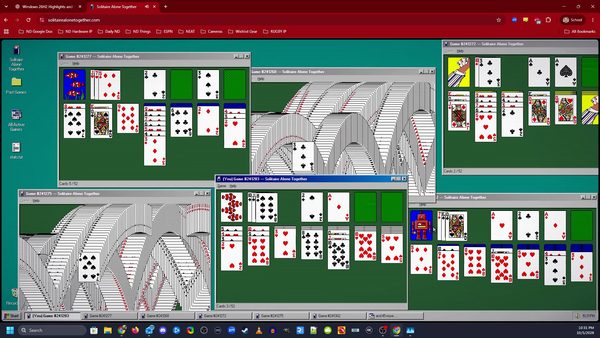
Of course, no trip down memory lane would be complete without celebrating 30 years of Windows 95. Andy, the Old Guy in the Room, realizes the Age Gap, when he ask Matt about the excitement of installing Windows95! The guys do reminisce about floppy disks, DOS gaming, and the long list of Windows versions that shaped the modern PC era. They also explain the term doom-scrolling for listeners who might be hearing it for the first time.

Finally, Matt ditches his smartphone and previews the brand-new Google Pixel 10 XL, fresh from Google’s “Made by Google” event. He’s already pre-ordered the device and will share a hands-on review in next week’s episode.Why didn’t Matt like the one he had before?

Please Share, Listen, Subscribe to the Show on Apple, Spotify, Spreaker, iHeartRadio and Our YouTube Page.

Connect With Us on social media
YouTube @TechtalkRadio
Facebook @techtalkers
Instagram techtalkradio
Web: TechtalkRadio.Com

DON’T MISS A BEAT

Be the first to know when our Shows and Video Content is released

We don’t spam! Read our [link]privacy policy[/link] for more info.