Episode 486 – Poutine, Power and Two Screens – One Laptop!
The crew is back together for Episode 486 of TechtalkRadio, with Andy Taylor, Shawn DeWeerd and Justin Lemme catching up on a whirlwind few weeks of technology, travel, severe weather and some very interesting new gear.
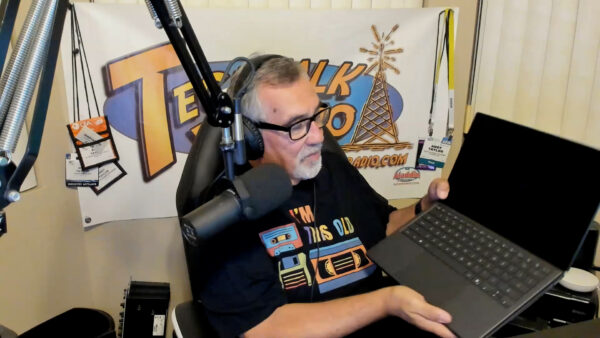


Segment One – Severe Weather, Gen Con & Backup Power
Shawn has been on the move, including a vendor trip to Canada that had him flying private while severe storms were moving through Indiana. The guys talk about the powerful storms and tornado warnings back home and share some of the weather resources they use, including Weather.gov, Zoom.Earth and RadarOmega.
Shawn also recaps his trip to Gen Con in Indianapolis, where — fittingly — another tornado warning became part of the adventure. He shares some of what he experienced at the massive gaming convention, including playing Daggerheart, before talking about his trip to an ESPN conference and the technology work underway at Notre Dame.

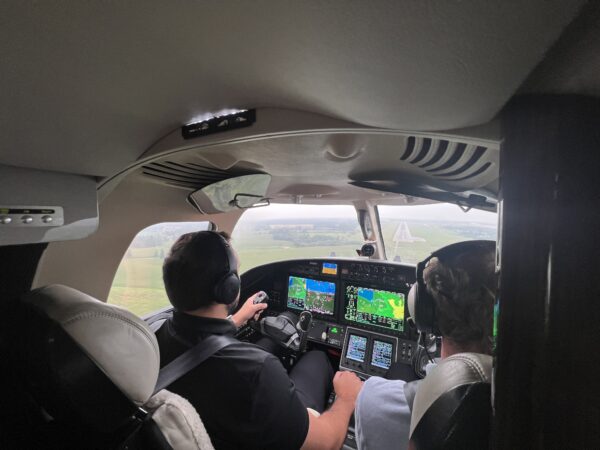

The conversation then turns to emergency power. Shawn has added an Anker SOLIX home battery backup system along with portable solar panels. Unlike his existing inverter generator, the battery system can provide 240-volt power, allowing him to run essentials including his well pump. He shares his real-world experience using the system at home and while camping, including how much power he was able to generate from the portable solar panels.
Segment Two – ASUS Zenbook Duo, PC Prices & Getting Prepared
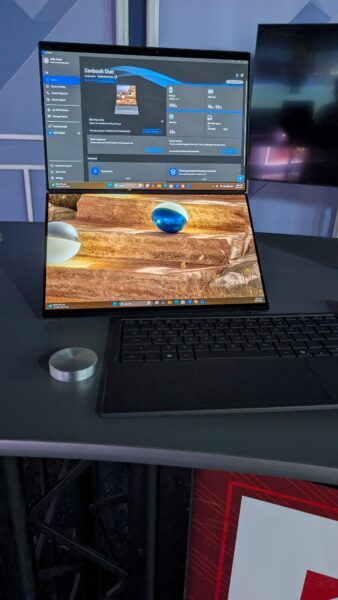
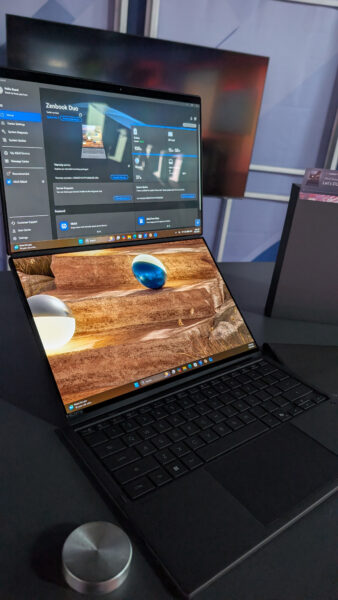
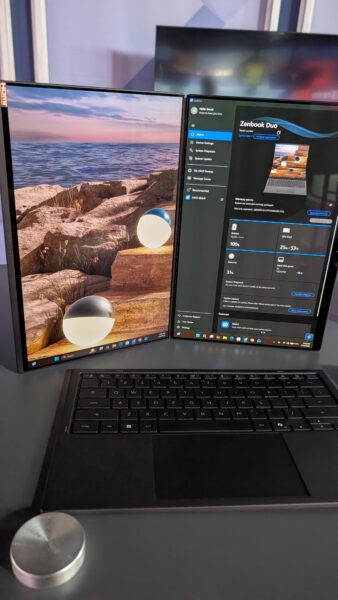
Andy shows Shawn and Justin the latest ASUS Zenbook Duo, a unique productivity laptop featuring two 14-inch 3K OLED displays. Remove the Bluetooth keyboard and a second full display is revealed underneath, creating a portable dual-monitor workstation. With an Intel Core Ultra 9 processor, 32GB of RAM, 1TB SSD, stylus support and ASUS’ Ceraluminum finish, Andy explains why he sees the Duo as a powerful “grown-up back-to-school laptop.”
That leads to a discussion about the rising cost and availability of RAM, storage and other PC components. The crew talks about why building your own PC may not offer the savings it once did and why buying a prebuilt system can sometimes make more financial sense.
Justin then introduces another topic he’s been researching: basic emergency preparedness. Rather than taking an extreme approach to “prepping,” he’s slowly putting together practical supplies such as bottled water, shelf-stable food, solar lanterns, flashlights and first-aid supplies.
Segment Three – Bugging In, Listener Questions & Giving an Old PC New Life
Shawn continues the preparedness discussion with an important point: emergencies don’t always mean leaving home. In many situations, “bugging in” may be more practical than bugging out. The guys discuss maintaining emergency supplies, rotating food and water and keeping a go bag available for situations where evacuation really is necessary.
Then it’s time for listener questions. Diana in Sahuarita inherited an older Windows 10 laptop covered with desktop icons and programs. Should she simply clean it up? Shawn and Justin have another idea: wipe the machine and start fresh. And if the computer isn’t a good candidate for Windows 11, the guys suggest Linux Mint as a free and increasingly user-friendly alternative.
Andy also shares a recent troubleshooting job involving a laptop that couldn’t reliably open browsers or save files. The culprit? The 250GB SSD had only nine megabytes of free space remaining. After freeing roughly 100GB, the discussion turns to whether upgrading an older laptop’s SSD makes sense — or whether the money would be better spent toward a new computer.
Segment Four – A Mouse That Folds…and Dippin’ Dots?
Andy wraps up the tech with a look at the Logitech MobiFold, a portable Bluetooth mouse that actually folds flat for travel. It can switch between three Bluetooth devices, replaces the traditional scroll wheel with a touch-sensitive scrolling surface and offers impressive battery life — including up to 22 hours of use from a one-minute quick charge.



And because it’s TechtalkRadio, things don’t stay completely technical for long. Justin reveals what happens when the kids return to school at the water park where he works and the full-time staff have to step in. For the IT manager, that recently meant trading technology for hot dogs and Dippin’ Dots — leaving him very ready to get back behind a computer.
It’s another episode filled with technology, practical advice, new gadgets and plenty of laughs with Andy, Shawn and Justin on TechtalkRadio Episode 486.
Please give it a listen or view and Subscribe via YouTube, Spotify or Spreaker! Also Available in the iHeart App and PodBean!



You must be logged in to post a comment.