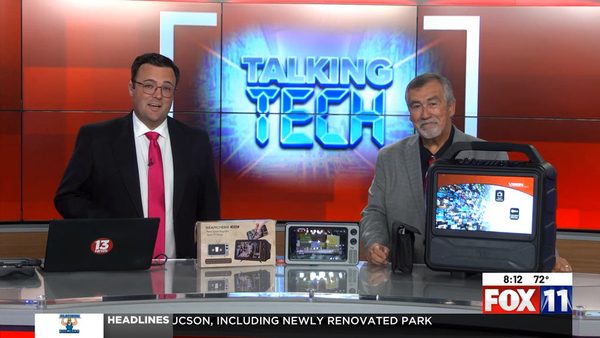
Portable entertainment doesn’t have to be limited to a small smartphone screen. During this KMSB Fox 11 Tech segment, Andy Taylor talks with Tyler Butler and shares two ways to make mobile video viewing a little bigger.
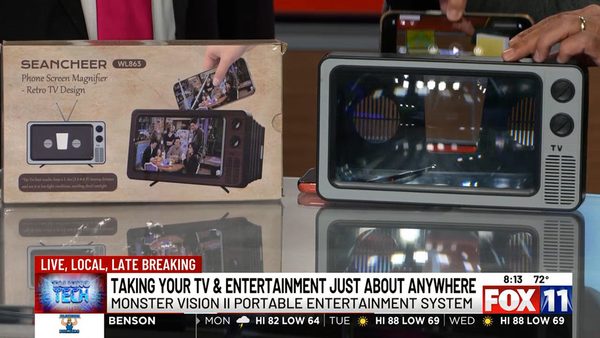
The first is a simple smartphone screen magnifier priced at under $20 from Seancheer. The phone slides behind the magnifying panel, creating a larger-looking image without batteries, cables or a power connection.
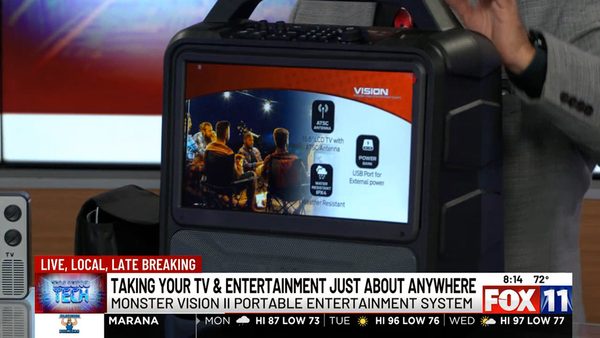
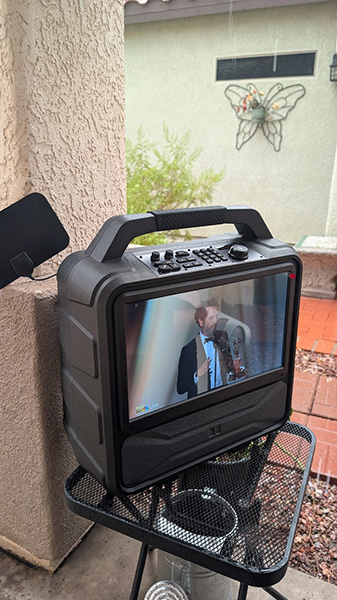
For a more complete entertainment experience, Andy demonstrates the Monster Vision 2. The portable system features a 15.6-inch 1920-by-1080 display, built-in speakers, an over-the-air TV tuner, HDMI connectivity for compatible streaming devices, Bluetooth, FM radio and a microphone input for karaoke or portable PA use. Its rechargeable battery makes it suitable for RV travel, camping, tailgating, workshops and other places where a conventional television may not be practical.
Editor’s note: The original Monster Vision 2 may now have limited availability, although remaining inventory can still be found through select retailers. Monster also offers the newer Monster Vision 2 MAX. The Max offering gives more battery range for watching Video and more wattage for audio. Product pricing and availability may change.
Andy Taylor and Shawn DeWeerd cover everything from portable entertainment and Smart TV privacy to AI-generated true crime, cutting the cable cord, Windows 11 privacy, security cameras and some surprisingly creative corners of social media in this Week’s TechtalkRadio Show.
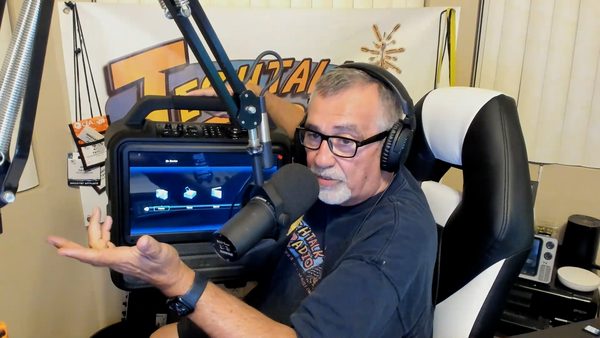
Andy kicks things off with a look at the Monster Vision 2, which we have since found has been discontinued by Monster Audio! The Monster Vision 2 still available from stock through retailers is an all-in-one portable entertainment system featuring a 15-inch Full HD display, built-in battery, FM radio, Bluetooth, HDMI, USB playback and even a microphone input. Could it be the perfect companion for camping, tailgating, backyard movie nights or emergency preparedness? Shawn, an experienced camper himself, weighs in on whether he’d actually make room for the roughly 27-pound unit on his next trip.
Watching outdoors on a Rainy Day
From watching TV outdoors, the conversation turns to what your television may be watching about you. Andy and Shawn discuss privacy concerns surrounding LG Smart TVs, including reports involving content recognition, network activity and the data modern televisions may collect. Gamers Nexus did a great breakdown of this story on YouTube. It raises a bigger question: when you purchase a Smart TV, how much control do you really have over the information it gathers?
Streaming is also on the menu as Andy shares his renewed appreciation for Tubi. While Netflix, Max, Disney+, Hulu and Paramount+ continue competing for subscription dollars, Tubi offers a growing catalog of movies and programs at no charge—as long as you’re willing to sit through the commercials. Andy even found the Lost Documentary – Getting Lost which he was on the fence about paying to watch it VOD.
AI takes the conversation in a much more unsettling direction with a discussion of an upcoming true-crime production titled Unmasking a Monster: Aileen Wuornos using digital technology to recreate the likeness of serial killer Aileen Wuornos. The Trailer is available on YouTube but nothing on the ID Website at press time. Instead of traditional dramatic reenactments, technology is being used to make the recreated scenes appear far more authentic. Andy and Shawn debate whether this is an impressive application of AI—or whether entertainment has crossed a line that may be difficult to uncross.
That leads into the changing economics of artificial intelligence and cloud computing. Shawn explains why the cost of processing, bandwidth and storage is causing some organizations to reconsider putting everything in the cloud and instead bring computing resources back on-premises. Even AI music services such as Suno are beginning to adjust limits as companies work to balance powerful technology with the very real cost of providing it.
Listener Martin from Sahuarita asks whether it might finally be time to dump expensive cable television and move to YouTube TV. Andy and Shawn talk about DVR functionality, local channels, streaming quality, internet requirements and whether switching could actually save money. Shawn shares his family’s experience with the service and why a trial may be the best way to determine whether cutting the traditional cable connection makes sense.
Security cameras come up next when Andy asks Shawn about replacing one of his Google Nest cameras. Andy has his eye on a Wyze solar-powered pan camera, but Shawn has an important warning involving a voluntary safety recall and the danger of using the wrong mounting screws. Shawn also shares his experience with Wyze cameras and his recently replaced video doorbell.
Another listener, Lauren from Tucson, has a Windows 11 privacy question: Is her computer really taking pictures of what she does to help AI? That brings up Microsoft Recall, the optional feature on Copilot+ PCs designed to capture snapshots of activity so users can later search what they’ve seen. Andy and Shawn discuss the privacy concerns surrounding Recall, ways users can investigate their settings, and why the feature has generated so much controversy.
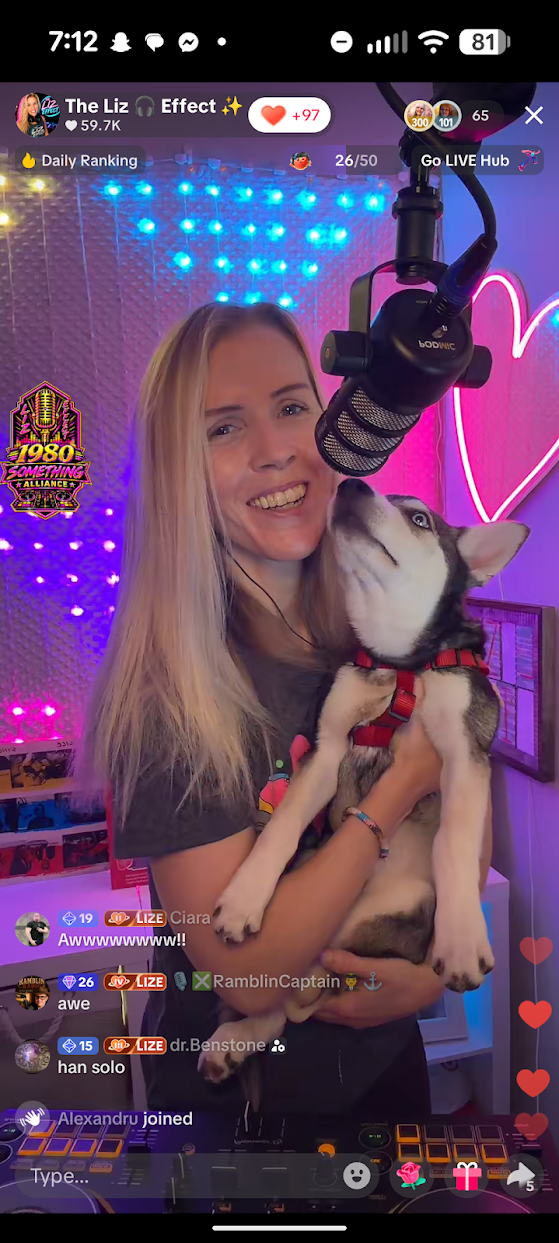
Andy also highlights some social-media creators who prove there’s more to TikTok than endless scrolling. Among the creators discussed are Planet Antonio, who transports viewers into a live black-and-white 1940s newsroom also Cale Brown, whose clever editing can turn one dancer into an entire synchronized group—without relying on AI. Also Babka21wekk has an impressive following and is entertaining. Another creator that Andy enjoyed was The Liz Effect which takes the idea of DJ’ing Music to a Live Audience and was a fun watch with the banter and comments.
Finally, Shawn reveals what he’s been doing with Suno: creating World of Warcraft-inspired parody songs. His “DuhWeirdy” project combines familiar musical ideas with characters, events and inside jokes from the World of Warcraft universe. It’s another example of how generative AI can become a creative tool when somebody brings a fun idea to the technology. Here is one of the Videos with music creation
Portable TVs, privacy concerns, streaming choices, AI ethics, cloud costs, Windows 11, security cameras, creative video and World of Warcraft parody songs—it’s another wide-ranging trip through technology with Andy Taylor and Shawn DeWeerd on TechtalkRadio. Thanks for checking us out! Subscribe on our YouTube Page!
Links Mentioned This Week:
Monster Vision 2 – No Longer Available from the Manufacturer (Amazon Link)
This week on TechtalkRadio, Andy Taylor, Shawn DeWeerd and Justin Lemme get together for a wide-ranging conversation that begins with Shawn’s continuing cleanup after a basement flood—and quickly turns into a discussion after Andy notes that some Home Repair Companies are using A.I. to create recreations of home disasters focusing on how artificial intelligence is changing the media we see and hear every day.
Andy brings up the growing number of AI-generated television commercials, including ads where the visuals—and possibly even the music—have that unmistakable AI feel. Shawn talks about his experience creating parody music with Suno and how, after spending hours working with the platform, he has begun recognizing certain rhythms, vocal inflections and other characteristics of AI-generated music. The discussion raises a bigger question: as AI-generated images, music and video become more convincing, will we constantly wonder whether what we’re seeing and hearing was actually created by a person?
Andy also shares a positive use for generative AI: using Suno to turn lyrics written for a man’s 70th birthday into a personalized song for a video presentation. It’s an example of where AI can become a genuinely useful creative tool rather than simply replacing traditional content creation.
Justin demonstrates just how quickly generative AI works by creating a ridiculous AI advertisement during the show. The conversation then moves into Grok inside Tesla, with Justin explaining how he can talk to the AI from his car, ask questions and even use it to help with navigation. That leads the guys into comparing the strengths of Grok, ChatGPT, Gemini, Claude and Microsoft Copilot—and how different AI platforms may be better suited for different jobs.
Photography gets plenty of attention, too. Andy talks about using Photoshop, Lightroom and AI tools such as Gemini to restore old family photographs, and the guys discuss why vintage Polaroids can be especially difficult to clean up without changing the character of the original image. Shawn makes the case for leaving many Polaroids alone—the imperfections, light leaks and unusual colors are part of what makes instant photography special.
That conversation leads naturally into the new Pokémon and Polaroid collaboration, including special-edition Polaroid Go cameras, Pokémon-themed designs and collectible film frames. The crew also talks about how something that was once considered inexpensive instant photography has become a much more costly hobby.
Later, the discussion turns practical when a listener asks about improving a home network. Justin explains the advantages of mesh Wi-Fi, discusses options including Orbi and TP-Link, and raises concerns about how some big-tech-connected networking products may handle user data. The conversation expands into online privacy, targeted advertising and the desire some users have to reduce their dependence on companies such as Google, Amazon and Meta.
The guys also dig into Wi-Fi 7, explaining an important point that’s easy to overlook: buying a Wi-Fi 7 router doesn’t automatically make everything faster. To take advantage of multi-gigabit Internet service, switches, network adapters, computers and other hardware throughout the network also need to support those faster speeds.
Justin brings some humor to emergency preparedness with the story of testing a small hand-crank/solar NOAA weather radio with his son just as a real flash-flood warning sounded. The frightening alert tones weren’t a malfunction—they’re deliberately designed to grab attention and activate Emergency Alert System equipment.
The show also ventures into radio communications as Shawn discusses GMRS and FRS radios, repeaters and the FCC’s concerns about large networks of linked GMRS repeaters. Shawn explains how linking repeaters across large areas can tie up frequencies shared with ordinary FRS walkie-talkies, creating interference and regulatory concerns.
The guys also share some tips about the importance of keeping your computers free of dirt and dust and share a couple or ways to do that.
The crew is back together for Episode 486 of TechtalkRadio, with Andy Taylor, Shawn DeWeerd and Justin Lemme catching up on a whirlwind few weeks of technology, travel, severe weather and some very interesting new gear.
Segment One – Severe Weather, Gen Con & Backup Power
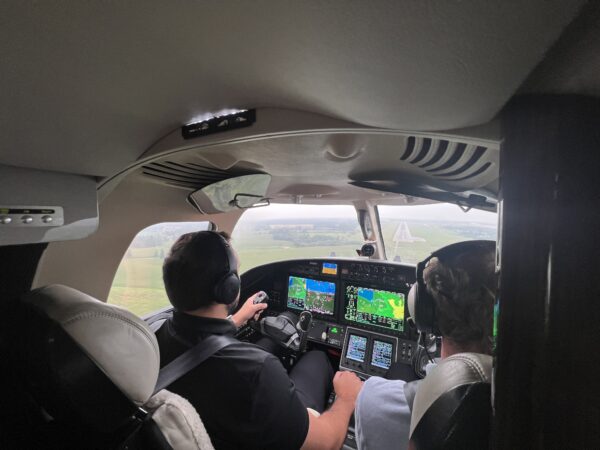
Shawn has been on the move, including a vendor trip to Canada that had him flying private while severe storms were moving through Indiana. The guys talk about the powerful storms and tornado warnings back home and share some of the weather resources they use, including Weather.gov, Zoom.Earth and RadarOmega.
Shawn also recaps his trip to Gen Con in Indianapolis, where — fittingly — another tornado warning became part of the adventure. He shares some of what he experienced at the massive gaming convention, including playing Daggerheart, before talking about his trip to an ESPN conference and the technology work underway at Notre Dame.
The conversation then turns to emergency power. Shawn has added an Anker SOLIX home battery backup system along with portable solar panels. Unlike his existing inverter generator, the battery system can provide 240-volt power, allowing him to run essentials including his well pump. He shares his real-world experience using the system at home and while camping, including how much power he was able to generate from the portable solar panels.
Segment Two – ASUS Zenbook Duo, PC Prices & Getting Prepared
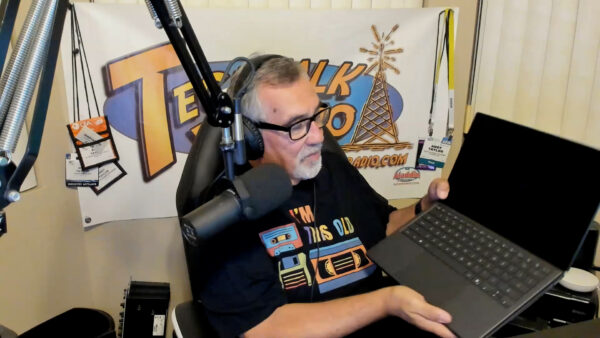
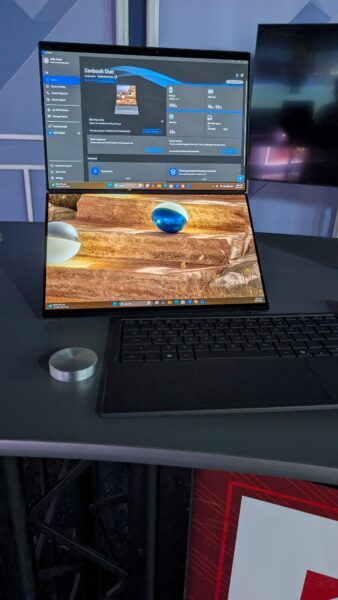
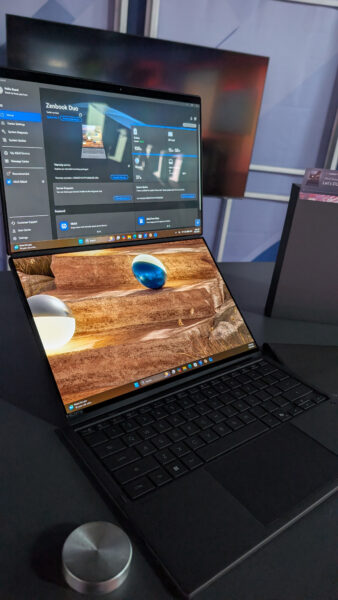
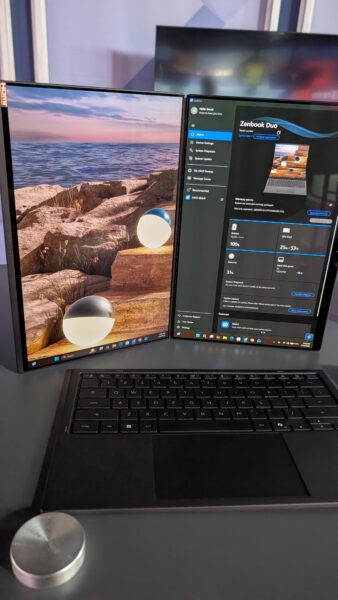
Andy shows Shawn and Justin the latest ASUS Zenbook Duo, a unique productivity laptop featuring two 14-inch 3K OLED displays. Remove the Bluetooth keyboard and a second full display is revealed underneath, creating a portable dual-monitor workstation. With an Intel Core Ultra 9 processor, 32GB of RAM, 1TB SSD, stylus support and ASUS’ Ceraluminum finish, Andy explains why he sees the Duo as a powerful “grown-up back-to-school laptop.”
That leads to a discussion about the rising cost and availability of RAM, storage and other PC components. The crew talks about why building your own PC may not offer the savings it once did and why buying a prebuilt system can sometimes make more financial sense.
Justin then introduces another topic he’s been researching: basic emergency preparedness. Rather than taking an extreme approach to “prepping,” he’s slowly putting together practical supplies such as bottled water, shelf-stable food, solar lanterns, flashlights and first-aid supplies.
Segment Three – Bugging In, Listener Questions & Giving an Old PC New Life
Shawn continues the preparedness discussion with an important point: emergencies don’t always mean leaving home. In many situations, “bugging in” may be more practical than bugging out. The guys discuss maintaining emergency supplies, rotating food and water and keeping a go bag available for situations where evacuation really is necessary.
Then it’s time for listener questions. Diana in Sahuarita inherited an older Windows 10 laptop covered with desktop icons and programs. Should she simply clean it up? Shawn and Justin have another idea: wipe the machine and start fresh. And if the computer isn’t a good candidate for Windows 11, the guys suggest Linux Mint as a free and increasingly user-friendly alternative.
Andy also shares a recent troubleshooting job involving a laptop that couldn’t reliably open browsers or save files. The culprit? The 250GB SSD had only nine megabytes of free space remaining. After freeing roughly 100GB, the discussion turns to whether upgrading an older laptop’s SSD makes sense — or whether the money would be better spent toward a new computer.
Segment Four – A Mouse That Folds…and Dippin’ Dots?
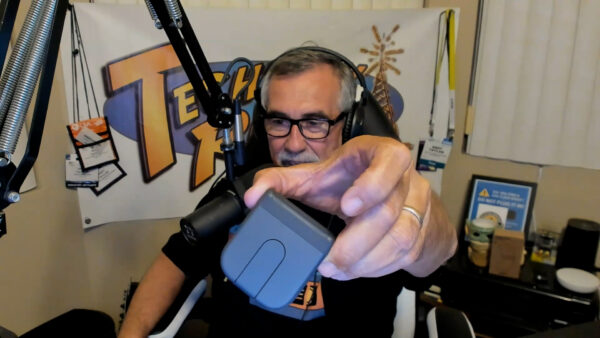
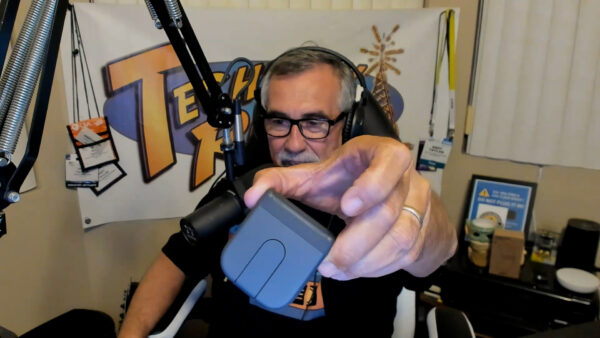
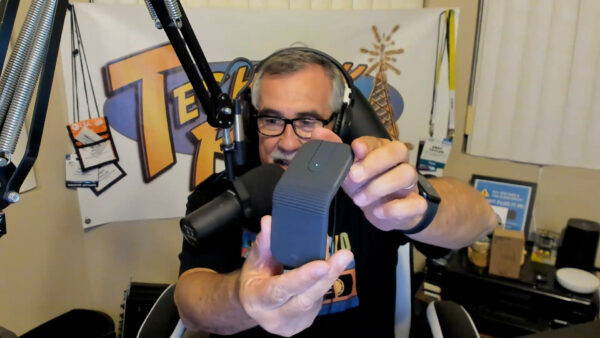
Andy wraps up the tech with a look at the Logitech MobiFold, a portable Bluetooth mouse that actually folds flat for travel. It can switch between three Bluetooth devices, replaces the traditional scroll wheel with a touch-sensitive scrolling surface and offers impressive battery life — including up to 22 hours of use from a one-minute quick charge.
And because it’s TechtalkRadio, things don’t stay completely technical for long. Justin reveals what happens when the kids return to school at the water park where he works and the full-time staff have to step in. For the IT manager, that recently meant trading technology for hot dogs and Dippin’ Dots — leaving him very ready to get back behind a computer.
It’s another episode filled with technology, practical advice, new gadgets and plenty of laughs with Andy, Shawn and Justin on TechtalkRadio Episode 486.
Please give it a listen or view and Subscribe via YouTube, Spotify or Spreaker! Also Available in the iHeart App and PodBean!
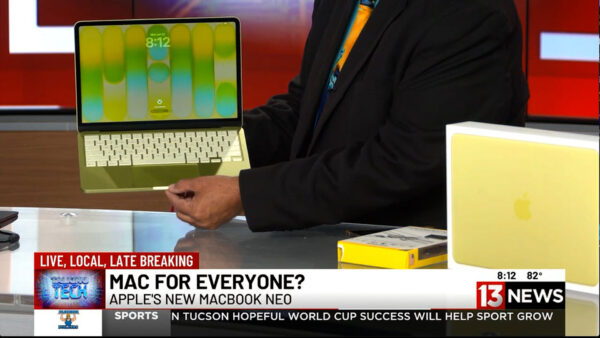
For years, Apple laptops have been known for premium performance—and premium prices. But during this week’s Talking Tech segment on KMSB Fox 11, Andy Taylor showcased a new option designed to make the Mac experience more affordable: the MacBook Neo.
Starting at just $699, the MacBook Neo is aimed at students, families, first-time Mac users, and anyone considering making the switch from Windows. Featuring a bright 13-inch Retina display, lightweight design, up to 16 hours of battery life, and Apple’s efficient A18 processor, the Neo delivers plenty of performance for everyday computing tasks including web browsing, email, office work, social media, streaming, and light content creation.
Andy also highlighted one of Apple’s biggest strengths—its seamless integration with the iPhone. Users can access Messages, share files effortlessly, and enjoy the growing capabilities of Apple Intelligence and Siri, creating a connected ecosystem that works together right out of the box.
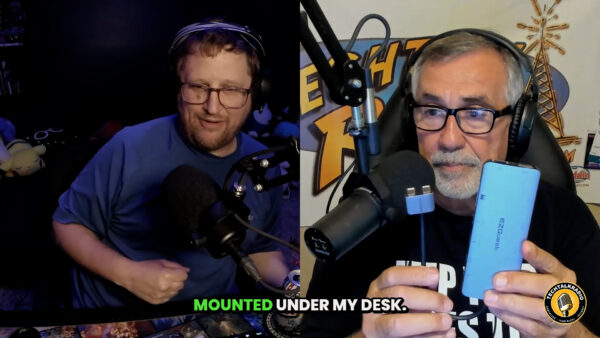
While the MacBook Neo includes two USB-C ports, modern laptops often require adapters for legacy accessories and additional peripherals. That’s where the EZQuest USB-C Hub comes in. The compact hub dramatically expands the laptop’s connectivity, allowing users to connect USB devices, external storage, monitors, SD cards, wired networking, and even external optical drives through a single connection. It’s an ideal companion for students, professionals, photographers, and anyone who regularly works with multiple devices. The Below Video is our Segment from The TechtalkRadio Show featuring the MacBook Neo – Pricing did increase after Airtime but this gives you an overview of the Neo and EZQuest Hubs.
Andy noted that while power users editing large video projects may still prefer stepping up to a MacBook Air or MacBook Pro, the MacBook Neo offers an impressive balance of portability, battery life, and affordability. Combined with the versatility of the EZQuest hub, it becomes a capable everyday workstation that can grow with your needs.
Whether you’re returning to the Mac platform, buying your first Apple computer, or simply looking for a reliable laptop without spending well over a thousand dollars, the MacBook Neo proves that Apple computing is becoming more accessible than ever. Check out the Full Show at TechtalkRadio.com








You must be logged in to post a comment.