New Show Posted – Episode 402 “Go Cloak Yourself”

In this Weeks TechtalkRadio Show, Justin tells Shawn and Andy about the Busted water heater in his basement and damage it has done to the area. Andy wonders if there is a Home Monitor that could have told him on the water leak/pressure issue. Justin talks about A Smart Valve Sensor on the Water Heater and how it works. Justin tells us about the products for creating a If this Than That system for all in the home. He tells us about Zigbee, Z-Wave found at https://www.z-wave.com and Matter found at https://csa-iot.org/all-solutions/matter/ . Justin has been checking out videos from Reed at Smart Home Solver on YouTube, found here https://www.youtube.com/c/smarthomesolver and while the idea of Home Automation can help in many ways, Self-Autonomy is something Shawn is not ready to give up yet. Justin likes how Home Assistant works great. Listener Question from Jennie on adding a Hub to her Mac and what could be solutions. Andy and Shawn look at products from EZ-Quest at https://www.ezq.com and another resource is Sabrent at https://www.sabrent.com 

Justin shares a laugh with his new shirt of Vault Boy from Fallout and tells us how he has got back into the game playing Fallout 76. He has even been buying merchandise based on the game. Justin makes a friend using voice chat in the game, Jay Dawg, and the guys discuss how having the voice connections can help a game become even more exciting. Shawn does a breakdown on the history of in-game chat from AOL Messenger to MSN Messenger, ICQ, Mumble, Ventrilo, TeamSpeak, Skype and then now Discord.

Rumblings about Microsoft Co-Pilot Recall and how it could screen shot everything done on the computer to aid AI to make your experience faster. Would this cause people to move to Mac or Linux? Shawn’s upset at the feeding of Ads in the OS Interface Start Menu. What are the downsides to moving to Linux?

A listener Rodney in Sahuarita heard the story about the NSA recommending Restarting the Smart Phone at least Once a Week and wants to know if that should be done with the Computer. The guys agree it should be done once a week and they discuss why. Andy mentions Hibernation, meaning Sleep, and Justin schools Andy on why hibernation is so bad. The discussion focuses on an update to the Terms of Use agreement which has upset some users which could appear to give Adobe a right to see your created content. Also, a Story about Ansel Adams and an image created by AI and sold on Stock Images which were taken down when found they were very close to Adams Images.

With Father’s Day around the Corner, Andy shares some products he featured on News13. The Anker 521 PowerStation for portable power can be found at https://www.anker.com and the SteelSeries Arctis 5x Headphones can be found at https://www.steelseries.com. Andy also talks about the TPM2.0 Module he will be doing a video of hopefully allowing a Windows 11 Update on an Older Motherboard. Justin wraps with our Website of the Week, https://www.cloaked.com This allows you to create identities for filling out forms or even Phone Numbers, As Shawn says It Worked for the Romulans!

Tune in, Stream or Download the latest in our discussion of Tech and other fun discussions!

Connect With Us on social media
Facebook @techtalkers
X @TechtalkRadio
Instagram techtalkradio
Web: TechtalkRadio.Com

Subscribe and Like on Audacy, iHeart, Apple Podcast, Amazon Music, Google, Spotify and Spreaker!

Episode 401 – Print Your Garden!

In this week’s TechTalkRadio show, things took an unexpected turn. Shawn is out sick, and Justin had yet another water pipe mishap in his studio! Despite the setbacks, we’ve got an exciting lineup of segments you may have missed.

Segment One: Canopy – Safety and Security for Young Eyes on Smart Devices
With kids home for summer break, it’s crucial to ensure their safety online. In this segment, we revisit Canopy, a service designed to provide safety and security for younger users on smartphones and other devices. Learn how Canopy can help parents monitor and protect their children’s online activities effectively.

Segment Two: Extending Your Home Wireless Network with Netgear
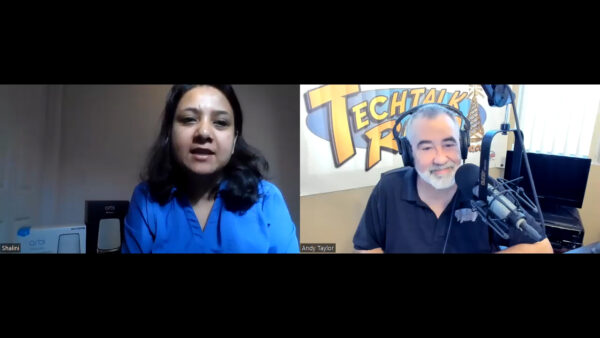
Struggling with Wi-Fi dead zones in your home? In this segment, we dive into the world of Netgear and their range of products aimed at enhancing your home wireless network. Listen to our interview with a Netgear representative to find out how you can extend your Wi-Fi coverage and improve your home network’s performance.

Segment Three: Irrigreen – Technological Innovation in Garden Water Management
Discover how technology can revolutionize your garden’s water management in this insightful segment. We explore Irrigreen, a company that uses advanced technology to provide efficient and sustainable irrigation solutions. Find out how you can save water and maintain a lush garden with Irrigreen’s innovative systems.

Final Segment: A Fun Contest Between Show Members
We wrap up the show with a blast from the past – a fun contest between the show members from November. Test your knowledge and see if you can answer any of the questions posed during this entertaining segment.

Don’t miss out on these valuable insights and fun moments. Tune in next week for an all-new segment packed with fresh tech news and discussions!

New Show Episode #400! Scams, Screams, and Screen Streams

In this Weeks TechtalkRadio Show, Matt, Shawn, Justin and Andy open this week’s show with a story from Justin and getting ready for the new season at the Water Park. Justin tells us about a Cyber Attack and how he was able to mitigate any damage. One of the first indications during this and tracking down where the root of the attack came from. Justin shares the steps he needed to take after finding out some employees clicked and opened the attachment. Andy tells the story of Cox Customers being switched to Yahoo Email which has opened scammers to try and get credentials for users. Beyond Email attacks, the guys talk about Phone Scams and why with today’s technology users need to be vigilant almost to the point of not answering the phone to any unrecognized numbers or users. Justin tells us about the Pixel phone Call Screener.  Matt and Justin share the need for continued education to employees and methods used. What was the worst attack they have faced?   

Matt tells us about attending the Denver Cybersecurity Summit and being captivated by presentations from The United States Secret Service and another by the Internal Revenue Service. The IRS Agent has a specialist involved in investigating Crypto Scams. The Secret Service, which is a part of the Department of the Treasury talked about the Internet Crime Complaint Center and how investigations can be begun to hopefully help recover funds stolen after a cybercrime. https://www.ic3.gov  The faster a cybercrime is reported the better the odds for recovery, 

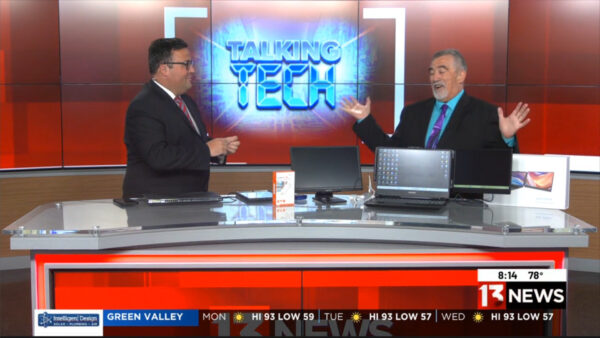
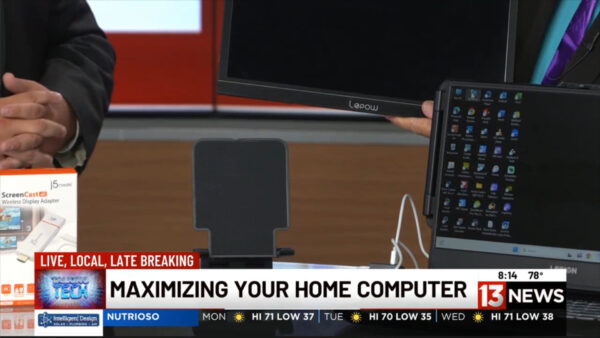
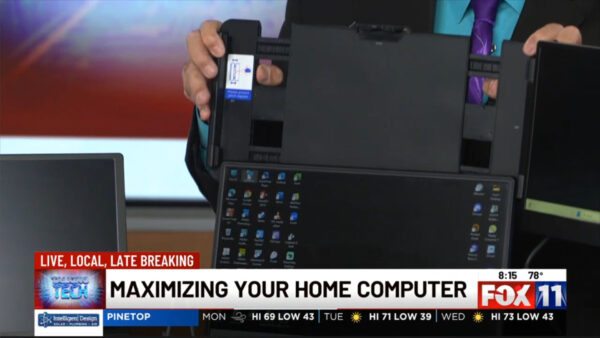
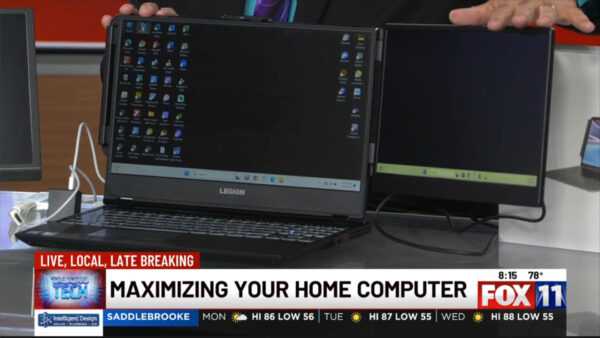
Listener Benny has a question about adding a second monitor. Andy took this and used it for his TV Segment at News13. He shared the LePow 15′ Monitor but decided to look at the Macsecor Extended Monitor which connects directly to the laptop. Andy also talks about the J5ScreenCast, a 4k connection to a Big Screen TV with HDMI for Duplicating your device or extending your device to the Big Screen via Bluetooth. This can also be used to connect your Smartphone to stream to the TV. After a previous discussion Rick left us a comment on the Apple Watch and why for health benefits this is a great solution. The Technology is there why not use it? Andy, Justin and Shawn share a couple of personal stories of always having Technology with you.  

Sandy from Sahuarita want to know about Windows 10 and not being able to update to Windows 11 which is ending support officially October of 2025. What are the options for those that can’t update to Windows 11. Is it a security risk to run software after EOL? Matt shares the story of a person who hooked a Windows XP system to the net, didn’t even go out to the internet but within minutes was full of malware.  The guys talk about the strange coincidence of having discussions of a new car, dream vacation or furniture needs to then notice ads on your devices for this product. Matt explains to Sandy about the TPM Chip and updating to Windows 11. 

Shawn tells us a story about a bug in Apple 17.5 which had previously deleted photos suddenly reappearing, a Patch to 17.5.1 is now available however the privacy concerns with this expand to all users including business.   

Tune in, Stream or Download the latest in our discussion of Tech and other fun discussions!

Connect With Us on social media

Facebook @techtalkers
Twitter @TechtalkRadio
Instagram techtalkradio
Web: TechtalkRadio.Com
Subscribe and Like on Audacy, iHeart, Apple Podcast, Amazon Music, Google, Spotify and Spreaker!

New Segment from News13 – Extending the Display!

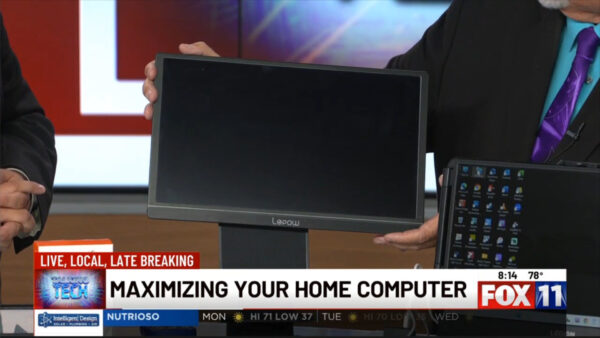
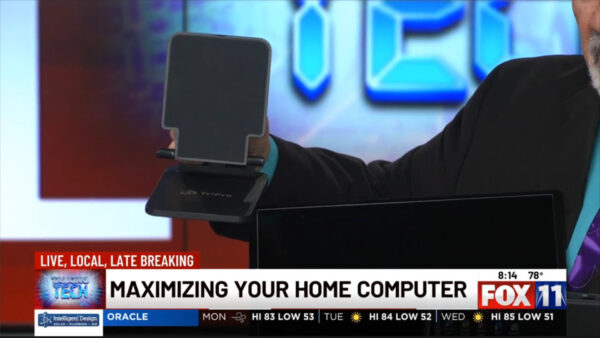
In this News13 Segment, We are focusing on Extending the Computer or Laptop with Added Screens. A Couple of years ago we featured one way add a portable screen was with the LePow 15″ Monitor. The 15’6 inch screen was easy to set up and easy to carry in your laptop bag to use as a second screen however the case it could be stored in was not as sturdy as some liked. My recommendation was to take a look at the TriPro IPad, Tablet, Monitor Stand which folds up nicely and can be used to position that second monitor. It also takes up less desktop space then the included folio case. You will have more capabilities with it and it takes up less Actual Deskspace. The TriPro is well built and cost about 20 bucks. The Company Website for LePow is https://ilepow.com/ For TriPro we found https://tripro.co.uk/

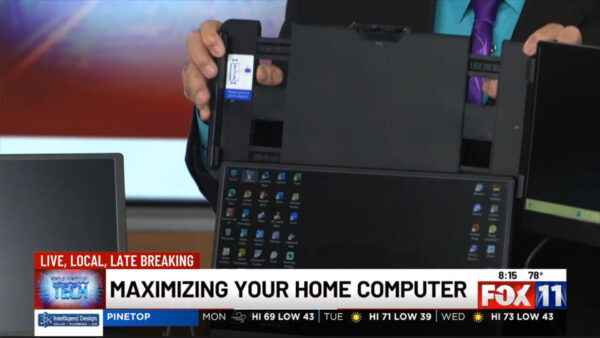
Another Alternative is the Macsecor S1 14″ Screen Extender. What’s nice about this Monitor which also Connects via your Computer’s HDMI Out and can be powered by USB C, it actually attaches to the Laptop itself by connecting to the Screen with a fold out 1080FHD Screen. Easy to use and setup and comes with all the needed cables unless you don’t have a USB C, you would need to supply a USB C Power Adapter. Users can use this as a Duplicate Screen or my preference an Extended Screen. Users find this handy to either have work on the Extra Screen or even a Media device for watching content. This Sells for around 130 bucks. The Macsecor 14′ Comes with a carrying case to secure and carry the portable monitor with you. I will say we could not find the Corporate Headquarters for Macsecor however the product was well documented.

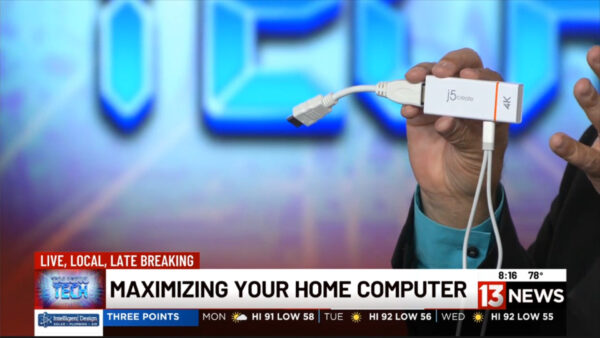
Finally, If you want to work and instead of looking Down at your Screen, maybe look at the huge 55″ Screen in your Living Room, The J5 Screencast 4K is amazing. As long as you can have Bluetooth on your Laptop or connected device, The J5 Plugs into an HDMI Port on the TV, Powered by a power adapter (Not Included) and then the user connects via bluetooth and can use it as a duplicate screen or even extended screen from your laptop or what we didn’t mention in the segment, even your SmartPhone or Tablet. It sells for about 80 bucks but can also be great for Presentations. The J5 4K Screencast sells for about 80 bucks. The Website for J5 is https://j5create.com/

Episode 399 – Capturing Lightning Bolts – Now Available to Stream!

In this Weeks TechtalkRadio Show, Shawn and Andy revisit the purchase Andy made of the Series 9 Apple Watch. Shawn tells a story of his Son locking Mom out of the house along with her iPhone, yet she was still able to call Shawn through the Apple Watch they own to get his assistance. Andy tells about a service on the Apple Watch called Walkie Talkie however, sitting in for Justin, Shawn reminds us that feature was originally found on Nextel devices and is also available on Samsung Smart Phones. Shawn shares what happened when the fire department showed up to help gain access to the house. The Conversation switches to the recent photo opportunity of the Northern Lights and how Shawn and his friends about 250 plus miles away where getting amazing photos of the geomagnetic storm. Shawn shares how he was attempting to get a photo of not only the Geostorm but also the ISS space station which was orbiting overhead.  Brad Dion, Shawn’s friend also captured an impressive shot. Be sure to check out Shawn’s Photos on https://blog.techtalkradio.com


Andy and Shawn welcome to the Show, Storm Chaser, Weather Photographer and Podcaster, Lori Grace. Andy tells about finding her photos on social media of incredible weather photography about a year ago and being amazed at her work. Lori tells us about how she was able to find the passion for photography and experiment with capturing powerful shots. Lori tells us how she keeps an eye on Weather Patterns and works to find the perfect location. Happy Dancing under a storm is something both Shawn and Lori have experienced when capturing that spectacular image.  

Lori shares the difference between catching Daytime and Nighttime lightning and what time seems to be more pronounced. One image that Andy was amazed by was a shot which captured a Rainbow and Lightning Bolt at the same time. Lori is based in Southern Arizona yet has traveled to other areas for Weather Photography and Shares dream spots she would like to go to. Lori also shares how social media helped grow the audience but also the story of her getting struck by lightning. Be Sure to check out the Podcast from Lori, Available on Apple Podcast Lori has a great website for seeing these images, https://www.lorigraceaz.com 

Mark in Green Valley sent a question about last week’s show and Cutting the Cord, he would like to know what the best streaming service available is. Andy shares how Comcast/Xfinity is developing a streaming package with Peacock, Netflix and AppleTV.  Andy tells us in terms of services how he likes Peacock and Hulu for older shows but also after testing Pluto TV out, he loves that as a service. 

SteelSeries have released a new Wireless Headphone, The Arctis Nova 5 has many features to enjoy including 100+ Audio Presets and he ability to be used on just about every platform. Now Available the Arctis Nova 5. Shawn talks about how he loves his previous version. 

Tune in, Stream or Download the latest in our discussion of Tech and other fun discussions!
Connect With Us on social media

Facebook @techtalkers
Twitter @TechtalkRadio
Instagram techtalkradio
Web: TechtalkRadio.Com

Subscribe and Like on Audacy, iHeart, Apple Podcast, Amazon Music, Google, Spotify and Spreaker!