News13 Segment – Feeding the Birds all on Camera

In this Weeks Segment at KMSB News 13 Fox 11, Andy Taylor shares with Tyler Butler a couple of great ideas for those that want to stay indoors and admire the Outdoors or those that would like to get out in it!

For those Wanting to do activities outdoors, Skullcandy offers a great solution for taking your tunes with you, whether listening to your favorite podcast, Radio Station or Spotify Playlist, the Skullcandy Double Set Kilo Indoor/Outdoor Speakers produce booming sound and feature true wireless technology so you can have one side of your yard left channel and another right, you can! Or you can have them combined for more L/R Audio where you want. They Pair via Bluetooth 5.3 and are lightweight and can be hung pretty much anywhere easily with the built in clip. They Charge via USB-C and with the Double Set, it comes with an ultra convenient carrying case. The Kit can be found for about 60.00

For those Not wanting to maybe step outdoors but want to take in some Nature, we have a nice piece of technology to make that happen. The Evergreen Solar Smart Birdhouse not only can feed the birds but you can watch them eat! The Solar power is provided to a Camera which allows you to watch and be notified when a bird has landed on the start to start enjoying the bird seed, the Birdy Num Nums (Thanks Peter Sellers) sold separately. The Feeder is Well built with wood and easy to put together, it could be mounted or strapped to an area where birds may want to dine. The Mounting Hardware and Strap are included as well.

The camera is a 1080p HD Camera. The action can be captured on your own TF Memory Card or through the Birty App, while you watch them. Video in the Segment was captured by Andy featuring a lovely Quail Couple enjoying an afternoon snack, a Woodpecker and another couple sharing a dinner. It is free to use the app and you can receive automatic photos or videos from the feeder and access a live stream. For a Subscription, AI can help identify the species of bird and other features as well. Evergreen has done a great job putting this together and is a Women Owned company. This sells for about 99.00 This is really a lot of fun and their are helpful tips on Social Media on Placement.


Episode 429 – Don’t Bake it in the Oven!

This Week on TechtalkRadio: A Flashback Tech-Fest with Andy, Shawn & Justin!

In this flashback episode of TechtalkRadio, Andy Taylor is joined by Shawn DeWeerd and Justin Lemme for a lively discussion filled with tech tips, smart gear insights, and a few cautionary tales from the world of online shopping.

Shawn kicks things off with his experience setting up Wyze lighting in his office and TV room, sharing how to configure lighting grids and create custom scenes. Andy follows with a frustrating story about ordering a product online and not receiving the full shipment, sparking a broader conversation about safe online shopping practices—especially what not to use when making a purchase. He also talks about an experiment gone wrong: ordering a $99 laptop from a sketchy vendor on social media called “BuyBest.” Spoiler alert—it turned out to be a scam. Justin admits he nearly fell for a similar trap from a site called “Nozama.”

The conversation shifts to Smart TVs, where Justin noticed a huge spike in DNS traffic on his Raspberry PiHole after hooking up his new TV—a good reminder to keep an eye on what your devices are really doing online.

Andy shares a favorite recent gadget, the Retekess V115 Portable Radio. It’s a compact AM/FM/Shortwave receiver that also plays MP3s from a TF card and can record over-the-air broadcasts—all powered by a rechargeable battery. That inspires Shawn to talk about getting into amateur radio and the helpful resources available at arrl.org and radioreference.com for exploring local repeater activity.

Andy then compares keyboard options for tablets, including a Samsung model and the versatile Logitech K480. The discussion takes a turn to the Apple ecosystem, with a look at how Mac hardware has evolved over the years. Justin brings up his SecretLabs chair, which had issues with the armrest but came with stellar customer service that left him impressed.

Thinking about upgrading his system, Justin wrestles with the choice between Intel and AMD, leading to a group discussion on what to consider when building or refreshing a PC. Shawn recommends using CPUID to learn more about your current hardware, while Justin suggests AIDA64 as another helpful tool. For motherboards, Justin shares his preference for ASRock based on his own positive experience.

Andy wraps things up with a warning about the growing trend of phishing and email harvesting, recommending a visit to haveibeenpwned.com to see if your data has been compromised. And in true TechtalkRadio fashion, the guys cap it off with a fun but serious discussion on how not to clean your PC. From dishwashers to power washers, and even wet/dry vacs, they share the dos and don’ts of keeping your rig clean—emphasizing that compressed air, while popular, still comes with its own considerations.

It’s a packed episode with practical advice, a few laughs, and real-world tech talk

News13 Segment – Fast Scanning those Receipts with the RR600W!

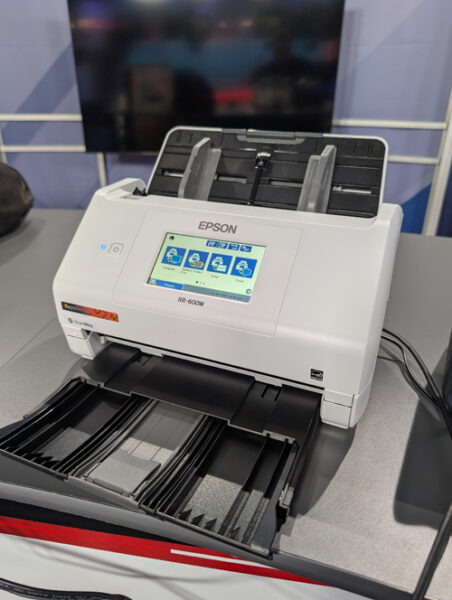
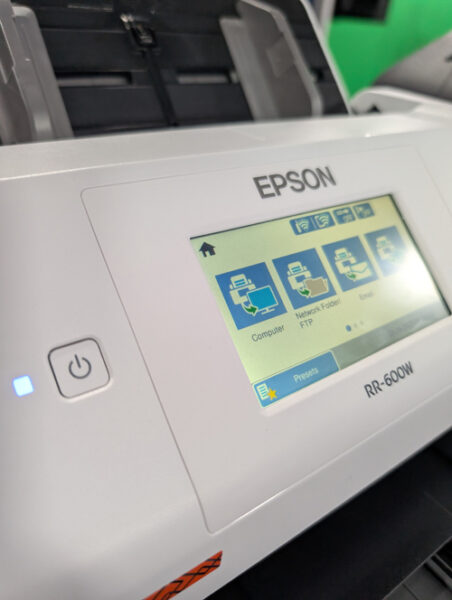
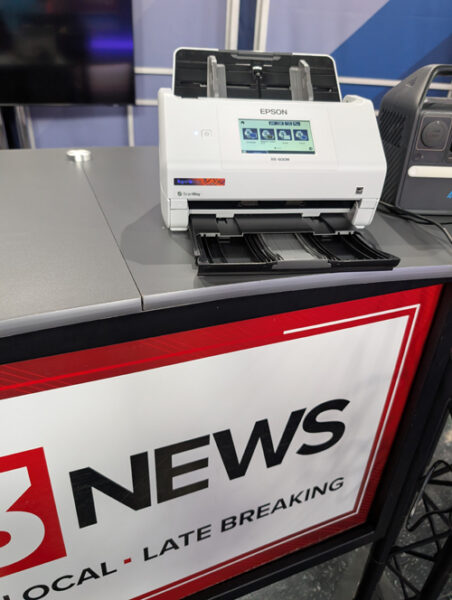
What does RR in the product line of Epson Scanners represent? It is the indicator of Rapid Receipt! Several Months ago we took a look at the FF (Fast Foto) 680W Scanner from Epson and we were amazed with the results. After getting the RR-600 in we were equally amazed. While the demonstration may have not panned out on-air, (One for the Blooper Reel). We are putting together a video demo, we are able to share some great info on the scanner capabilities.

This is a Rapid Speed Scanner, Similar to the Epson FF-680W we looked at back in October, this is designed to Scan Receipts in High Speed and Using AI Technology and Software from Epson, organize them in the Numbers which may be needed for Tax Filing or bookkeeping. One Scanning of the Single sided or Dual Sided Invoice, it can then be filed in many different options including to your Business Software such as QuickBooks or TurboTax from Intuit.

We love the Speed and ease of use, if you have a smartphone you can scan from the Scanner to the smartphone and save on your device as well. It’s also great that a selection of Receipts can be scanned at once and allow for faster organizing.

Photos and other documents can also be scanned and saved with Epson RR-600W. It retails for around 399.00

For More Info take a look at https://www.epson.com

Episode 428 – Grok It Like It’s Hot: A Look at AI, Games & TV Tricks!

On this week’s TechtalkRadio Broadcast, Justin, Shawn and Andy talked about how they manage workloads and prioritize projects when dealing with IT Issues. Justin shared that he structures tasks around his budget and board approval, often using AI tools like Grok to help craft presentations, job descriptions, and marketing materials to help explain to the less Tech Saavy for an understanding of needs for the IT Team . While Andy wondered if Grok compares to ChatGPT with Justin noting Grok’s ability to pull real-time data and provide comprehensive information on demand of a more current nature.

In a live demonstration, Justin used Grok to search for Andy and Shawn, uncovering detailed professional and personal data from public sources and social media—sparking a discussion on privacy and how much of our lives are available online. This led to a broader chat about the pros and cons of such tools, with Andy and Shawn expressing concerns over data accuracy and the implications for personal security. The Crew sends out Congratulations to Co-Host Amanda, She has been named one of the Top 30 K-12 IT Influencers to follow in 2025 from EdTech. Read more on the EdTech Magazine Website

The trio also explored online safety, with Andy highlighting risks on platforms like Snapchat and stressing the importance of turning off location services. Justin shared a story from the game Sea of Thieves, where a young player casually revealed personal info, underlining how easily privacy can be compromised—even in gaming environments. They also touched on social engineering and the need for greater caution online.

Wrapping up, the group tackled a listener question from Dave about recording over-the-air TV using devices like the HD Home Run, discussed Comcast mobile savings, and talked about using Moca to expand home networks over existing Coaxial connections. They finished with some fun—chatting about the Minecraft Movie and the Chicken Thing, mini battle bots and more. 

News 13 Segment – Doing Everything on that Smartphone? Helpful Tools

In this Segment on News13 KMSB Fox 11, Andy Taylor shares with Tyler Butler about a Recent Study which showed more and more smartphone and tablet users are doing everything on those devices, even filing Tax Returns and Paying Bills and even creating presentations for Work.

While some may say they dislike the keyboards, Logitech has released a Bluetooth Keyboard that is easy to transport and small in size. The Logitech Keys to Go 2 easily connects via bluetooth to smartphones and tablets as well as PC’s and Macs. This Mini Keyboard will also connect to Chrome OS. It’s also a Multi Function device which can allow you to easily switch to two other devices with the press of a key. No Need to Recharge, the Unit features a small cell battery and is quoted as running up to 36 Months without replacing. This Keyboard sells for about $70.00

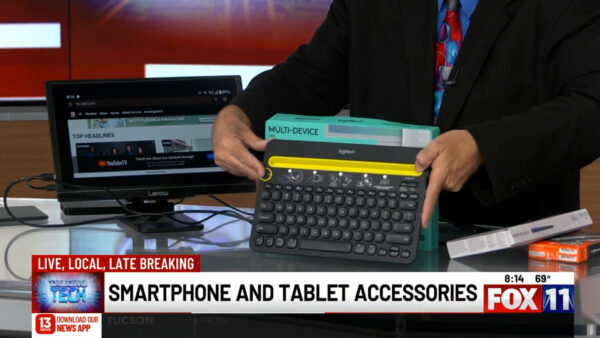
Tyler shows us how portable this keyboard can be by putting it in his jacket pocket. A little larger, the Logitech K480 has some great features and features a tray for placing the Phone or tablet. Andy also shares the LePow 15.6″ Portable Monitor and shares the J5 Create USB C to HDMI to connect your smartphone to the larger screen.