What’s a Qwiki?

So, here I was in my living room two weeks ago, and  somehow on one of my infamous web quests for information I sprang across a little web site and was introduced to Qwiki.com. It had not as of yet been released to the public, but I quickly signed up both of my email accounts hoping to be a Qwiki Alpha tester.  I tested a few of the demos that didn’t require sign ups and even shown a few friends my latest find. It looked like an interesting enough site anyhow. Well, early last week my invite arrived!

What in the world is a Qwiki you ask? I’ve got the answer for you. Qwiki is a new website that takes generic information on topics like “Eiffel Tower” for example and showcases a vast array of photos, information, and clippings while a female voice program reads you the information that scrolls at the bottom. It’s pretty awesome in that respect and the photos were great representations of the topics.

If you are looking for a lot of information on a specific topic, this is not the place to search. I believe the majority of people at first will look at the site and maybe use it here or there, but honestly I was a bit disappointed in the little amounts of information included (so far) on each topic. Let’s hope with time they beef it up a little.

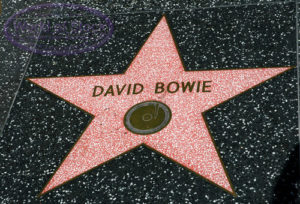
My first Qwiki search was for information on David Bowie. Basically the voice program sounded great! The tiny bit of information they had compiled however, was a bit of a let down. They only included basic information about his career as a musician and where he was born but did not include anything about his Film career or other prospects. I think this has to do with the fact that either there is so much information to gather it takes time, or the fact that they want to limit the time of each automated clip. Either way, it was rather bland for someone looking for information for a report or large quantities of information about a certain person or place.

Being in an education field, I think this site has great potential for students wanting limited information in a focused place. Also, it would benefit second language learners greatly in that it has visuals along with spoken information about each topic. Unfortunately, I have tried to use it at work and it has already been blocked for some odd reason I am sure, yet they let other Wikipedia type sites go untouched.

All in all, I say Qwiki has some great potential. It will be interesting to see when it gets released to the public how much editing they will allow the users to add to the information or how that process would go about.

It’s in Alpha testing now but go sign up and see for yourself, or find someone (like me with unlimited invites) who already has access to Alpha and check it out!
Let me know what you think.

http://www.Qwiki.com/

Call to Service – Call of Duty Black Ops

It would appear that the long awaited title Call of Duty Black Ops is exceeding sales figures of the last year sequel release to Call Of Duty Modern Warfare. COD Black Ops, I will call it that because something seem wrong about calling it COD BO. It’s far from Stinky and the sales of the game released this week have exceeded about 5.6 million copies. With a little under a couple of months left for the holidays to wrap up, Call Of Duty Black Ops will no doubt be a continued Best Seller of both Concole and PC titles. Even with strong competition from Fable III and Fallout New Vegas as well as a variety of Bond titles, the first week indications have been tremendous.

At the launch party for Call of Duty Black Ops, the CEO of Activision Blizzard Bobby Kotick announced the donation of One Million dollars, a portion of the sales from the new title, to go to the Call of Duty Endowment which provides job training and placement for returning veterans of any branch of military service. While the estimates of joblessness for the Veterans is bleak, this endowment continues to educate and inform the American people on efforts within thier own communities and globaly to help our servicement.

The Star studded launch party included Scrubs star Zack Braff and Basketball legend Kobe Bryant who was featured in one of the most creative commercials for a Video Game title to ever air. The Call of Duty Black Ops TV Spot also features an appearance by talk show host Jimmy Kimmel. Activision Blizzard has shared some of the footage from the Launch party which was help November 4th in Santa Monica California, although we didn’t get to see any of the concert footage from Metallica! Check the video out and find how you can help spread the word about the Endowment and learn of ways you can help out from your very home!

–Andy

Review and Video Posted on the WDTV Live Hub Media Center

Photo of the WD TV Live Hub
Andy Taylor reviews the WD TV Live Hub Media Center

Andy Taylor has posted a review of the Western Digital TV Live hub Media Center at TechtalkRadio in the Hardware section of the Site. Not only has he written a review focusing on the digital content sharing, he has also looked at the features that are included with the Storage and Media device that enable Music or Digital Movies downloaded and watched directly on the Television.

The HDMI capable device can allow for 1080p viewing of true HD video on those screen capable of viewing 1080p content. This is a great solution according to Andy for those that are using HD Video Camera yet lack the ability to burn the image to blu-ray. The content can be shared across the network or synched to the 1TB of storage with a removable flash or external drive.

The slim device is a nice fit for the entertainment center and Andy noted that the unit is wall mountable for those looking for more custom configurations in saving space. Not only can you read the review at the site but you can also listen to an interview that Andy Taylor did with Matt Bennion from Western Digital. Andy also shot a video for the Site which is also posted here. Feel free to share the link with your friends, especially if they are looking to add digital storage and easy playback on the Home Entertainment System.

For more Information or to read the Review – take a look at http://www.techtalkradio.com/hardware/wdtv.html

Sprint brings Broadband to your iPod Touch

Photo of the ZTE Peel
Connect your iPod Touch Device

For those of us that love our iPod Touch but dislike the task of not having a Wi-Fi hotspot always available or wanting to use the features while traveling, Sprint has unveiled today a solution for your tethering woes. The new ZTE Peel gives users the ability to put the iPod Touch in a cradle and connect with the Sprint 3G service over Wireless Broadband.

The idea is really a nice one as we may already have Cell service with Sprint but also enjoy our iPod Touch. Now, with the Peel, we can have it all. The device specs state that the cradle will work with second or third generation iPod Touch devices and will also be able to connect to another device while cradling the Apple iPod Touch to provide another Wi-Fi Connection. Have a laptop that needs your own hotspot? You’ll be able to provide you own. This is extremely handy for businesses that don’t have Wi-Fi Hotspots. If the user is in a Hotspot area, Wi-Fi Compatibility can also be handled with the 802.11B and 802.11G Standard without having to uncradle the iPod Touch.

The Peel features a 900 mAH Li-Ion Battery which will give the user about 3 hours of active use time. The product is not officially endorsed by Apple but is compatible with Wi-Fi services for Windows 7, Vista, XP and Mac OS 10.5 and 10.6. The service plan for the broadband which is up to 1GB transfer on the 3G network with no contract, $29 bucks and the ZTE Peel itself will be available for around $79 dollars. Sprint stores should be carrying the Peel starting the 14th of November.

A Photo of the Peel from Behind
Sprints solution for Broadband over the iPod Touch

We also like the fact that owners of iPod Touch device may also be able to utilize third party apps from just about anywhere a broadband connection is available which could include voice type apps!

More info on the ZTE Peel can be found on the Sprint website at http://www.sprint.com We’re hoping to get our hands on a Peel in the next couple of weeks to give you a look at how they work., Check back at our main site http://www.techtalkradio.com for video and follow us on Twitter at http://www.twitter.com/techtalkradio

Practically Free Things To Do

Like many of you, I get tired and irritable and just need something to do that is not one of my daily tasks or work related in any way. I usually will break out into an “I’m So Borrrred!” or something like that. Also like many of you I do not have a ton of cash for that dream vacation to the Bahamas or that short jaunt to Greece for my olive oil facial and dreamy Greek masseuse to give it. OK, dreaming aside; Heck! I don’t even have enough time or money to afford to go to El Cheap-O Spa with costs of living rising and my paycheck dwindling.

I have come up with a solution! And it doesn’t involve a ton of cash or anything too fancy at all. Something that will get our minds away from thinking about work or the inescapable tasks and duties of everyday life. DO FREE STUFF! Sound simple? It is.

What can you do when you don’t want to really do anything? Here are 10 things that don’t require you to be a Trump nor travel great distances to have a spectacular time:

1) Go on a picnic. We all have parks, neighborhoods, or yards and we all have to eat. Why not pack up the kids and significant other and go on a picnic? Remember, like the “old” days? Make a basket lunch and spend some time playing at the park or relaxing in the grass. It will not only relax you but will get you out and about in the open air.

2) Catch up on some DVR or Movies. If you’re like me, you haven’t been watching TV a lot lately. Catch up on the latest and greatest. I would highly recommend Big Bang Theory, Outsourced, and Mythbusters but that’s because I am a total geek! The last movie I saw? RED. It was very well put together and I think will hold me over until TRON arrives in December, maybe.

3) Look up some historical sites in your city. Every city has a history, why not check it out? You may be surprised! My city is full of wineries and several historical buildings along with Route 66!

4) Learn something new. The internet is full of vast knowledge and if you are glued to it, like some of us, you can “Google it” or go to the library to find some How-To books. Learn to do Origami, Crochet, Change Your Oil, Whatever you are interested in.

5) Rearrange your house. Move furniture or other things around and see how different you can make it feel. It’s amazing how much this helps. I did this about 3 months ago and my apartment feels much more spacious.

6) Read. Ok, so you are like me and don’t like to read, “War and Peace.” News Flash: You can read whatever you like. That’s the joy of reading. Magazines count too!

7) Research your Family History. Ok most of us run to the internet for this too. Why not talk to relatives and interview them? Take some time to ask about what their life was like and document or record it somehow. Put it together in a family album. My sister and I have decided its that time in our lives to start asking the grandparents about life and are working on putting together a virtual family history book.

8 ) Write. About anything. Go somewhere you are comfortable and write about anything you want. Journals, blog, draws, create poetry, whatever. Writing is not only a good therapy, it’s also neat to go back and see what your life was like on that day and time in the future.

9) Take your pet for a walk. Take a stroll outside in the open air. They will enjoy it and you can get a break from the mundane tasks. I am lucky enough to live close to a dog beach so that is one way we have fun. Dog parks are relaxing for you and you can meet new people from your area. Singles, this is a great way to meet new potential dates!

10) Exercise! Yeah I hate that word too. But really, it’s what we all need more of. Nowadays, we can play video games or just simply go for gander around the neighborhood. If you like sports, play a game or two with some friends or family.

Well, these are 10 relatively easy, mindless, and fun things to do if you need some time to get away or just can’t think of anything new to do. Let us know if you decide to try ‘em out!