Episode 457 – Windows 10 End of Life Workaround!

Subscribe

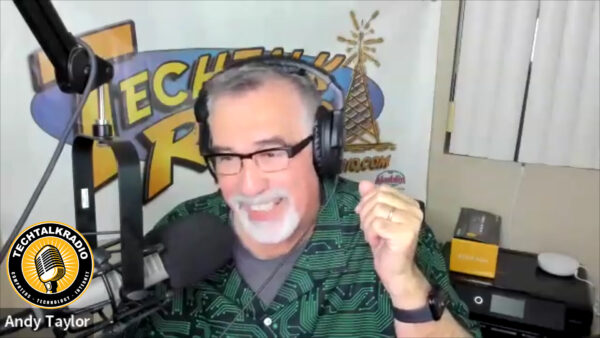
Windows 10’s end-of-support dominated this week’s show, as Andy, Shawn, and Justin tackled the panic, the realities, and the options. From Microsoft’s ESU path ($30 for Home, $60 for Pro) to the confusing OneDrive “free” backup catch (that 5GB cap!), the crew broke down who really needs to move now and who can safely plan. They also dug into the TPM 2.0 / Secure Boot debate—why game anti-cheat systems are driving requirements, how tools like Rufus can help on older hardware, and the real risk of kernel-level hooks. Along the way, Andy shared a cautionary tale about flipping BIOS/UEFI settings, MBR vs. GPT, and why documenting changes (and cloning that SSD first!) can save a weekend.


Not ready for new hardware? The guys mapped out sane alternatives: when a legit Windows 7→10 key will still activate Windows 11 on supported gear, and when a friendly Linux distro (Ubuntu, Mint, etc.) is the better retirement plan for a beloved PC. Shawn even previewed Ubuntu’s whimsically named future release, “Resolute Raccoon,” and the team answered a listener’s webcam question—ultimately reminding iPhone families that FaceTime across phones, Macs, and iPads is still the simplest way to video chat without extra gadgets.

Andy revisited Driver Easy after a wave of online skepticism, sharing clean scans with Malwarebytes and real-world stability gains when Windows Update missed drivers. Shawn flagged a Corsair DDR4/DDR5 memory-speed class-action notice (proof that keeping receipts pays), and Justin gave an enthusiastic update on his new enclosed 3D printer: faster prints, auto-leveling, built-in filtration for ABS, and easy project ideas from MakerWorld and Thingiverse—all with filament costs that make practical prints (and holiday décor) surprisingly affordable. Justin’s Newest 3D Printer comes from FlashForge 


Wrapping up, Justin sounded off on Microsoft again—this time over the Xbox Game Pass price hike—while Shawn noted reports that some existing, auto-renewing subscribers may see delayed increases depending on market. Whether you’re planning your Windows 11 migration, eyeing Linux, tuning a printer, or trimming subscriptions, this episode is packed with field-tested advice, hard-won lessons, and a few laughs from the TechtalkRadio bench.

Episode 429 – Don’t Bake it in the Oven!

This Week on TechtalkRadio: A Flashback Tech-Fest with Andy, Shawn & Justin!

In this flashback episode of TechtalkRadio, Andy Taylor is joined by Shawn DeWeerd and Justin Lemme for a lively discussion filled with tech tips, smart gear insights, and a few cautionary tales from the world of online shopping.

Shawn kicks things off with his experience setting up Wyze lighting in his office and TV room, sharing how to configure lighting grids and create custom scenes. Andy follows with a frustrating story about ordering a product online and not receiving the full shipment, sparking a broader conversation about safe online shopping practices—especially what not to use when making a purchase. He also talks about an experiment gone wrong: ordering a $99 laptop from a sketchy vendor on social media called “BuyBest.” Spoiler alert—it turned out to be a scam. Justin admits he nearly fell for a similar trap from a site called “Nozama.”

The conversation shifts to Smart TVs, where Justin noticed a huge spike in DNS traffic on his Raspberry PiHole after hooking up his new TV—a good reminder to keep an eye on what your devices are really doing online.

Andy shares a favorite recent gadget, the Retekess V115 Portable Radio. It’s a compact AM/FM/Shortwave receiver that also plays MP3s from a TF card and can record over-the-air broadcasts—all powered by a rechargeable battery. That inspires Shawn to talk about getting into amateur radio and the helpful resources available at arrl.org and radioreference.com for exploring local repeater activity.

Andy then compares keyboard options for tablets, including a Samsung model and the versatile Logitech K480. The discussion takes a turn to the Apple ecosystem, with a look at how Mac hardware has evolved over the years. Justin brings up his SecretLabs chair, which had issues with the armrest but came with stellar customer service that left him impressed.

Thinking about upgrading his system, Justin wrestles with the choice between Intel and AMD, leading to a group discussion on what to consider when building or refreshing a PC. Shawn recommends using CPUID to learn more about your current hardware, while Justin suggests AIDA64 as another helpful tool. For motherboards, Justin shares his preference for ASRock based on his own positive experience.

Andy wraps things up with a warning about the growing trend of phishing and email harvesting, recommending a visit to haveibeenpwned.com to see if your data has been compromised. And in true TechtalkRadio fashion, the guys cap it off with a fun but serious discussion on how not to clean your PC. From dishwashers to power washers, and even wet/dry vacs, they share the dos and don’ts of keeping your rig clean—emphasizing that compressed air, while popular, still comes with its own considerations.

It’s a packed episode with practical advice, a few laughs, and real-world tech talk