Episode 455 – Smart Homes, Dumb Drivers:The Crash Caught on Camera!

Andy, Shawn, and Justin open with Justin’s recent DDoS nightmare and use it to explore how IoT botnets form, why firmware updates and password changes are essential, and why cheap “set it and forget it” devices can be ticking time bombs. They compare off-the-shelf routers like ASUS, Netgear, and Linksys with more advanced options such as Ubiquiti and the open-source pfSense (“PF-chance,” as Justin puts it), which can turn an old PC into a powerful firewall/router—perfect for those willing to tinker. Tips include scanning with Fing, segmenting devices on VLANs, and avoiding ISP-provided routers.
Listener Q&A shifts the discussion to Windows 11: Home vs. Pro, and the frustration that Remote Desktop is missing in Home. Andy shares his Rufus experiment installing Windows 11 on unsupported hardware, while the team stresses the importance of BIOS and driver updates. The highlight is Shawn’s story about Driver Easy, which rescued a high-end transcoding PC that Windows updates had slowed to a crawl—finding 15+ outdated drivers and restoring its performance instantly. Justin explains how techs can use short-term Driver Easy licenses to fix customer machines without constant overhead.

But the big highlight comes from Justin’s own Reolink security camera: it captured a shocking moment when a car slammed into his neighbor’s $100K Nissan GT-R while it was being loaded for transport. The video proves why quality security cameras matter, and sparks a bigger conversation about Wyze vs. Reolink setups, VLAN security, and why having your own footage is worth every penny.

They wrap up with cool new tools — from DJI’s latest drones to lightningmaps.org, a live weather tracker that shows real-time lightning strikes. Whether you’re into gadgets, gaming, or just want smarter home security, this episode is packed with stories you don’t want to miss.

Be Sure to Check out the Video Version of this Show on the Website for Footage of that Crash!

Got a question for the show? Email techguys@techtalkradio.com, and catch more at techtalkradio.com.

Please Share, Listen, Subscribe to the Show on Spotify, Spreaker, iHeartRadio, YouTube and Our YouTube Page. Also Available on KGVY AM/FM, Amazon Music, PodBean and other Delivery Networks!

Episode 446 – The Good Old Floppy!

This Week on TechtalkRadio:

Justin, Shawn, and Andy tackle the buzz around Epic Games’ $126 million Fortnite refund settlement as listed in this link for the FTC for unauthorized in-game purchases and account locks. The conversation dives into the psychology of microtransactions, with Justin sharing personal experiences from PGA Tour 2K25 and Clash of Clans, and Andy reflecting on mobile games that he plays like Toon Blast which also has come under scrutiny. Shawn breaks down jaw-dropping revenue numbers for these games, highlighting the lucrative—and addictive—nature of in-game purchases.

The discussion pivots to the shifting landscape of operating systems, as the crew critiques Microsoft’s pushy tactics with Edge, Bing, and Copilot, and sings the praises of Linux Mint as a cleaner, ad-free alternative. They explore how Linux is becoming a go-to OS for users tired of bloat and complexity, with helpful resources like Alternativeto easing the transition.

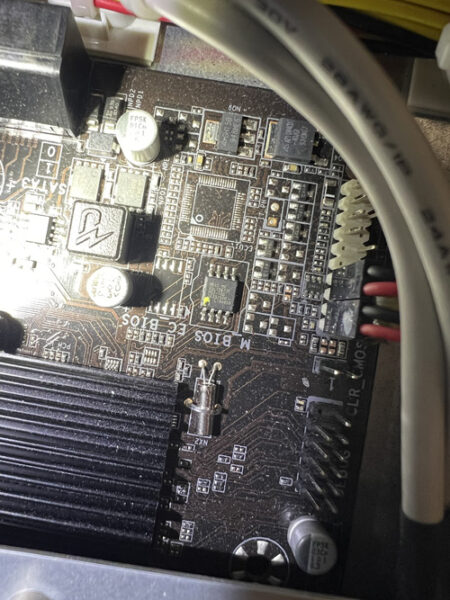
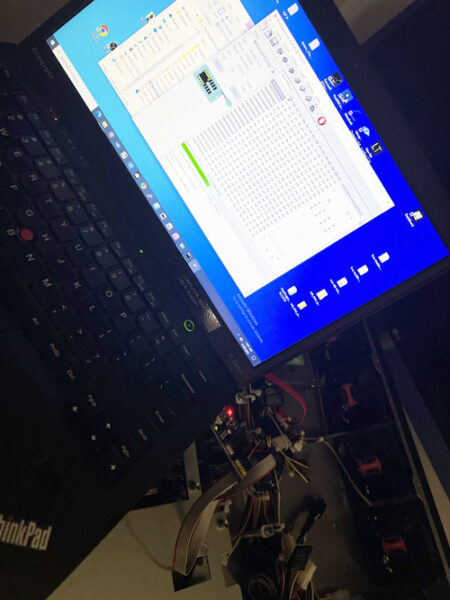
From BIOS repair using a CH341A programmer to Reddit-sourced tech fixes, the show is packed with DIY insights. Justin tells us about and swears by Driver Easy for driver updates which has Shawn signing up during the show for a special deal.  We are also reminded on one of Matts favorites, NiNite while Shawn also suggests regular reformatting every couple of years to keep machines healthy.

Listener questions lead to a conversation about USB drives—form factors, brand reliability, and best practices for storage and backups, including the 3-2-1 strategy. Plus, Shawn shares his ham radio experience connecting with the International Space Station and recommends the Next Spaceflight app, just as NASA gears up to stream live on Netflix.

Episode 426 – “Lights, Sound, Action! Home Theater Add-Ons for Great Sound!”

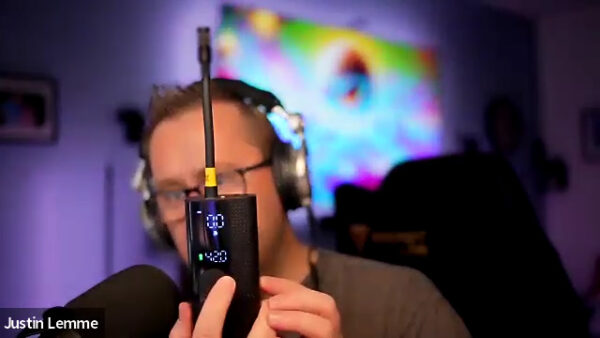
In this, the first episode of TechtalkRadio for 2025, Andy, Matt, and Justin discussed their holiday experiences and Justin shared his positive experience with Tesla’s full self-driving mode, which he tested on a trip to Cripple Creek Colorado. Justin got a new device that Andy could have used after having a tire lose pressure recently. The Mobile Device is a portable Air Compressor from a company called AirMoto which can quickly deliver up to 120PSI and even can inflate to a set amount.

Another change both Matt and Justin made to their homes focused on the Entertainment Systems. Matt discussed his recent purchase of a Sonos Arc Ultra soundbar and a Sonos Sub 4.1. Matt explained how the soundbar and subwoofer work together to create a full surround sound experience, and how the Sonos system allows for easy setup and control through the app. A good question when setting up a great sound system. What is the Best Movie to Watch? Matt and Justin recommended Top Gun as well as Dune Part 1 and 2 while Andy liked the original Raiders of the Lost Ark. Not only is sound a part of these theater setups but both Justin and Matt focused on the use of Govee LED lights. Justin explained how his setup, which includes LED lights behind and beside his TV, changes color based on the content being displayed, enhancing the overall theater experience. Matt shared his similar setup, which he set up for his parents, and highlighted the benefits of using a camera for syncing the lights with the TV’s content. Both agreed that the camera-based system was super effective for an immersive experience. They also discussed the benefits of their respective TVs, with the Sony Bravia OLED TV being praised for its color accuracy and its color tuning presets for streaming services by Matt.

Matt explained the difference between passkeys and passwords, emphasizing that passkeys are a more secure authentication method using private and public key pairs. He highlighted that passkeys are tied to specific devices, making them resistant to brute force attacks, keylogging, and phishing. Matt also discussed the use of Yubikeys as a hardware key for authentication. A Listener question wondered about a portable printer for work projects. Matt suggested the Canon Pixma TR 150 and the Brother PocketJet PJ-883 as potential options however Andy wondered if using a tablet with a PDF Creator Program would be better at generating PDF Documents to send to a client.

Justin shared his experience with the Oura ring, a health monitoring device that tracks heart rate, stress levels, and sleep habits. He found the device useful but after using the Pixel Watch he noted some drawbacks, such as the app being cluttered. The Oura Ring is eligible for Flexible Spending Accounts (FSAs) and Health Savings Accounts (HSAs) for medical expenses in most cases. Justin als shares about the recharging of the Ring Itself.