Episode 457 – Windows 10 End of Life Workaround!

Subscribe

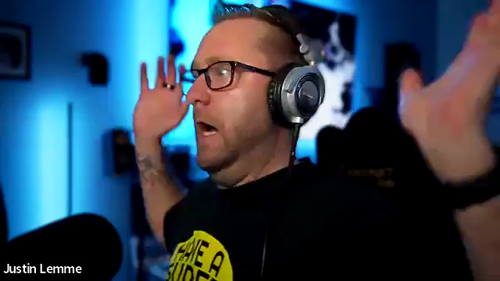
Windows 10’s end-of-support dominated this week’s show, as Andy, Shawn, and Justin tackled the panic, the realities, and the options. From Microsoft’s ESU path ($30 for Home, $60 for Pro) to the confusing OneDrive “free” backup catch (that 5GB cap!), the crew broke down who really needs to move now and who can safely plan. They also dug into the TPM 2.0 / Secure Boot debate—why game anti-cheat systems are driving requirements, how tools like Rufus can help on older hardware, and the real risk of kernel-level hooks. Along the way, Andy shared a cautionary tale about flipping BIOS/UEFI settings, MBR vs. GPT, and why documenting changes (and cloning that SSD first!) can save a weekend.
Not ready for new hardware? The guys mapped out sane alternatives: when a legit Windows 7→10 key will still activate Windows 11 on supported gear, and when a friendly Linux distro (Ubuntu, Mint, etc.) is the better retirement plan for a beloved PC. Shawn even previewed Ubuntu’s whimsically named future release, “Resolute Raccoon,” and the team answered a listener’s webcam question—ultimately reminding iPhone families that FaceTime across phones, Macs, and iPads is still the simplest way to video chat without extra gadgets.

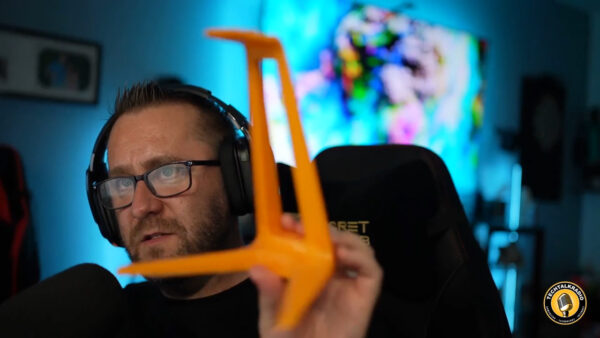
Andy revisited Driver Easy after a wave of online skepticism, sharing clean scans with Malwarebytes and real-world stability gains when Windows Update missed drivers. Shawn flagged a Corsair DDR4/DDR5 memory-speed class-action notice (proof that keeping receipts pays), and Justin gave an enthusiastic update on his new enclosed 3D printer: faster prints, auto-leveling, built-in filtration for ABS, and easy project ideas from MakerWorld and Thingiverse—all with filament costs that make practical prints (and holiday décor) surprisingly affordable. Justin’s Newest 3D Printer comes from FlashForge 


Wrapping up, Justin sounded off on Microsoft again—this time over the Xbox Game Pass price hike—while Shawn noted reports that some existing, auto-renewing subscribers may see delayed increases depending on market. Whether you’re planning your Windows 11 migration, eyeing Linux, tuning a printer, or trimming subscriptions, this episode is packed with field-tested advice, hard-won lessons, and a few laughs from the TechtalkRadio bench.

Episode #433 – S.O.S. Send Some Slacks and Goosed by Larry!

For this Week’s TechtalkRadio Show, Shawn, Matt, Andy and Justin are on board as they discuss recent experiences with stand-up comedy shows. Justin shares his encounter with comedian Rodney Norman, where he unexpectedly introduced the act and received encouragement to try stand-up himself. The conversation then moves to other comedians they’ve seen live or admire, including Brad Williams, The Late Mitch Hedberg, and Jeff Arcuri. They reflect on how social media has given more comedians exposure. The group also fondly remembers the Blue Collar Comedy Tour and imagines a hypothetical Hallmark movie featuring those comedians. We lose Justin in the discussion after telling about a great memory of his dad getting a goose from Larry the Cable Guy!

After getting to put it to the test, Shawn discusses his experience with the Epson FastPhoto FF-680W scanner, which he purchased after Andy demonstrated it on News13. The scanner has significantly sped up Shawn’s photo digitization project, allowing him to scan 3,800 photos in a -a rate of one photo per second at 600 DPI. The device offers features like automatic editing, front and back scanning, and batch processing. While Shawn found the auto-edit feature inconsistent, he appreciates the scanner’s ability to capture handwritten notes on the backs of photos, which Matt and Andy agree is valuable for preserving family history. He did note it is important to clean the scanning surface frequently to avoid jams and residue from plastic sleeves and film emulsion.

Andy discussed the forthcoming end of life for Windows 10 in October, with Windows 11 being the next iteration. He noted that end of life does not mean a computer will stop working, but that users will no longer receive security updates. Andy shared his recent experience with Windows 11’s networking issues and how he resolved them. If you upgrade or get a new system what could be done with the old computer? Matt suggesting that old computers could be repurposed or donated. Andy decides to upgrade the Studio Computer and buys an Intel Processor which shipped with the CPU Fan however the Pre-Applied Thermal paste has Andy wondering of its usefullness. All recommend to clean that off the CPU and apply new Paste. Justin advised on the best way to apply thermal paste to a new CPU, and Shawn shared his preferred method, The Dot Method. Finally, the team discussed the ease of using Linux as an alternative to Windows, with Matt recommending Mint, Arch, and Ubuntu as accessible options.

Listener Ricky decides to Build his own but wonders if a Graphics and Sound Card is needed. Matt and Justin clarified that a sound card is not required for general use, but a graphics card is recommended for gaming. They also advised against using a “Old School” spinning hard drive for storage, as M.2 or SSD drives are significantly faster and less prone to failure. Matt also emphasized the importance of proper installation and handling of computer components to avoid damage. Andy shared info about the new Samsung’s M.2 drive which operates about 14.8Gbps, which Justin confirmed was a significant upgrade. The team agreed that using a faster storage option would provide better performance and a longer lifespan.

A Humerous wrap on the show as Matt shares that Google’s Pixel devices have updated their emergency SOS feature to require five button presses and confirmation before activation. This change was implemented after an incident where a user’s sensitive photos were accidentally shared through the SOS system sending to family and co-workers. The group discusses the implications of this update and jokes about the potential embarrassment of such a situation thus the name for this weeks show, SOS – Send Me Slacks!

Tune in, Stream or Download the latest in our discussion of Tech and other fun discussions!

Connect With Us on social media
YouTube @techtalkradio
Facebook @techtalkers
Twitter @TechtalkRadio
Instagram techtalkradio
Web: TechtalkRadio.Com

Subscribe and Like on Audacy, iHeart, Apple Podcast, Amazon Music, Google, Spotify and Spreaker!