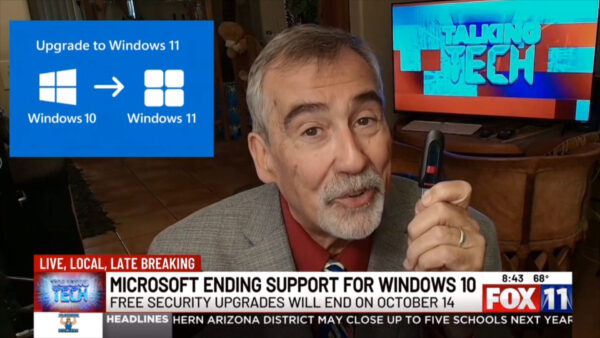
News13 Segment – Backup, Patchup or Upgrade? Windows 10 Support Ending

Subscribe

This week’s Talking Tech Segment on KMSB Fox 11 News 13 tackles the looming October 14th deadline when Microsoft officially ends free security updates for Windows 10. While Windows 11 is the clear upgrade path, not everyone has the hardware — or the desire — to switch. Microsoft is offering two “carrots” for those staying behind: sign up for their Extended Security Update program and allow backups to OneDrive to get one free year of patches, or pay $30 per device annually for continued security support. Both come with caveats, including limited storage and ongoing costs.
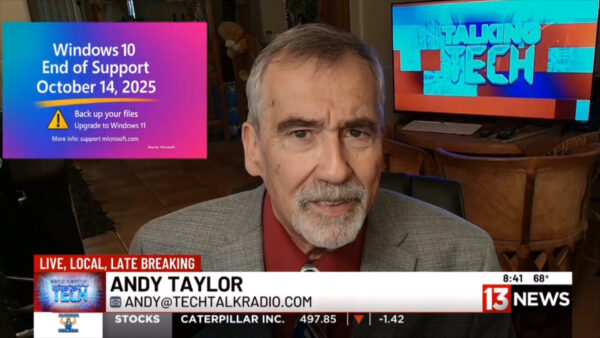
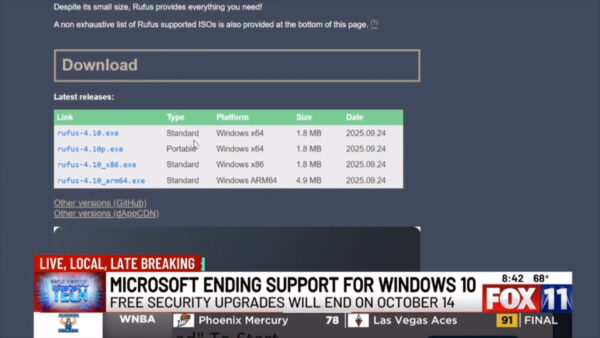
Andy stresses the most important step before any upgrade or patch: make a backup. Whether it’s with a StarTech docking station and a new drive, or trusted software like Acronis and EaseUS, protecting your data is key. Flash drives can also play a big role — not just for backups, but for creating bootable Windows 11 installers. With the free Rufus tool, users can build a customized installer that bypasses TPM 2.0, skips secure boot, and even sets up a local account. This makes upgrading older hardware possible without losing programs through an in-place update.

For anyone hesitant about moving forward, Andy points to a helpful ZDNet article by Ed Bott that outlines how Rufus simplifies the upgrade process. The bottom line: if you plan to stay on Windows 10 past October 14th, be prepared with backups and a plan — whether that’s paid support, cloud backups, or a careful jump to Windows 11.

Subscribe to our YouTube Channel for more Videos and The Full TechtalkRadio Show

Episode 454 – “Apple’s New iOS, AI Shenanigans, and Roku Lights Up the Room!”

This week on TechtalkRadio, Andy Taylor and Shawn DeWeerd unpack iOS 26 after Apple’s recent wave of updates. Shawn—who’s been living on the beta—explains why the OS now feels “built for two-handed use,” with core actions and search shifting to the bottom of the screen. For anyone returning from Android or upgrading older iPhones, it’s less about flashy features and more about retraining muscle memory: new-message buttons, close icons, and search live where your thumbs naturally are.

From there, the conversation widens to the state of AI. Andy contrasts the speed and usefulness of Google’s Gemini for quick studio lookups with Siri’s slower responses, while both hosts wrestle with where AI is genuinely helpful versus where it still feels off. Practical wins include Lightroom’s AI noise reduction, using AI to wrangle manuals and code snippets, and Google’s NotebookLM—now with interactive “ask-as-you-listen” study sessions. On the flip side: AI-generated images still struggle with fine details and text, and accuracy gaps make “AI slop” risky for mission-critical work.

In smart home talk, Shawn revisits Wyze’s value gear—cameras, bulbs, and a new palm-vein recognition lock—plus the subscription math behind Cam Plus. He argues for a simple but powerful upgrade: first-class RTSP so users can record to their own NAS and keep footage off the cloud by default. Listener Q&A rolls through texting mysteries (blue vs. green bubbles and how RCS now bridges some features with Android), and the looming Windows 10 end-of-support date. They weigh Extended Security Updates versus buying new machines, and when Rufus can help install Windows 11 on borderline hardware—while warning that not every system will make the cut.

To cap it off, the guys look at Roku’s first projector (1080p with Roku OS, auto-focus/keystone, Bluetooth private listening), share a handy tip for listening through headphones via the Roku app, and flag a recent Plex security incident—change your password and be cautious with the latest Roku Plex app update if you’re seeing stutters or crashes.

Got a question for the show? Email techguys@techtalkradio.com, and catch more at techtalkradio.com.

Please Share, Listen, Subscribe to the Show on Spotify, Spreaker, iHeartRadio, YouTube and Our YouTube Page.

Connect With Us on social media
YouTube @TechtalkRadio
Facebook @techtalkers
Instagram techtalkradio
Web: TechtalkRadio.Com

Also Available on KGVY AM/FM, Amazon Music, PodBean and other Delivery Networks!

Disclaimer: If you click an affiliate link and buy a product or service, we may be paid a fee by that merchant.