Today, March 31st is the Annual World Backup Day, as a reminder to backup your Important documents and precious memories on not only your computers but also devices such as tablets and smartphones.
This Segment will share some products to make it easier to backup from any device from Carbonite, EaseUS and Acronis and the reasons to back up your smartphone. It is estimated that worldwide, 100+ Smart phones are lost or stolen every minute.
It’s also a good idea to back up that older floppy or hard drive and a couple of products can make that easier for World BackUp Day. Take the Pledge to back up and remind your friends, make the backup!
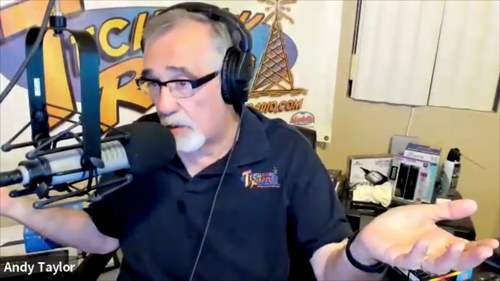
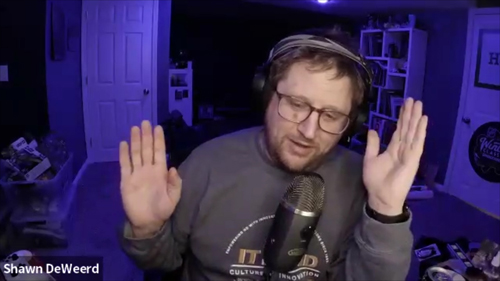
In this Weeks TechtalkRadio Show, Andy, Shawn, and Justin discussed their previous recording session, which was postponed due to various reasons. They also talked about their personal lives, including Shawn’s sleep schedule and falling aslep while the show was waiting for him! Justin talks about doing Voiceover work and Andy mentions a great Video on YouTube titled “5 Guys in a Limo” that showcases the best voiceover actors of their time.
Justin tells us a about his decision to buy his son Eric a gaming laptop, the Acer Predator, which has a 4,060 RTX and 16GB RAM. Justin also installed parental control software called Qustodio to monitor Eric’s online activities. However, Eric was more interested in watching YouTube videos on the new laptop than playing games. The guys share some possible games and while Doom and Wolfenstein are mentioned one that Andy wants to try is Power House Washing, a Simulation. Justin also mentioned a YouTube channel called Let’s Game It Out, which they both enjoy watching.
Andy discussed a couplle of products he recently took a look at: the Asus Rog Flow Z13, a gaming laptop/tablet with AMD 395, and the Epson RR600W, a rapid receipt scanner. Andy shared his positive experience with the Asus product, highlighting its performance and features. He also demonstrated the Epson scanner on live TV but encountered issues due to Andy forgetting to plug a cord in! The Epson scanner can scan up to 100 receipts per minute, front and back, and can also scan photos at 600 dpi.
In a segment recorded earlier, Andy welcomes Author Titania Jordan to the show to discuss the challenges of internet safety for children. Titania, the CMO and Chief Parent Officer at Bark Technologies, shared her experiences as a parent and her insights from her book “Parenting in a Tech World”. She emphasized the importance of staying updated with the latest information on internet safety, as the situation has evolved significantly since her first book was published in 2020. Andy and Titania discussed the challenges of parenting in the digital age, particularly with regards to children’s use of smartphones and social media. Titania emphasized the importance of being proactive and not waiting until a crisis arises. They also discussed the need for parents to be aware of the constantly evolving language and emojis used by teenagers, and the potential dangers of allowing strangers to communicate with children through apps and games. Titania recommended using safer alternatives such as the Bark app or Bark phone for children’s devices, and advised parents to delay giving their children access to all devices and apps until they are ready. Her latest title is available at Amazon.
Justin, Andy, and Shawn regroup and share the Website of the Week, Lazyfly dot me, which is a challenging game very basic in graphics but fun.
Tune in for all this and more on TechtalkRadio!
Connect With Us on social media YouTube @TechtalkRadio Facebook @techtalkers Instagram techtalkradio Web: TechtalkRadio.Com
Available on Audacy, iHeart, Apple Podcast, Amazon Music, Google, Spotify and Spreaker!
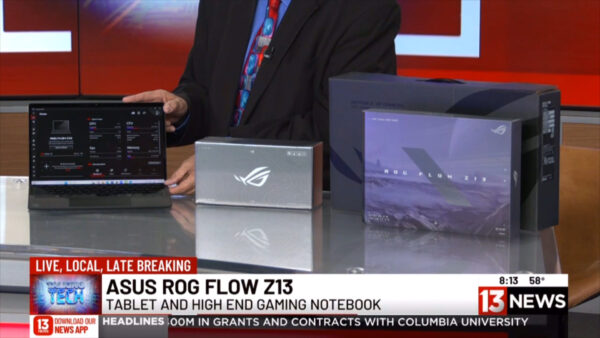
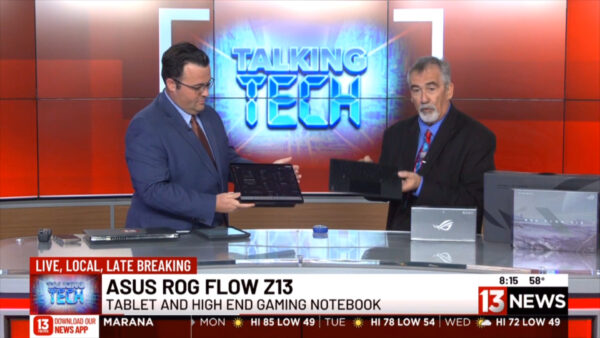
It is Always fun to share the Latest Cutting edge Technology and for this Mornings Segment, We give you a first hand look at a product released less then two weeks ago that has been created with the Gamer and Heavy Computer User in Mind.
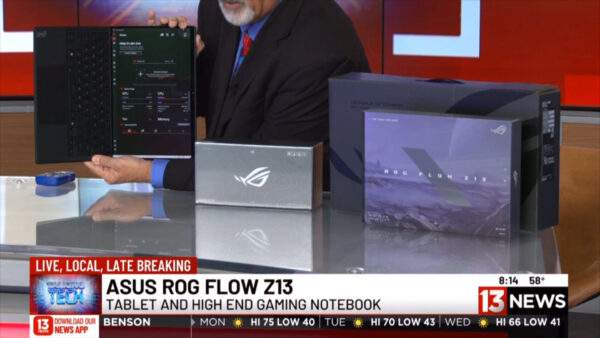
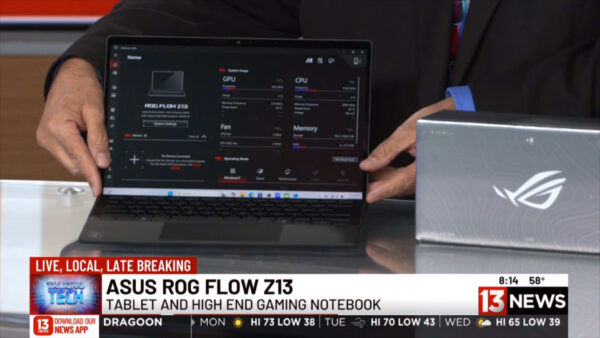
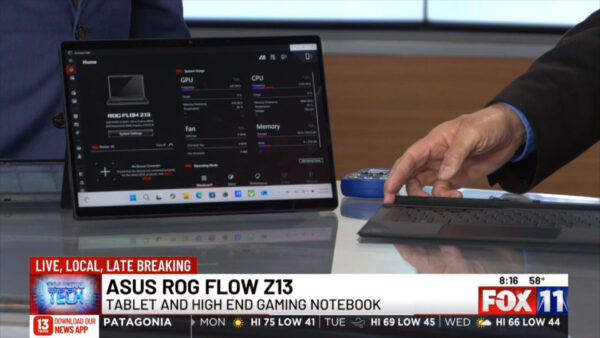
The product is not a Desktop PC, Not a Laptop but a combination Tablet and High End Gaming Notebook, The Asus ROG Flow Z13. This Powerhouse of a Tablet/Notebook features an AMD Ryzen Max Ai Processor 390 or 395 Processor and can be configured at 32GB of Memory and can also be purchased with 128GB! 1TB of M2 for your Storage and Radeon 8060S Integrated Graphics. This Can help the user play even the latest video game titles without worrying about Lag, again all of it on a 2 in 1.
The Graphics look sharp and flow great on a 2.5k ROG Nebula 13.4 inch Touch Screen and feature a bevy of Connection options such as dual USB-C ports, both of which support USB4, DisplayPort™ 1.4 output and sports a dedicated HDMI 2.1 port, a USB Type-A port, a microSD card reader, and an audio combo jack. We also love the Aura RGB Effects for the lighting of the Keys and back of the screen which shows the inner componants.
The 2 in 1 has one of the sturdiest feels I have had in a Mobile device protected by Corning Gorilla Glass 5 protection and its design for Cooling and Airflow helps with speed as well as the power features in most cases delivering up to 10 hours of use under a charge. It weighs about 3.5 pounds with the foldable/removable keyboard.
Depending on the Configuration Pricing Starts at about 1999 and can go to about 2799. More info at https://www.asus.com/us/
For this Weeks TechtalkRadio Show, Matt shares his experience with pets adjusting to the time change, recounting how his cat protested the new schedule by realizing how shoving his metal bowl at night will get him some food. Shawn has continued his process of digitizing family photos using the Epson FastPhoto 680W scanner and is sharing how he was able to also scan in 8mm Movie Film using the Wolverine Data film scanner. He has completed scanning about 2,800 photos from his grandparents’ collection and is now working on digitizing 8mm and Super 8 films from the late 1940s to 1980s. Shawn explains the time-consuming process of cleaning and scanning the films, emphasizing the importance of preserving family memories. The group also discusses the challenges of using older film equipment and the value of digitizing these historical records.
A recent discussion with a filmmaker has Andy wondering about the use of Davinci Resolve, a video editing software. Shawn recommended Davinci Resolve as a top three video editing software, alongside Final Cut Pro and Adobe Premiere. He explained that the free version of Davinci Resolve is sufficient for most needs, and the studio version, which costs around $300, offers additional features like advanced noise reduction and higher resolutions and amazing color correction.
A Listener Question asked about the Disk Defragmenter. Matt explains that defragmentation is no longer necessary for modern solid-state drives (SSDs). He describes how defragmentation was used on older hard disk drives to reorganize fragmented data, which could take hours or days. For SSDs, a process called trimming is now automatically performed by the operating system. Matt warns against manually defragmenting SSDs as it can significantly reduce their lifespan. He advises that users with SSDs don’t need to worry about defragmentation, as the system handles optimization automatically.
Another listener question wondered about the challenges of switching to the Apple platform, particularly for those unfamiliar with Mac OS. Shawn highlighted the learning curve and potential frustration for those new to the system. Matt offered up a great suggestion as well, Apple stores may offer free classes to help users adapt and recommends checking into those while Andy recommended exploring local user groups and libraries for additional support.
The hosts discuss the upcoming segment about the World Video Game Hall of Fame finalists for 2025, as announced by the Museum of Play. They reminisce about playing Goldeneye in 1998, particularly the popular “slappers only” mode and the controversial character Odd Job. The segment will cover the list of nominees and discuss which games the hosts believe should be inducted, with only three games set to be selected for the Hall of Fame. They debated which games should be inducted into the Hall of Fame, with Goldeneye 007, Quake, Angry Birds, Tamagotchi, and Frogger being top contenders. The team also discussed the influence of games like Age of Empires and Call of Duty on the gaming industry. They agreed that these games had a significant impact on gaming culture and should be considered for induction.
The hosts discuss their favorite and most influential video games. Matt mentions Legend of Dragoon and Final Fantasy 8, praising Legend of Dragoon for its innovative combat system and storytelling. Shawn highlights Suikoden as his favorite JRPG, mentioning its recent remaster. Andy recalls Eamon Adventure, a text-based game on Apple II, as his first computer game. They also reminisce about arcade games, with Shawn mentioning the 4-player X-Men game and Matt recalling Battletoads. The conversation ends with a brief discussion about the rarity of Legend of Dragoon and anticipation for a new Doom game.
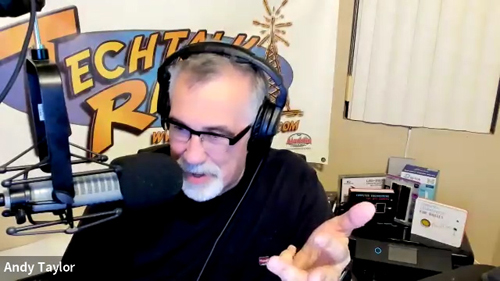
For this Week’s TechtalkRadio Show, Shawn, Matt, Andy and Justin are on board as they discuss recent experiences with stand-up comedy shows. Justin shares his encounter with comedian Rodney Norman, where he unexpectedly introduced the act and received encouragement to try stand-up himself. The conversation then moves to other comedians they’ve seen live or admire, including Brad Williams, The Late Mitch Hedberg, and Jeff Arcuri. They reflect on how social media has given more comedians exposure. The group also fondly remembers the Blue Collar Comedy Tour and imagines a hypothetical Hallmark movie featuring those comedians. We lose Justin in the discussion after telling about a great memory of his dad getting a goose from Larry the Cable Guy!
After getting to put it to the test, Shawn discusses his experience with the Epson FastPhoto FF-680W scanner, which he purchased after Andy demonstrated it on News13. The scanner has significantly sped up Shawn’s photo digitization project, allowing him to scan 3,800 photos in a -a rate of one photo per second at 600 DPI. The device offers features like automatic editing, front and back scanning, and batch processing. While Shawn found the auto-edit feature inconsistent, he appreciates the scanner’s ability to capture handwritten notes on the backs of photos, which Matt and Andy agree is valuable for preserving family history. He did note it is important to clean the scanning surface frequently to avoid jams and residue from plastic sleeves and film emulsion.
Andy discussed the forthcoming end of life for Windows 10 in October, with Windows 11 being the next iteration. He noted that end of life does not mean a computer will stop working, but that users will no longer receive security updates. Andy shared his recent experience with Windows 11’s networking issues and how he resolved them. If you upgrade or get a new system what could be done with the old computer? Matt suggesting that old computers could be repurposed or donated. Andy decides to upgrade the Studio Computer and buys an Intel Processor which shipped with the CPU Fan however the Pre-Applied Thermal paste has Andy wondering of its usefullness. All recommend to clean that off the CPU and apply new Paste. Justin advised on the best way to apply thermal paste to a new CPU, and Shawn shared his preferred method, The Dot Method. Finally, the team discussed the ease of using Linux as an alternative to Windows, with Matt recommending Mint, Arch, and Ubuntu as accessible options.
Listener Ricky decides to Build his own but wonders if a Graphics and Sound Card is needed. Matt and Justin clarified that a sound card is not required for general use, but a graphics card is recommended for gaming. They also advised against using a “Old School” spinning hard drive for storage, as M.2 or SSD drives are significantly faster and less prone to failure. Matt also emphasized the importance of proper installation and handling of computer components to avoid damage. Andy shared info about the new Samsung’s M.2 drive which operates about 14.8Gbps, which Justin confirmed was a significant upgrade. The team agreed that using a faster storage option would provide better performance and a longer lifespan.
A Humerous wrap on the show as Matt shares that Google’s Pixel devices have updated their emergency SOS feature to require five button presses and confirmation before activation. This change was implemented after an incident where a user’s sensitive photos were accidentally shared through the SOS system sending to family and co-workers. The group discusses the implications of this update and jokes about the potential embarrassment of such a situation thus the name for this weeks show, SOS – Send Me Slacks!
Tune in, Stream or Download the latest in our discussion of Tech and other fun discussions!
Connect With Us on social media YouTube @techtalkradio Facebook @techtalkers Twitter @TechtalkRadio Instagram techtalkradio Web: TechtalkRadio.Com
Subscribe and Like on Audacy, iHeart, Apple Podcast, Amazon Music, Google, Spotify and Spreaker!











You must be logged in to post a comment.