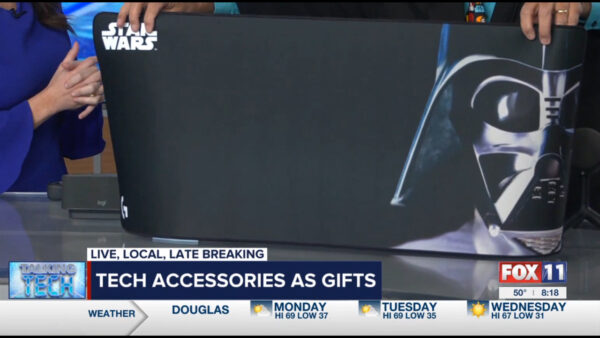
Protect those Devices! Some Tech Ideas to Check out!


Discover the world of tech protection on this week’s KMSB Fox 11 segment. In an age where our gadgets are essential, safeguarding them is paramount, and there’s more to it than just antivirus software.

Ever had a heart-stopping moment when your smartphone teetered on the edge of a pool? Fear not, because we’re introducing the EcoXGear Extreme 2. Talk about Sturdy Device Protection! This IP67-rated housing is waterproof, shock-resistant, and even sand-proof. And here’s the kicker—it floats! Not only can it house your smartphone securely, but it also has room for your keys and credit cards. Even when your phone is snug inside, it remains functional, thanks to exterior buttons that allow you to connect via Bluetooth, control playback over the 15w Spreaker, integrate with smart assistants, and boast a built-in microphone. With an integrated rechargeable battery, you can enjoy up to 15 hours of playtime. Plus, it comes in various stylish colors—black, grey, or safety orange—and retails for just around $80. We did learn a very important lesson, when we told Andrew he could make Phone Calls with it, it took him back to the early days! The EcoXGear Extreme2 uses the assistant on the smartphone to make the call.

But that’s not all. We’ve previously discussed the importance of Uninterruptible Power Supplies (UPS) in safeguarding your devices and ensuring you can save your work even during a power outage. In this segment, we’ll take a look at the latest offering from Cyber Power, the 1175 Model. It not only provides a modest amount of backup power but also boasts USB-C and USB-A connectors, so you can even charge your smart devices when the lights go out. Additionally, it guards against surges, adding an extra layer of security to your setup. The best part? These have become much more affordable, and you can snag one for around $120.

Tune in and arm yourself with the knowledge you need to protect your tech investments effectively. From the great outdoors to unforeseen power hiccups, we’ll show you how to keep your gadgets safe and sound.

Subscribe Below and Be Notified of Updates, Contest, Streaming Events and More!

New Show Posted – Episode 375 – That’s Entertainment!

In this week’s episode of TechtalkRadio, Justin, Shawn, and Andy delve into the rising costs of software and services, highlighting increases in prices for Google Nest services, Disney Plus, and Intuit QuickBooks. Andy shares his experience of a substantial annual subscription fee hike from Intuit, prompting a discussion on AlternativeTo.Net for alternative software options. Andy eventually manages to cancel his QuickBooks Desktop subscription, despite some hurdles. While many companies are raising prices, Adobe introduces Adobe Express Free, offering an enjoyable and creative way to create content. Shawn brings up a story from the New York Times Wirecutter Tech Blog about Wyze, where recommendations for Wyze Cams were rescinded due to camera feeds inadvertently appearing on other users’ accounts. The company’s statement is shared, but Shawn expresses concern about the lack of follow-up from Wyze and hopes for improved product security.

As the holiday season approaches, Al Pitrelli, Music Director, Founding Member, and Guitarist of Trans-Siberian Orchestra, joins TechtalkRadio to discuss their upcoming tour, “The Ghost of Christmas Eve,” “The Best of TSO,” and more. He reflects on the band’s beginnings 28 years ago with the late Paul O’Neill and the creation of the popular holiday theme “Christmas Eve in Sarajevo 12/24.” Al describes the immersive experience of Trans-Siberian Orchestra’s live shows, blending visuals, lighting, pyrotechnics, and music. Tour schedules can be found at https://www.trans-siberian.com.

In the realm of video content streaming, Nimbus99, a global company based in Arizona, offers solutions for creators and businesses. CEO Tim Ferres explains how Nimbus99 enhances content creators’ abilities to reach their audience using OTT (Over the Top Streaming) without relying on platforms like YouTube and Vimeo. Nimbus99 empowers creators with an intuitive interface for content distribution, revenue generation, and offers managed services along with the Nimbus99 Player. The platform also caters to businesses, providing one-time stream services and analytics. Explore Nimbus99’s offerings at https://www.nimbus99.com.

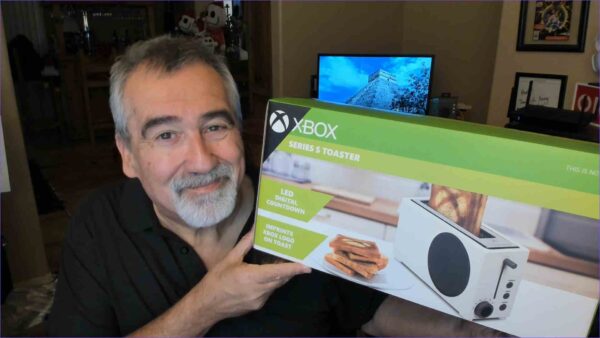
Lastly, Justin explores Starfield, an Xbox/PC exclusive title from Bethesda, discussing gameplay and expectations, though he playfully declines to share his avatar.

Connect With Us on social media
Facebook @techtalkers
Twitter @TechtalkRadio
Instagram techtalkradio
Web: TechtalkRadio.Com
Subscribe and Like on Audacy, iHeart, Apple Podcast, Amazon Music, Google, Spotify and Spreaker!

DON’T MISS A BEAT

Be the first to know when our Shows and Video Content is released

We don’t spam! Read our [link]privacy policy[/link] for more info.

A Past Video Moment with TechtalkRadio!

We’ve been longtime users of Wirecast by Telestream, but due to our current setup for the show, we’ve been dealing with a feedback issue. Nevertheless, we stumbled upon a segment we recorded on Facebook Live while experimenting with a new version back in 2016, and we wanted to share it here.

The technology for live streaming has evolved significantly, not only in terms of the cameras used but also the software that facilitates the process. At the onset of the pandemic, we witnessed houses of worship embracing live streaming, whether it was a single-camera setup on Facebook Live or more advanced solutions like YouTube Live through software such as OBS and Wirecast. These tools provided users with the capability to incorporate graphics, pre-recorded videos, and, in the case of Wirecast, even remote correspondence via a smartphone using the Wirecast App.

One particular tool that has greatly benefited many videocasters is the ATEM Mini by Blackmagic Design. While we have one in our possession, we haven’t had the chance to use it yet. However, Shawn from the show is an avid user of the ATEM Mini and speaks highly of it. Instead of relying on computer software for switching, the ATEM Mini offers hardware-based switching capabilities, providing a different and potentially more efficient approach.

Regardless, we thought you might enjoy this segment from our experiment with FB Live. You can find us on Facebook at https://www.facebook.com/techtalkers.

DON’T MISS A BEAT

Be the first to know when our Shows and Video Content is released

We don’t spam! Read our [link]privacy policy[/link] for more info.

New KMSB Fox 11 Segment – Higher Capacity M.2 and an Enclosure!

As we continue to accumulate documents, photos, videos, and even install programs and games, the demand for storage space has surged. Over the years, we’ve witnessed remarkable advancements in storage technology, from the early days of MFM SCSI and IDE drives with that modest 750MB capacity to the introduction of SATA drives and the game-changing SSDs (Solid State Drives). The latest milestone in digital storage technology is the M.2 SSD.

Unlike traditional drives, the M.2 SSD slots directly into a designated port on your motherboard and is secured in place with a screw. One noteworthy M.2 SSD in the spotlight is the WD_Black SN850X NVMe SSD, featuring PCIe Gen 4 x4 NVMe support. It’s worth mentioning that Western Digital has recently unveiled a 4TB version, taking storage capacity to new heights. The M.2 SSD’s compact size is a standout feature, and it offers impressive data transfer speeds. However, one drawback is that M.2 drives took some time to catch up in terms of storage capacity compared to their larger SSD counterparts. Pricing for the new Western Digital M.2 SSDs hovers around $299 for the latest models, with the 2TB variant priced at approximately $119.

One challenge that some have pondered is how to duplicate, clone, or upgrade systems with M.2 drives. While there are various docking systems available for IDE, SATA, and standard SSDs, the M.2 realm presented a unique challenge – until Sabrent stepped in. Sabrent has introduced an M.2 Storage/Enclosure crafted from aluminum (which also helps dissipate heat generated by the M.2 drive). Simply plug your M.2 drive into this enclosure, close it up, and connect it to your computer via USB-C and included adapter. The enclosure includes all the necessary cables and adapters for a hassle-free experience.

For those looking to upgrade from a 1TB M.2 to a 2TB or 4TB version, Sabrent sweetens the deal by bundling a free download of Acronis True Image for SABRENT software, making cloning a breeze. This enclosure typically retails for around $35, and it’s wise to ensure compatibility with your specific M.2 drive, as there are different M.2 styles in existence.

If you found this information helpful, please consider sharing this video and giving it a thumbs-up. Thanks for taking the time to explore these exciting developments in the world of digital storage – Listed are some of the Technology we have covered!

  1. M.2 SSD Technology: M.2 is a form factor for solid-state drives (SSDs) that is characterized by its small, thin, and light design. It was introduced to replace the older mSATA and mini-PCIe connectors. M.2 drives are designed to fit directly into a compatible slot on a motherboard, eliminating the need for cables and connectors, which can improve airflow and reduce clutter within the computer case.
  2. WD_ Black SN850X NVMe SSD: The WD_Black SN850X from Western Digital is an M.2 NVMe SSD known for its high-speed performance. It utilizes the PCIe Gen 4 interface, which provides significantly faster data transfer speeds compared to previous generations. This makes it an excellent choice for demanding tasks like gaming, content creation, and data-intensive applications.
  3. Storage Capacities: As technology advances, M.2 SSDs are becoming available in larger capacities. The 2TB variant we mentioned is a substantial amount of storage, suitable for storing a vast number of documents, photos, videos, and even games and programs. It’s worth noting that SSDs, including M.2 SSDs, have become more affordable per gigabyte over the years, making high-capacity options like the 2TB WD_Black SN850X accessible to more users.
  4. M.2 Enclosures: M.2 enclosures are essential tools for various purposes. These enclosures allow you to convert an M.2 SSD into an external drive that can be connected to your computer via USB. This is especially useful when you need to clone or transfer data from one M.2 drive to another or if you want to use an M.2 SSD as a portable storage device.
  5. Cloning and Upgrading: Upgrading to a larger M.2 SSD is made more accessible with tools like the Sabrent M.2 enclosure, which includes software for cloning. Cloning allows you to duplicate the contents of your existing M.2 drive onto a new, larger one without reinstalling the operating system and applications. This can save a lot of time and effort when upgrading your storage capacity.
  6. Price Considerations: As mentioned, M.2 SSD prices have become more competitive, making them a viable option for various users. Prices can vary based on factors such as capacity, brand, and performance, so it’s a good idea to research and compare different M.2 SSD models to find the one that suits your needs and budget. If you are thinking about building a system, take a look at a motherboard that supports the M.2

In conclusion, M.2 SSDs like the WD_Black SN850X offer high-speed performance and ample storage capacity for modern computing needs. The use of M.2 enclosures with cloning software simplifies the process of upgrading or transferring data, making them valuable tools for enthusiasts and professionals. As technology continues to advance, we can expect further innovations in storage solutions. For More information on Western Digital take a look at https://www.westerndigital.com and Sabrent at https://www.sabrent.com

DON’T MISS A BEAT

Be the first to know when our Shows and Video Content is released

We don’t spam! Read our [link]privacy policy[/link] for more info.