Episode 461 – Comedy Wildlife, OpenShot & The Midwest Freeze: Tech You Need This Week!

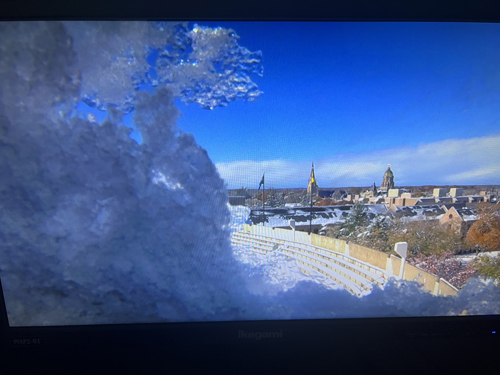
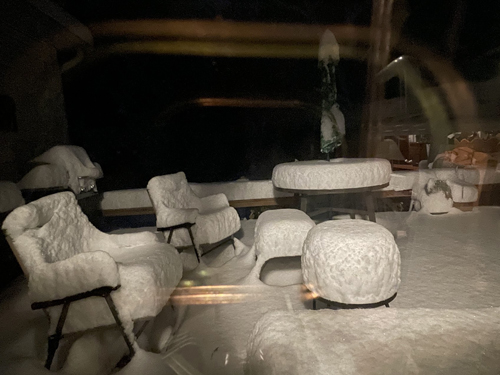
For this week’s Techtalkradio Show, it kicked off with 2 climates, pitting Andy Taylor’s sunny Arizona desert against Shawn DeWeerd’s brutal, snowy reality near South Bend, Indiana. Shawn described his location as a literal “frozen tundra,” buried under nearly a foot of snow, Shawn shared a couple of photos and suggested a real-time look at the Campus via an EarthCam feed.

The most epic cold-weather story involved a collegiate rugby championship at Notre Dame, where players, during a massive blizzard, played for hours in shorts, proving that some athletes are simply built differently (and that their tech gear is, thankfully, heated!). This extreme weather made Shawn the resident expert on staying prepared—and served as a stern reminder for everyone in snowy climates: always brush the snow off your car!
Shawn and Andy then continued the discussion the latest Coca-Cola commercial, debating whether the oddly animated people and the controversial ending were a genuine AI mistake or a brilliant-if-cynical guerrilla marketing play to get everyone talking. One of Andy’s favorites has returned, the Nikon Comedy Wildlife Photo Contest, which captures animals in hilariously awkward poses. The show then gave listeners the inside track on creative tools, with Andy praising the powerful new features of Adobe Premiere and introducing OpenShot as a free option for video editing beginners, while Shawn gave a shout-out to the enduring favorite, DaVinci Resolve.

Finally, the discussion turned to the ever-evolving world of digital consumption and convenience. They raised eyebrows at the newest, and arguably most irritating, advertising trend: “pause ads,” which ambush viewers with a static commercial the moment they hit the pause button on their streaming service. Despite this, Shawn expressed his enthusiasm for the community of hobbyists who are dedicated to tracking down and restoring abandoned Redbox kiosks—a fun bit of tech nostalgia. To cap off the show, they covered Microsoft’s launch of the App Pack, a new tool that seems to be directly competing with the beloved, time-saving app installer, Ninite, offering Windows users an easy way to set up a new computer.

Got a question for the show? Email techguys@techtalkradio.com, and catch more at techtalkradio.com.

Please Share, Listen, Subscribe to the Show on Spotify, Spreaker, iHeartRadio, YouTube and Our YouTube Page. Connect With Us on social media – See the Video of this Show on our YouTube Page!

Also Available on KGVY AM/FM, Amazon Music, PodBean and other Delivery Networks!
Episode 460 – “Smart Home Hacks & Windows Update Fail”

Subscribe

This week’s TechtalkRadio show is joined by Andy Taylor, Shawn DeWeerd and returning after an absence Justin Lemme.  The guys opened up with some radio war stories and how On-Air has changed in many large cities but it does open up a even bigger conversation about where broadcasting is headed—automation, “canned” shifts, and even AI DJs which has already been experimented with. That segued into a broader AI discussion: hype vs. reality (is there an “AI bubble”?). Shawn is not happy with the AI Enabled toys we should see around the holidays and questions how some can hold back kids’ creativity and also raises privacy concerns. A discussion on AI in Media continues with Shawn not a fan of the obvious AI ad spots (Coke’s holiday commercial came up). Andy and Justin seemed to feel it brought out the essence of the Holidays and Coke however Shawn shares how the AI ran over a street of crowded people which delivered a honest natural reaction from Justin. 

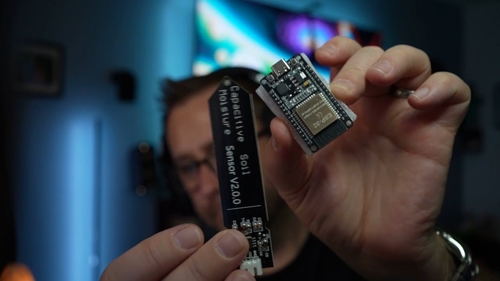
Justin dove into DIY smart-home tinkering: using low-cost ESP32 microcontrollers with Home Assistant to build sensors (soil moisture alerts, mmWave presence for stair lights, temperature monitoring for a garage freezer). The takeaway: you can replicate pricey off-the-shelf gadgets for a fraction of the cost and power them via USB-C, battery, or small solar. Listener Q&A covered everyday computing—when a Chromebook or budget laptop beats a custom PC if you’re mostly browsing and watching video—and a heads-up that RAM prices have spiked recently. We also hit the streaming mess (YouTube TV vs. Disney/ESPN) and why “cutting the cord” keeps getting pricier and more confusing.

A Fun group on Facebook, IT Humor and Memes Shared a post about gaming in the late 80’s which opened up a discussion on Gaming nostalgia: Making the list for Andy, Shawn and Justin were titles like Wolfenstein 3D, Command & Conquer, Diablo II, RollerCoaster Tycoon, Leisure Suit Larry, and more—plus places to play DOS classics right in your browser with a great link from Shawn. Justin flagged the Fallout 4 Anniversary Edition (bundled with expansions) and told a story about navigating parental controls with Fallout. There was also a quick troubleshooting win: an HP Omen laptop that crawled after a Windows update was fixed by rolling back recent updates—sometimes it is Windows.

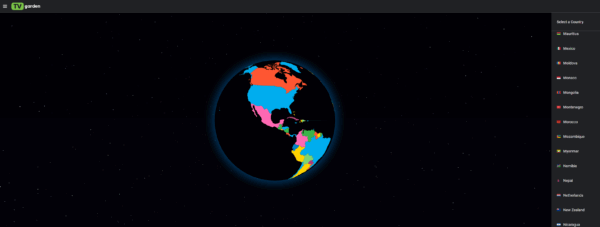
We wrapped with “sites of the week.” TV Garden lets you hop around live channels worldwide (including NASA TV streams), a delightfully distracting Pong-style clock, browser-based emulation libraries for retro games, a global web SDR directory for ham-radio listening, and a quick-fix image cleanup tool. Last week’s background remover got a nod again for simple cutouts. Check out the Website TechtalkRadio.Com for Links talked about on the Show and see the Video Version on our Blog.techtalkradio.com and Subscribe!

Episode 459 – “Old Tech, New Tricks: Ham Radios, Drones & Data Recovery!”

Subscribe

This Week’s TechtalkRadio Show kicks off with Shawn and Andy looking back on last weeks show and discussing a couple of Web Distractions such as TV.Garden only to find out from some viewers to the Social Media Video Post also had a site to share, Radio.Garden. This Site features Radio stations from around the globe, now including KGVY. Shawn adds WebSDR.org for listening to live amateur radio signals worldwide. That rolls into a hands-on ham segment: GMRS nostalgia, the FCC’s clamp-down on internet-linked repeaters. Shawn points to ARRL for licensing paths and local clubs, plus practical directories like RepeaterBook, RadioReference, and HamStudy to get started.

Andy dusts off the DJI Mini 3 to shoot footage of classic control-line airplanes for a friends project and decides it is time to take a look at the Part 107 study options, and but realizes  licensing delays amid the federal shutdown discussion. Then it’s OS philosophies—Windows 11’s Copilot and bloat vs. the “clean” feel of Linux—before a deep dive on data recovery: Shawn resurrects photos from a 2007 Toshiba drive using free TestDisk/PhotoRec, while Andy revisits using OnTrack in past recoveries and budget-friendlier EaseUS. A wild case study: investigators recovered images from the OceanGate submersible camera’s SanDisk memory.

Shawn tells us about a site he found which first we remind of caution –  OldVersion.com for legacy software. This tied in nicely with Andy’s daughter asking for a Windows XP rig with the old games installed. A possible alternative could be the website Good Old Games for classic game purchases. For video editing without subscriptions, DaVinci Resolve shines for Andy’s 4K drone footage, and OpenShot gets a nod as a friendly, open-source starter. Quick creative helpers include Remove.bg for instant background cuts and a reminder to support open-source tools that earn a spot in the toolbox.

A Listener wants to know about silencing Spam Calls. Andy shares the recommendation to use Do Not Disturb with “contacts only,” Silence Unknown Callers on iPhone, and accept that voicemail may still catch strays. Security talk covers the rumored Gmail credential chatter and a practical audit with HaveIBeenPwned, followed by password hygiene best practices: unique, long passwords and strong picks like Apple Passwords or 1Password—optionally paired with hardware keys for the ultra-cautious. The show wraps with a family-friendly pick—Scholastic’s new free streaming app (Clifford, Goosebumps, Magic School Bus)—and a quick note that Fedora is formally embracing AI-assisted contributions on the development side, signaling how open-source projects are adapting behind the scenes.

Got a question for the show? Email techguys@techtalkradio.com, and catch more at techtalkradio.com.

Please Share, Listen, Subscribe to the Show on Spotify, Spreaker, iHeartRadio, YouTube and Our YouTube Page. Also Available on KGVY AM/FM, Amazon Music, PodBean and other Delivery Networks!
News13 Segment – Picture Perfect: Remove Backgrounds in Photos Easily

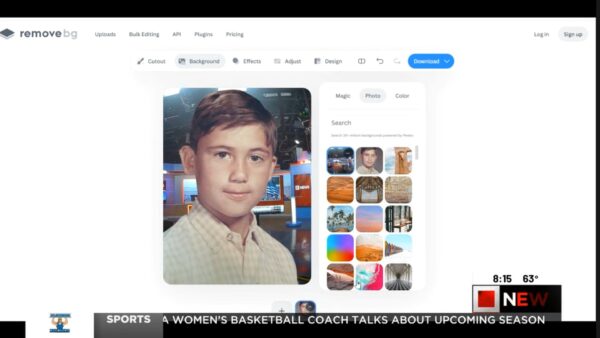
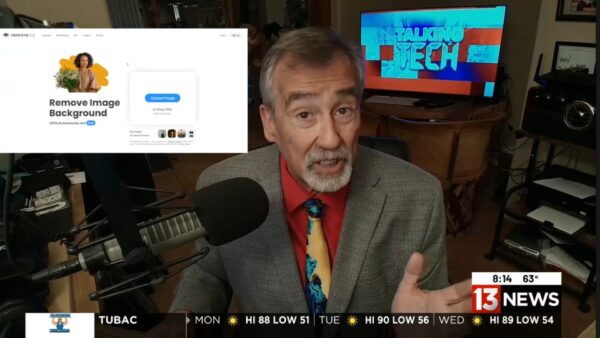
In This week’s KMSB News13 Segment, Andy shows you how to instantly remove photo backgrounds with a website Remove.bg — It’s fun to play around with but could be a time saver for those working to adjust a photo. No Photoshop skills required — While the latest version of Photoshop from Adobe can accomplish pretty much the same results, this is fun to take for a spin. We also take a fun look at Google’s Frightgeist, revealing the top trending Halloween costumes across the country. Which is the top trending costume?

From refreshing old memories to picking your next costume idea, these easy tools make tech both fun and functional!

👉 Watch now and try them yourself: remove.bg and frightgeist.withgoogle.com

Episode 458 – “The Cloud Crashed: When the Net Goes Dark.”

Subscribe

For this week on TechtalkRadio, Andy Taylor and Shawn DeWeerd tackle the story that shook the web — the massive AWS outage that left millions wondering if their internet had vanished. The pair break down what really happened when Amazon’s U.S. East-1 region went down and how a simple DNS failure can ripple through nearly every service we use. From Coinbase and Reddit to Roku, Robinhood, and even smart-home devices, the hosts explain how so much of our digital life runs through the same narrow pipes — and why that can be a dangerous single point of failure.

With streaming services sputtering and smart devices silent, Andy and Shawn turn their attention to the unexpected hero of the week: physical media. They discuss why DVDs and Blu-rays are making a quiet comeback and share the tools that make it easy to preserve your collection — from MakeMKV for ripping discs to HandBrake for compressing files and Plex for organizing your own personal streaming library. It’s a reminder that having your favorite shows and movies on hand (and not in the cloud) can be both nostalgic and smart in 2025.

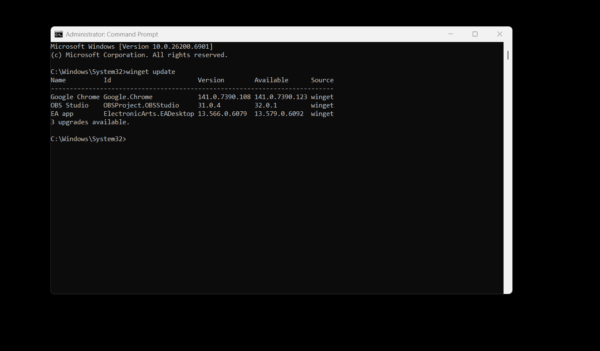
The episode also dives into practical Windows tips, including Microsoft’s WinGet — a built-in command-line updater that keeps your apps current with a single command. Shawn tests it live on air and finds nearly half of his software out of date. Andy also fields listener questions about Windows 11 S Mode, breaking down who it’s for, why most users eventually turn it off, and how Microsoft’s locked-down environment compares to the open flexibility we’re used to.

Finally, the hosts spotlight two incredible websites that make technology feel fun again. TV.garden lets you spin a virtual globe and watch free, live television from countries all around the world — a discovery that had Shawn geeking out over obscure motorsport streams. And Explore.org offers a front-row seat to nature through hundreds of live animal cams, from Alaska’s famous Fat Bears to serene ocean sanctuaries. Whether the cloud is crashing or calm, Andy and Shawn remind us that tech should connect, entertain, and inspire — even when the net goes dark.